
Cloud-Based Identity Management: A Practical Guide
As organisations move more of their systems and data to the cloud, managing who can access them becomes increasingly important. Cloud-based identity management helps businesses create, manage and secure digital identities across cloud services, applications and, in many cases, on-premises systems.
Rather than relying solely on tools installed and managed within an organisation’s own data centre, a cloud identity management service is hosted by a provider and accessed over the internet. It can give staff a central way to sign in to business applications while giving IT and security teams tools to control access and monitor activity.
What does cloud-based identity management include?
The term covers several related capabilities. These may be provided by one platform or by multiple connected services:
- Authentication: Checking that a user is who they claim to be, for example with a password, a security key or a mobile device.
- Single sign-on: Allowing users to access approved applications through one sign-in, rather than managing separate credentials for each service.
- Multi-factor authentication: Requiring more than one form of proof before access is granted.
- Provisioning and deprovisioning: Creating, updating or disabling accounts as people join, change roles or leave.
- Access management: Applying rules that determine which users can access particular systems and resources.
- Identity governance: Reviewing permissions, approving access requests and maintaining evidence for audits.
Why are organisations adopting it?
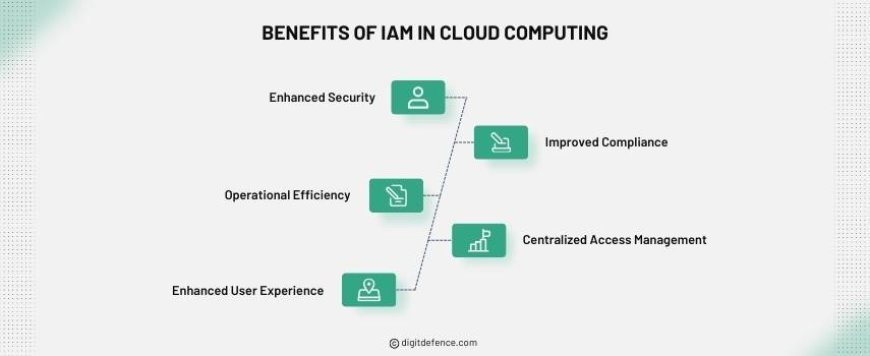
A cloud identity service can make it easier to manage access across a growing collection of software-as-a-service applications. Centralised administration can reduce the need to maintain separate user accounts in each system and help teams apply consistent security policies.
It can also improve the user experience. Single sign-on may reduce repeated logins, while automated account processes can help new starters receive appropriate access more quickly. When someone changes role or leaves, access can be reviewed or removed through a more consistent process.
For security teams, centralised identity data and sign-in records can make it easier to spot unusual activity. Depending on the service and its configuration, organisations may be able to apply additional checks when a sign-in appears risky, such as requiring stronger authentication or limiting access to certain resources.
Security benefits depend on good configuration
Moving identity management to the cloud does not automatically make access secure. The service must be configured carefully, and responsibility is shared between the organisation and the provider. Organisations remain responsible for decisions such as who should have access, how authentication policies are set and how accounts are reviewed.
Several practices can help reduce risk:
- Use strong multi-factor authentication. Protect administrator accounts and other high-impact accounts especially carefully. Where practical, use phishing-resistant methods such as passkeys or hardware security keys.
- Apply least privilege. Give people only the access they need for their role, and avoid granting permanent administrative privileges when temporary elevation will suffice.
- Automate account lifecycle processes. Connect identity management to reliable staff records so that access changes are made promptly when employment or responsibilities change.
- Review access regularly. Managers and system owners should confirm that permissions remain appropriate, particularly for sensitive data and critical applications.
- Protect privileged accounts. Separate routine user accounts from administrator accounts, restrict their use and monitor privileged activity.
- Monitor and retain logs. Review sign-in events, policy changes and access grants, and ensure relevant records are available for investigations and audits.
- Prepare for service disruption. Understand how users will access essential services if the identity provider or an internet connection is unavailable.
Integration with existing systems
Many organisations have a mixture of cloud applications, legacy systems and on-premises infrastructure. A cloud identity platform may need to work alongside existing directories and applications, so integration should be assessed before implementation.
Check which sign-in and provisioning standards are supported, how passwords and authentication factors are handled, and whether older applications can use modern identity protocols. Where a legacy system cannot integrate directly, a connector or carefully controlled alternative may be required. Avoid creating permanent exceptions that bypass central policies without documenting and reviewing them.
Privacy, compliance and supplier considerations
Identity platforms process sensitive information, including user details, access permissions and sign-in records. Before choosing a provider, consider what data is collected, where it is stored, how long it is retained and who can access it. Review contractual terms, security documentation, incident-notification arrangements and available audit evidence.
UK organisations should assess their obligations under applicable data protection and sector-specific rules. The right approach depends on the type of information involved and the organisation’s circumstances. A supplier’s compliance claims can support an assessment, but they do not replace the organisation’s own responsibilities.
It is also worth considering resilience and portability. Understand the provider’s availability commitments, backup and recovery arrangements, support model and process for exporting identity data. Plan how the organisation would respond if the service were unavailable or the supplier relationship ended.
How to plan an implementation
A successful implementation starts with understanding the current environment. Identify the directories, applications, user groups and authentication methods already in use. Map how accounts are created and removed, and look for dormant accounts, excessive permissions and undocumented exceptions.
Next, define clear requirements. These might include single sign-on for priority applications, stronger authentication for administrators, automated provisioning, access reviews or improved audit reporting. Pilot the service with a representative group before wider deployment, and test both normal access and failure scenarios.
Training and communication matter too. Explain how sign-in methods work, what users should do if they lose a device and how to report suspicious prompts. IT teams should receive guidance on administrative roles, emergency access and incident response.
Making identity a foundation for security
Cloud-based identity management can simplify access administration and support stronger security across a distributed workforce. Its value comes not just from the technology, but from the policies and processes built around it: accurate account records, appropriate permissions, robust authentication and regular review.
By treating identity as a core part of security planning, rather than a one-off IT project, organisations can make access easier to manage while reducing the risk of accounts being misused or left active longer than necessary.
9 Essential Tips for Secure Cloud-Based Identity Management
- Use multi-factor authentication for every account.
- Apply least-privilege access by default.
- Review user access regularly.
- Automate joiner, mover and leaver processes.
- Use single sign-on where appropriate.
- Monitor sign-ins for unusual activity.
- Encrypt identity data in transit and at rest.
- Keep identity policies and recovery details up to date.
- Choose a provider with strong security and compliance controls.
Use multi-factor authentication for every account.
Use multi-factor authentication (MFA) for every account to add an extra layer of protection beyond a password. If a password is stolen, guessed or reused, an attacker will still need another approved way to verify their identity. Prioritise phishing-resistant options, such as passkeys or security keys, where available, and make sure users know how to report unexpected sign-in requests. Pay particular attention to administrator and other high-privilege accounts, as these can provide access to critical systems and data.
Apply least-privilege access by default.
Apply least-privilege access by default, giving each user only the permissions they need to carry out their role. Avoid broad or permanent administrative access, and use time-limited elevation for tasks that require additional privileges. Review permissions regularly, especially when someone changes role or leaves, to reduce the risk of accidental changes, compromised accounts and unauthorised access.
Review user access regularly.
Review user access regularly to make sure each person still has the permissions they need for their current role. When responsibilities change or employees leave, update or remove access promptly to reduce the risk of inappropriate or unused accounts. Pay particular attention to administrator privileges and access to sensitive information, and keep a record of reviews and any changes made.
Automate joiner, mover and leaver processes.
Automate joiner, mover and leaver processes by connecting identity management to reliable HR or staff records. When someone joins, they can receive the access needed for their role; when they change position, their permissions can be updated; and when they leave, accounts can be disabled promptly. This helps reduce manual work, prevent unnecessary access from accumulating and lower the risk of former employees retaining access to company systems. Ensure automated rules are regularly reviewed and include checks for exceptions, sensitive permissions and failed updates.
Use single sign-on where appropriate.
Use single sign-on (SSO) where appropriate to let staff access approved applications with one secure set of sign-in credentials. This can make day-to-day access simpler, reduce password fatigue and help IT teams apply consistent authentication policies. SSO should be supported by strong multi-factor authentication, carefully managed permissions and a clear process for removing access when someone changes role or leaves the organisation.
Monitor sign-ins for unusual activity.
Monitor sign-ins for unusual activity to spot potential threats early. Look for patterns such as repeated failed attempts, logins from unexpected locations or devices, and access at unusual times. Use alerts and risk-based policies to prompt extra verification or block access when necessary, and investigate suspicious events promptly. Regular monitoring helps teams identify compromised accounts and respond before they lead to wider disruption.
Encrypt identity data in transit and at rest.
Encrypt identity data both in transit and at rest to help protect it from interception, unauthorised access and disclosure. Use secure, up-to-date protocols such as TLS when data moves between users, applications and identity services, and ensure stored information is encrypted using strong, well-managed encryption. Restrict access to encryption keys, rotate them in line with your security policy and check that your cloud provider’s controls meet your organisation’s requirements.
Keep identity policies and recovery details up to date.
Keep identity policies and recovery details up to date so that access remains secure as people, roles and systems change. Review sign-in rules, authentication requirements and account permissions regularly, and make sure recovery contacts, backup methods and emergency procedures are accurate and accessible to authorised staff. Outdated details can delay account recovery or leave gaps that attackers may exploit, so include these checks in routine security reviews and whenever significant changes occur.
Choose a provider with strong security and compliance controls.
Choose a cloud-based identity management provider with robust security and compliance controls. Look for features such as encryption, multi-factor authentication, detailed audit logs and clear processes for responding to security incidents. Check how the provider protects and stores data, which independent certifications or assurance reports it holds, and whether its controls support your organisation’s regulatory and contractual obligations. A thorough review helps you assess whether the service can protect identities and access information effectively.