Web-Based Compliance Management System: A Practical Guide

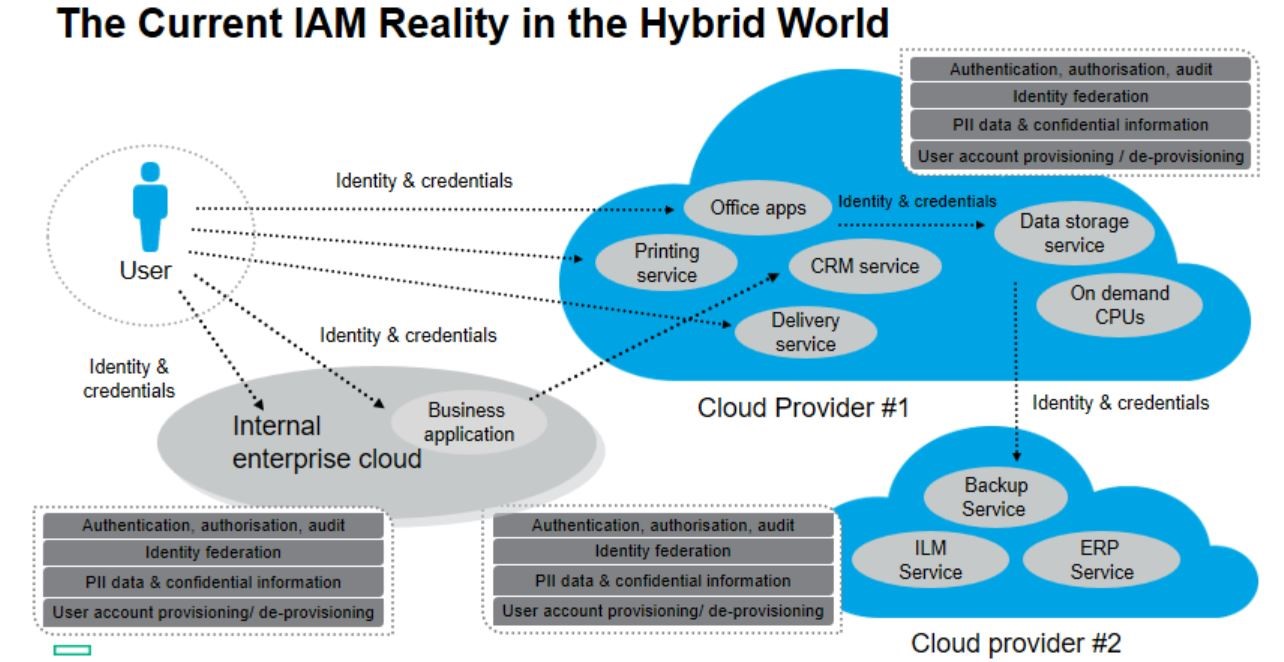
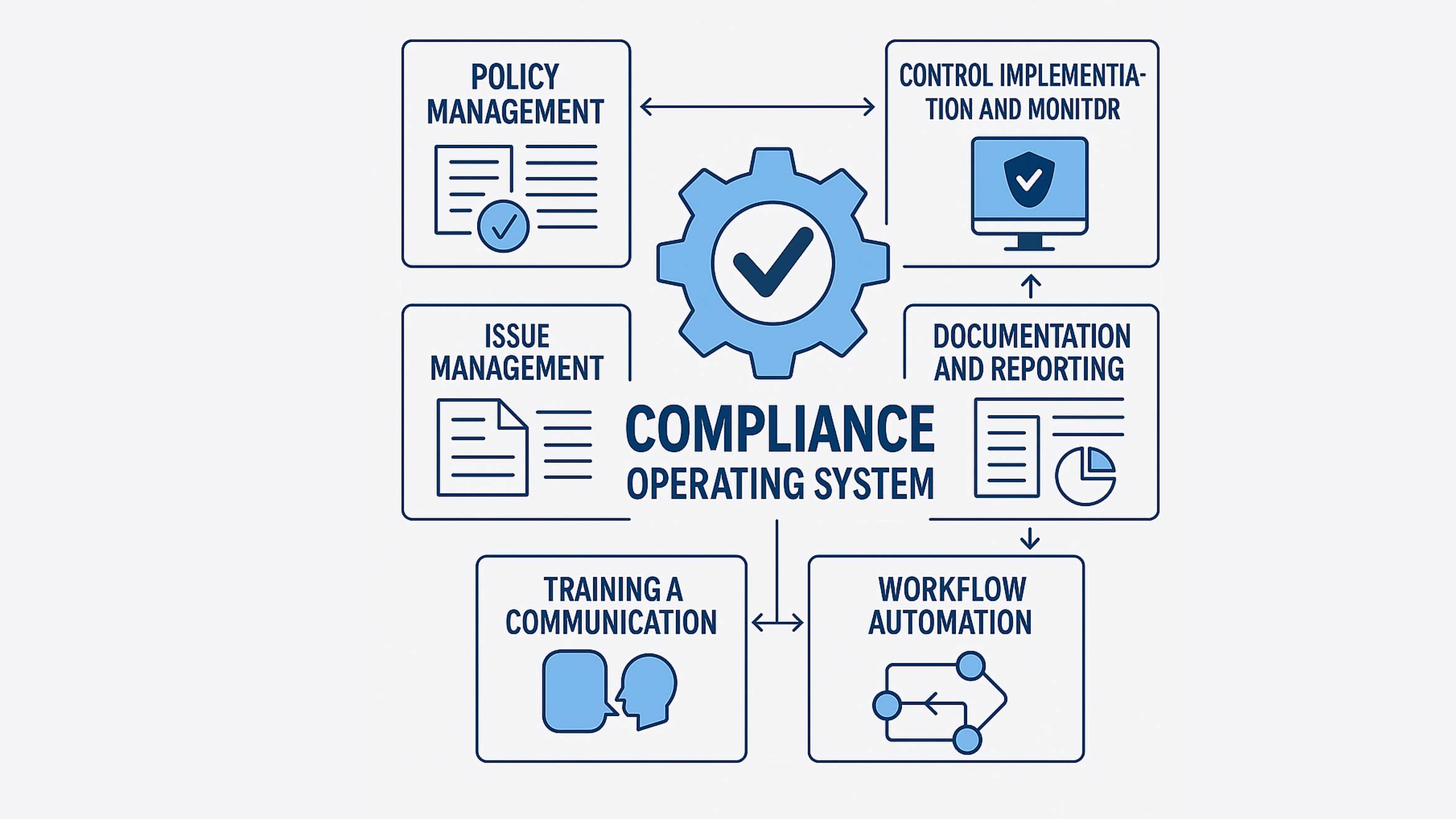
Keeping up with regulatory requirements, internal policies and industry standards can be challenging. A web-based compliance management system helps organisations bring these activities together in one accessible platform. It can support the management of policies, risks, evidence, audits and corrective actions, giving teams a clearer view of their compliance responsibilities.

What is a web-based compliance management system?

A web-based compliance management system is software accessed through a web browser. Rather than relying on scattered spreadsheets, email chains and paper records, an organisation can use the system to organise compliance information and processes in a central location.

Depending on the product, users may be able to manage regulatory obligations, assign tasks, record evidence, monitor risks and prepare for audits. Access can usually be provided to relevant employees, managers, auditors or external partners, subject to permissions set by the organisation.

How can it help an organisation?

Compliance work often involves many people and repeated tasks. A central system can make responsibilities more visible and help teams keep records up to date. Common benefits include:

  • Centralised information: Policies, controls, evidence and audit records can be stored in one organised location.
  • Clear ownership: Tasks can be assigned to named individuals or teams, with deadlines and progress tracked.
  • Improved visibility: Dashboards and reports can help managers identify overdue actions, emerging risks and areas requiring attention.
  • Consistent processes: Standard workflows can help teams follow the same steps for reviews, approvals and corrective actions.
  • Audit preparation: Well-organised records can make it easier to demonstrate how controls are designed, maintained and reviewed.

A system can support compliance activities, but it does not guarantee compliance. Organisations remain responsible for understanding which requirements apply to them and for ensuring that their processes are appropriate.

Key features to look for

The right system depends on an organisation’s size, sector and compliance needs. Useful features may include:

  • Obligation and control registers for recording requirements, internal controls, owners and review dates.
  • Policy management to manage drafting, approval, publication and periodic review.
  • Risk management to assess risks, document treatment plans and track changes over time.
  • Audit management to plan reviews, record findings, collect evidence and follow up on actions.
  • Automated reminders and workflows to prompt users about deadlines, approvals and scheduled reviews.
  • Reporting tools to provide a useful overview for operational teams and senior management.
  • Access controls and audit trails to help protect sensitive information and record key user activity.
  • Integrations with systems such as identity platforms, document stores, ticketing tools or security monitoring products.

Security and data protection considerations

Because a compliance platform may contain sensitive business information, security should be a central part of the evaluation. Organisations should review how the provider protects data, manages access and responds to security incidents. It is also worth understanding where data is stored, how it is backed up and what options are available for exporting or deleting it.

Look for appropriate user permissions, multi-factor authentication, encryption and detailed activity logs. The precise safeguards required will depend on the information being stored and the organisation’s legal, regulatory and contractual obligations.

Choosing the right system

Before comparing products, identify the problems the system needs to solve. A small organisation may prioritise simple policy management and task tracking, while a larger or regulated organisation may need support for multiple frameworks, complex approval processes and detailed reporting.

Consider the following questions during selection:

  • Which regulations, standards and internal policies need to be managed?
  • Who will use the system, and what access should each role have?
  • Can the system be configured to match existing processes without becoming unnecessarily complex?
  • Can information be imported from current tools and exported if the organisation changes provider?
  • What training, technical support and ongoing maintenance are included?
  • How will the provider handle data security, availability and service updates?

A product demonstration or trial can help teams assess whether the system is straightforward to use. Involving the people who will manage and use it day to day can also reveal practical requirements that may be missed during a high-level review.

Implementing a web-based compliance system

Successful implementation is about more than installing software. Start by agreeing on the objectives, defining responsibilities and deciding which information should be included. It may be helpful to begin with a focused area, such as policy reviews or audit actions, before expanding to other compliance processes.

Keep records accurate, set realistic review schedules and make sure task owners understand what is expected of them. Training should reflect users’ roles, while regular reviews can help identify unnecessary steps or gaps in the process. Compliance requirements and business operations change, so the system should be reviewed and updated as needed.

Conclusion

A web-based compliance management system can provide a structured way to organise obligations, evidence, audits and follow-up actions. By improving visibility and clarifying responsibilities, it can help organisations manage compliance work more consistently. The best results come from choosing a system that fits the organisation’s needs, protecting the information it contains and keeping the people and processes behind it actively involved.


Essential Tips for Effective Web-Based Compliance Management Systems

  1. Choose a system that meets your industry’s compliance needs.
  2. Use role-based access to protect sensitive information.
  3. Set reminders for audits, reviews and renewal dates.
  4. Keep policies and evidence organised in one place.
  5. Train staff to use the system consistently.
  6. Review access logs and system settings regularly.

Choose a system that meets your industry’s compliance needs.

Choose a web-based compliance management system that reflects the regulations, standards and reporting requirements relevant to your industry. Different sectors face different obligations, so check that the system can help you track the requirements that apply to your organisation, manage supporting evidence and prepare clear reports. Confirm that it can adapt as rules change, and involve compliance staff in the selection process to make sure its features suit your day-to-day work.

Use role-based access to protect sensitive information.

Use role-based access controls to ensure people can view or change only the compliance information needed for their role. For example, policy owners may be able to update assigned documents, while auditors can review evidence without changing it. Regularly check permissions and remove access when someone changes role or leaves the organisation. This helps protect sensitive information and reduces the risk of accidental changes or unauthorised access.

Set reminders for audits, reviews and renewal dates.

Set reminders for audits, policy reviews and renewal dates to help keep compliance tasks on schedule. A web-based compliance management system can notify the right people in advance, giving them time to gather evidence, complete reviews and renew certifications or licences before they expire. Regular reminders also make it easier to spot overdue actions and reduce the risk of important deadlines being missed.

Keep policies and evidence organised in one place.

Keep policies and supporting evidence organised in one secure, central place within your web-based compliance management system. This makes it easier for staff to find the latest approved documents, helps prevent outdated versions from being used and gives auditors a clear record of how requirements are being met. Use consistent naming and folder structures, assign ownership and review dates, and apply suitable access permissions to keep information accurate and protected.

Train staff to use the system consistently.

Training staff to use a web-based compliance management system consistently helps keep records accurate and processes reliable. Show employees how to complete relevant tasks, upload evidence, update records and follow approval workflows, tailoring guidance to their roles. Provide clear instructions and refresher training when the system or procedures change, so everyone knows what is expected and compliance information remains up to date.

Review access logs and system settings regularly.

Review access logs and system settings regularly to help keep your web-based compliance management system secure and reliable. Checking who has accessed the platform, what changes have been made and whether any unusual activity has occurred can help you spot potential issues early. Periodically review user permissions, authentication requirements and security settings too, removing access that is no longer needed and ensuring controls still reflect your organisation’s policies.
Top 10 Identity and Access Management Tools

Identity and access management (IAM) tools help organisations control who can access their systems, applications and data. They can simplify sign-in, enforce security policies and make it easier to manage user accounts throughout their lifecycle. Depending on the product, they may also provide identity governance, privileged access management or tools for managing access to cloud platforms.

There is no single best IAM product for every organisation. The right choice depends on factors such as your existing technology, regulatory requirements, number of users and whether you need workforce, customer or privileged access management. The following ten widely used platforms cover a range of needs; the order is not a definitive ranking.

Microsoft Entra ID

Microsoft Entra ID, formerly Azure Active Directory, manages identities and access to Microsoft services and many third-party applications. Its capabilities include single sign-on (SSO), multifactor authentication (MFA), conditional access and integration with Microsoft 3

It is a natural option for organisations already invested in Microsoft’s cloud and productivity tools. Check which features are included in the licences you need.

Okta

Okta is a cloud-based identity platform known for SSO, MFA and integrations with a broad range of applications. It can help organisations provide consistent access across cloud and on-premises services. Okta is often considered by businesses that want a dedicated identity platform, particularly when their users rely on applications from multiple vendors.

Ping Identity

Ping Identity offers workforce and customer identity capabilities, including SSO, authentication and access management. Its products can support complex environments where organisations need to connect different applications, directories and infrastructure. It may suit larger businesses with established identity teams and more demanding integration requirements.

SailPoint

SailPoint focuses on identity security and governance. Its tools help organisations manage access requests, reviews, roles and user access as people join, change roles or leave. SailPoint is especially relevant where proving that access is appropriate and regularly reviewed is a priority. It is generally more focused on identity governance than on being a simple sign-in service.

Saviynt

Saviynt provides identity governance and administration, with capabilities for managing access across applications and cloud environments. It can help automate identity-related processes, review permissions and support compliance efforts. Organisations should assess its integration fit and implementation requirements against the complexity of their current environment.

CyberArk

CyberArk is best known for privileged access management (PAM), which protects powerful accounts used by administrators, applications and other sensitive services. Its offerings include controls for privileged credentials and access, alongside broader identity security capabilities. It is worth considering when reducing the risk associated with high-impact accounts is a key requirement.

IBM Verify

IBM Verify includes identity and access management capabilities for workforce and customer use cases. Depending on the product and deployment, organisations can use it for authentication, access control and identity management across different environments. It may be a suitable option for businesses already using IBM technologies or looking for a platform to support complex hybrid systems.

OneLogin by One Identity

OneLogin provides cloud-based identity management features such as SSO, MFA and user provisioning. It is designed to make access to business applications easier to manage while supporting security controls. Organisations comparing it with other cloud IAM services should look closely at application integrations, administration requirements and the features available in each plan.

JumpCloud

JumpCloud brings together directory services, device management and access controls. It can help organisations manage users and devices across different operating systems and cloud applications, including in environments without a traditional on-premises directory. Its combined approach may appeal to smaller IT teams seeking to manage several parts of their identity and device estate in one place.

AWS IAM Identity Center

AWS IAM Identity Center helps organisations manage workforce access to multiple AWS accounts and supported applications. It can connect to an existing identity source and provide users with a central way to access assigned resources. It is particularly relevant for organisations with workloads on AWS, but it should not be assumed to replace a complete workforce IAM or identity governance platform.

How to choose an IAM tool

Start by defining the problem you need to solve. A business looking to make employee sign-in easier may prioritise SSO and MFA, while one seeking to control administrator accounts may need PAM. Organisations that need to review permissions and demonstrate oversight should assess identity governance features.

  • Map your environment: List your directories, cloud platforms, business applications and user groups.
  • Check integrations: Confirm that the tool supports the applications and identity sources you rely on.
  • Assess security controls: Consider MFA, conditional access, lifecycle automation, audit logs and privileged access features.
  • Plan for compliance: Identify the access reviews, records and reporting needed to meet your organisation’s obligations.
  • Estimate the full cost: Include licensing, implementation, ongoing administration and any additional modules.
  • Test usability: Trial the experience for both end users and administrators before making a decision.

Final thoughts

The best IAM tool is the one that fits your organisation’s security needs and works well with its existing systems. Compare products against specific use cases, check current features and licensing with each supplier, and run a carefully scoped pilot where possible. A well-planned implementation matters as much as the platform itself: access policies, account ownership and regular reviews all need ongoing attention.


Top 10 Identity and Access Management Tools: A Comprehensive Guide to Choosing the Right Solution

  1. Compare leading IAM platforms in one place.
  2. Find tools for SSO and multifactor authentication.
  3. Explore options for identity governance and privileged access.
  4. Choose solutions suited to different business environments.
  5. Learn key factors to consider before selecting a tool.


Challenges of Top 10 Identity and Access Management Tools: Key Considerations

  1. Licensing costs can be high.
  2. Implementation may be complex.
  3. Some tools require specialist expertise.
  4. Integrations vary between platforms.
  5. Feature sets can overlap or confuse.
  6. Poor configuration can weaken security.

Compare leading IAM platforms in one place.

Comparing leading identity and access management (IAM) platforms in one place makes it easier to see how their features, integrations and strengths differ. Rather than researching each product separately, organisations can assess options against their requirements—such as single sign-on, multi-factor authentication, user provisioning or privileged access management—and create a focused shortlist. This saves time and supports a more informed decision about which platform best fits their existing systems, security priorities and budget.

Find tools for SSO and multifactor authentication.

The top identity and access management tools make it easier to find solutions that offer both single sign-on (SSO) and multifactor authentication (MFA). SSO lets users access multiple approved applications with one sign-in, while MFA adds an extra layer of verification to help protect accounts. Together, these features can simplify everyday access for staff while strengthening security across an organisation’s systems.

Explore options for identity governance and privileged access.

Exploring identity governance and privileged access management options helps organisations go beyond basic sign-in controls. Identity governance tools can support access reviews, approvals and user lifecycle management, making it easier to ensure people have appropriate permissions. Privileged access features add safeguards for administrator and other high-impact accounts, helping limit exposure and improve oversight. Comparing these capabilities across IAM tools can help you choose a solution that matches your security, compliance and operational needs.

Choose solutions suited to different business environments.

One of the main advantages of comparing the top identity and access management tools is the ability to choose a solution that fits your business environment. Whether your organisation is a small business using cloud applications, a large enterprise with complex hybrid systems, or a team managing privileged accounts, different tools offer capabilities to match those needs. This makes it easier to find an option that works with your existing technology, supports your security requirements and can scale as your organisation grows.

Learn key factors to consider before selecting a tool.

Before choosing an identity and access management tool, consider how well it integrates with your existing systems, which features you need and how easy it will be to use and manage. Assess security controls such as multi-factor authentication, access reviews and user provisioning, as well as compliance requirements, scalability and total cost. Comparing these factors helps you select a tool that suits your organisation’s needs now and can adapt as they change.

Licensing costs can be high.

Licensing costs can be high, particularly for organisations that need advanced features, support for large numbers of users or separate modules for governance and privileged access management. Implementation, integration and ongoing administration can add to the total cost, so it is important to compare the full cost of ownership—not just the advertised subscription price—before choosing a tool.

Implementation may be complex.

Implementation can be complex, particularly in organisations with a mix of legacy systems, cloud services and multiple user directories. Connecting applications, migrating identities and configuring access policies may require specialist expertise and careful planning. If the rollout is not well managed, it can disrupt users or leave gaps in access controls, so it is important to allow time for testing, staff training and ongoing support.

Some tools require specialist expertise.

Some identity and access management tools require specialist expertise to configure, integrate and maintain. Advanced features such as access policies, identity governance and privileged account controls can be complex, particularly in organisations with a mix of cloud and on-premises systems. Without the right skills, implementation may take longer, security settings may be misconfigured and teams may struggle to get the full value from the tool. This can mean extra training, consultancy or ongoing support costs.

Integrations vary between platforms.

Integrations vary between IAM platforms, so a tool may not connect smoothly with every application, directory or cloud service your organisation uses. Some integrations may require extra configuration, custom development or additional licences, increasing implementation time and cost. Before choosing a platform, check that it supports your essential systems and test key integrations in a realistic environment.

Feature sets can overlap or confuse.

IAM tools often combine features such as single sign-on, multifactor authentication, identity governance and privileged access management, so their capabilities can overlap. Product names and licensing tiers may also make it difficult to tell which features are included or whether a separate module is needed. This can complicate comparisons, lead to paying for capabilities that are already covered elsewhere, and make implementation harder. Before choosing a tool, map your requirements and check precisely what each product and licence provides.

Poor configuration can weaken security.

Poor configuration can undermine the security benefits of identity and access management tools. Incorrect access policies, excessive permissions or misconfigured multi-factor authentication may leave accounts and sensitive systems exposed. To reduce this risk, organisations should test settings before deployment, follow the principle of least privilege, review configurations regularly and monitor sign-in activity for suspicious behaviour.

Top Cybersecurity Solution Companies

Cybersecurity has become a priority for organisations of every size. From ransomware and phishing to cloud misconfigurations and stolen credentials, the risks are varied and constantly changing. Cybersecurity solution companies help businesses reduce these risks with products and services such as endpoint protection, network security, identity management, threat detection and incident response.

No single provider is the right choice for every organisation. The companies below are among the best-known names in the sector, but their suitability depends on your existing technology, security requirements, budget and in-house expertise.

Leading cybersecurity companies

Microsoft Security

Microsoft offers security tools covering identity and access, endpoint protection, email security, cloud environments and security information and event management. Its products can be a natural fit for organisations that already use Microsoft services, though businesses should assess licensing, configuration and the skills needed to manage the platform effectively.

Palo Alto Networks

Palo Alto Networks provides solutions across network security, cloud security and security operations. Its portfolio is designed to help organisations protect users, infrastructure and applications, and to bring security data together for investigation. It is often considered by larger organisations with complex environments and dedicated security teams.

CrowdStrike

CrowdStrike is best known for its endpoint security and threat detection capabilities. Its cloud-based platform is used to monitor devices and investigate suspicious activity, with additional services covering areas such as identity and threat intelligence. Buyers should check which capabilities are included in each package and how they fit with their existing tools.

Cisco

Cisco offers a broad range of security products, including network protection, secure access, email security and threat detection. Organisations that already rely on Cisco networking equipment may value the opportunity to align security and network management. As with any broad portfolio, careful planning can help avoid complexity and overlapping tools.

Fortinet

Fortinet provides network security, firewalls, secure access and related services. Its products are used by organisations seeking to protect networks across offices, data centres and cloud environments. When evaluating Fortinet or any network security provider, consider performance, ease of management and how well the solution supports your current architecture.

Check Point Software Technologies

Check Point focuses on network, cloud, endpoint and workspace security. Its solutions are intended to help organisations apply security policies across different parts of their IT environment. The range of available products makes it important to define requirements clearly before comparing packages.

Sophos

Sophos supplies endpoint, network and email security, as well as managed detection and response services. Its offerings may suit small and medium-sized organisations looking for a combination of security technology and external expertise. Check the level of support, monitoring and incident response included in the service.

SentinelOne

SentinelOne specialises in endpoint security and automated threat detection and response. Its tools are designed to help security teams identify and investigate suspicious behaviour across devices. Organisations should assess detection capabilities alongside integration, reporting and the amount of human oversight required.

IBM Security

IBM Security provides services and technology covering areas such as identity, data protection, threat management and security consulting. It can be an option for organisations seeking support with large or complex security programmes. Buyers should establish whether they need a specific product, specialist consultancy or ongoing managed services.

Zscaler

Zscaler focuses on cloud-delivered security and secure access for users connecting to applications and services. Its approach may be relevant to organisations with distributed workforces or significant use of cloud applications. A review should include connectivity requirements, user experience and integration with identity and endpoint controls.

Cloudflare

Cloudflare offers services for protecting websites, applications and networks, including content delivery, web application security and protection against certain types of online attack. It is frequently considered by businesses with public-facing digital services. Organisations should match the selected services to their application architecture and risk profile.

How to choose a cybersecurity provider

Before selecting a company, identify the risks and operational problems the solution needs to address. A useful assessment should consider:

  • Your security priorities: Decide whether the main need is endpoint protection, identity security, cloud security, network defence, compliance support or incident response.
  • Compatibility: Check that the solution integrates with your operating systems, cloud platforms, identity services and existing security tools.
  • Visibility and reporting: Look for clear alerts and reports that help your team understand what is happening and what action is required.
  • Support and expertise: Consider whether your organisation can manage the product itself or would benefit from a managed security service.
  • Total cost: Compare licensing, implementation, training and ongoing management costs, rather than focusing only on the initial price.
  • Compliance requirements: Confirm that the provider can support your relevant legal, regulatory and contractual obligations. A security product alone does not guarantee compliance.

Building an effective security strategy

Technology is only one part of cybersecurity. Strong results also depend on well-managed user accounts, secure configurations, timely software updates, staff awareness and tested response procedures. Organisations should regularly review access rights and changes to important systems, including directory services such as Microsoft Active Directory, which often play a central role in managing users and permissions.

The leading cybersecurity solution companies offer different strengths, and the best choice is the one that addresses your organisation’s specific risks without creating unnecessary complexity. Define your requirements, compare providers against consistent criteria and test shortlisted solutions wherever possible before making a decision.


8 Essential Tips for Choosing the Best Cybersecurity Solution Companies in the UK

  1. Compare firms’ expertise in your industry.
  2. Check independent security certifications and audits.
  3. Review incident-response times and support hours.
  4. Ask how solutions integrate with existing systems.
  5. Assess threat intelligence and detection capabilities.
  6. Check data residency and UK GDPR compliance.
  7. Request clear pricing, terms and service levels.
  8. Read recent customer reviews and case studies.

Compare firms’ expertise in your industry.

When comparing cybersecurity firms, look for proven experience in your industry. Providers familiar with your sector are more likely to understand its specific threats, regulatory requirements and operational needs, helping them recommend practical protections rather than a one-size-fits-all solution. Ask for relevant case studies, client references and examples of how they have supported organisations similar to yours.

Check independent security certifications and audits.

Check independent security certifications and audit reports when assessing cybersecurity solution companies. Standards such as ISO/IEC 27001 and independently assessed service reports can provide useful evidence of how a provider manages information security, access controls and operational risks. Confirm that any certification is current, covers the relevant services and applies to the locations handling your data. Certifications are valuable indicators, but they do not guarantee that a provider is suitable for your organisation, so review the findings alongside your own security requirements.

Review incident-response times and support hours.

When comparing top cybersecurity solution companies, review their incident-response times and support hours carefully. A fast response can make a significant difference when a security incident is unfolding, so check the provider’s guaranteed response times, whether support is available 24/7, and how incidents are prioritised and escalated. Clarify which services are included in your agreement, who will handle the investigation and what support is available outside normal business hours. These details help ensure the provider’s response matches your organisation’s needs.

Ask how solutions integrate with existing systems.

Before choosing a cybersecurity provider, ask how its solutions will integrate with your existing systems, including your cloud platforms, identity services, endpoint tools and network infrastructure. Good integration can improve visibility, simplify day-to-day management and help teams respond to threats more quickly. Ask about compatibility, implementation support and any additional costs, and consider testing the solution to identify potential issues before committing.

Assess threat intelligence and detection capabilities.

Assess each provider’s threat intelligence and detection capabilities to understand how effectively it can identify emerging risks and suspicious activity. Look at the sources and timeliness of its threat intelligence, how it detects known and previously unseen threats, and whether it can correlate signals across endpoints, networks, cloud services and user accounts. Ask how alerts are prioritised, what investigation support is available, and whether the provider offers managed detection and response. Strong capabilities should help your team act quickly while keeping false alarms and alert fatigue under control.

Check data residency and UK GDPR compliance.

Before choosing a cybersecurity provider, check where your data will be stored and processed, including any backups and support access. Confirm that the provider can explain its role under UK GDPR, the safeguards it uses for personal data, and how it handles international data transfers, retention and deletion. Ask for clear contractual terms and relevant evidence of its security practices, and remember that using a compliant provider does not remove your organisation’s own data protection responsibilities.

Request clear pricing, terms and service levels.

When comparing top cybersecurity solution companies, request clear pricing, contract terms and service levels before making a decision. Ask for a breakdown of setup fees, licences, support and any additional charges, and check how prices may change as your organisation grows. Review contract length, renewal and cancellation conditions, as well as what the service levels promise for response times, availability and incident support. Clear answers make it easier to compare providers fairly and avoid unexpected costs or gaps in service.

Read recent customer reviews and case studies.

Read recent customer reviews and case studies to understand how a cybersecurity provider performs in real-world situations. Look for feedback from organisations with needs similar to yours, and pay attention to comments about reliability, support, implementation and how effectively the solution handles security incidents. Case studies can offer useful examples of results achieved, but check when they were published and whether they provide enough detail to support the claims. Reviews and case studies are helpful starting points, rather than a substitute for independent research and a thorough assessment of the provider.

FINRA-Compliant Client Management Software: What to Look For

For broker-dealers and other firms regulated by the Financial Industry Regulatory Authority (FINRA), managing client information involves more than keeping contact details up to date. Firms must consider how communications, records, access permissions and supervisory processes are handled. Client management software can help organise these activities, but no software product can guarantee compliance on its own.

The right solution should support a firm’s compliance programme, fit its business processes and make it easier to maintain accurate, accessible records. Before choosing a platform, firms should assess its capabilities alongside their own regulatory obligations, policies and supervisory procedures.

What does “FINRA-compliant” mean?

“FINRA-compliant software” is often used as shorthand for software with features that may help a regulated firm meet relevant requirements. It should not be taken to mean that FINRA has certified or endorsed the product, or that using it automatically makes a firm compliant.

Responsibility for compliance remains with the firm. Requirements vary according to the firm’s activities, the records it creates and the rules that apply to it. Firms should therefore involve compliance, legal, information security and technology teams when evaluating software, and confirm how the proposed system fits their obligations.

Features to consider

Reliable record-keeping

Client management systems may store information about client relationships, interactions, account servicing and business activity. Look for tools that help staff create consistent records and retrieve them when needed. Consider whether records can be retained for the appropriate period, exported in a usable format and protected from unauthorised alteration or deletion.

Record-keeping needs should be assessed in the context of applicable FINRA and securities regulations, as well as the firm’s retention schedule. A vendor’s description of its product should not replace a review of the firm’s own requirements.

Communication capture and supervision

Client communications can take place across several channels, including email, telephone, messaging platforms and collaboration tools. Firms should determine which channels their staff are permitted to use and whether relevant communications can be captured, retained, searched and reviewed.

Ask vendors how the platform connects to approved communication systems, what information it records and how supervisors can review activity. Integration alone does not establish that every communication is captured or supervised effectively; configuration, user behaviour and ongoing oversight matter too.

Access controls and audit trails

Role-based permissions can help ensure that employees see and change only the information needed for their roles. Useful controls may include multi-factor authentication, single sign-on, restrictions on data exports and the ability to remove access promptly when responsibilities change.

An audit trail should make it possible to understand who accessed or changed information and when. Check whether the records are sufficiently detailed for the firm’s needs, how they are protected and whether administrators can alter or delete them.

Workflow and supervisory support

Some platforms provide task management, approval workflows, alerts and escalation processes. These features can help firms document reviews and follow up on outstanding actions. They may also make it easier to apply consistent procedures across teams.

However, automated alerts and workflows need to be configured and monitored. Firms should establish who is responsible for reviewing alerts, how exceptions are handled and how the effectiveness of the process is tested.

Data security and resilience

Client information is sensitive, so security should be a central part of any procurement review. Ask about encryption, vulnerability management, incident response, backups, disaster recovery and the vendor’s approach to security testing. If the system is hosted by a third party, review the vendor’s controls, subcontractors and service commitments.

Firms should also understand where data is stored, how it is transferred and what happens to it when a contract ends. These points can affect privacy, business continuity and record-retention arrangements.

Questions to ask a software provider

  • Which records and communications can the system capture, and which require integrations?
  • How are records retained, searched, exported and protected against unauthorised changes?
  • What access controls, authentication options and audit logs are available?
  • How are workflows, alerts and supervisory reviews configured?
  • What happens to client data during a service disruption or after the contract ends?
  • Can the provider supply documentation about security controls, system availability and incident handling?
  • How are product updates tested and communicated to customers?
  • What support is available for implementation, training and ongoing administration?

How to evaluate a platform

Start by documenting the firm’s requirements. Map relevant business processes, record types, communication channels, user roles and supervisory responsibilities. This helps distinguish essential capabilities from features that are merely attractive in a demonstration.

Next, assess the platform against the firm’s policies and controls. Test realistic scenarios, such as locating a client interaction, reviewing a change to a record, restricting a user’s access or responding to a system outage. Where possible, involve the people who will use and supervise the system, not just the procurement team.

Before implementation, agree responsibilities with the provider and establish a plan for data migration, configuration, testing and staff training. After launch, review access permissions, workflows, integrations and retention settings regularly. Changes to the firm’s business or the software itself may require the assessment to be revisited.

Software supports compliance; it does not replace it

FINRA-focused client management software can improve organisation, record retrieval and oversight when it is selected and managed carefully. Its value depends on accurate configuration, suitable integrations, effective procedures and trained staff.

Firms should treat vendor claims as a starting point for due diligence rather than as proof of compliance. By assessing the system against their own obligations and maintaining appropriate human supervision, firms can make a more informed choice and build a client management process that supports their broader compliance programme.


Essential FAQs on FINRA-Compliant Client Management Software for Regulated Firms

  1. What does “FINRA-compliant client management software” mean?
  2. Does FINRA certify or endorse client management software?
  3. What features should FINRA-regulated firms look for in client management software?
  4. How can client management software help firms capture and supervise client communications?
  5. How should firms assess data security, access controls and record retention?
  6. Can client management software guarantee that a firm is FINRA-compliant?

What does “FINRA-compliant client management software” mean?

“FINRA-compliant client management software” generally means a platform with features that can help a regulated firm support its record-keeping, supervision and information-security processes. It does not mean that FINRA has certified or endorsed the software, or that using it guarantees compliance. Firms remain responsible for meeting their regulatory obligations, so they should check that the system’s functions, configuration and integrations suit their business and compliance procedures.

Does FINRA certify or endorse client management software?

No. FINRA does not certify or endorse client management software. A provider may describe its product as “FINRA-compliant” because it offers features that can support record-keeping, supervision or other compliance processes, but that does not guarantee the software—or the firm using it—meets every applicable requirement. Firms remain responsible for assessing their obligations, configuring and supervising the system appropriately, and carrying out their own due diligence.

What features should FINRA-regulated firms look for in client management software?

FINRA-regulated firms should look for client management software that supports secure, consistent record-keeping and makes relevant client information easy to retrieve. Useful features may include role-based access controls, multi-factor authentication, detailed audit trails, configurable retention and export options, and integrations that capture approved client communications. Workflow tools, alerts and supervisory review features can also help teams document approvals and follow up on outstanding actions. Assess how the software handles data security, backups, system outages and provider access, and check that it fits the firm’s own policies and regulatory obligations. No software guarantees compliance on its own: the firm remains responsible for choosing, configuring and supervising the system appropriately.

How can client management software help firms capture and supervise client communications?

Client management software can help firms capture and supervise client communications by bringing approved channels—such as email, telephone and messaging platforms—into a searchable, centralised record. Depending on its integrations and configuration, it may retain relevant messages, link them to client records and support supervisory reviews through alerts, sampling and audit trails. Firms should confirm which channels and message types are actually captured, set clear rules for approved communications, and ensure that reviews and exceptions are handled by appropriately trained staff. Software can support these controls, but it does not replace the firm’s responsibility to establish and oversee suitable compliance procedures.

How should firms assess data security, access controls and record retention?

Firms should assess data security, access controls and record retention against their regulatory obligations, internal policies and risk profile. Ask the provider about encryption, security testing, incident response, backups and data location, and review relevant assurance documentation. Check that access can be limited by role, protected with appropriate authentication and promptly changed when staff responsibilities change; audit logs should show who accessed or altered records and when. Confirm how records are retained, searched, exported, protected from unauthorised alteration and securely disposed of when permitted. Test these controls in practice, document the assessment and review them regularly, particularly after system changes. Vendor features can support compliance, but firms remain responsible for ensuring the arrangements meet their requirements.

Can client management software guarantee that a firm is FINRA-compliant?

No. Client management software can support a firm’s compliance programme by helping to organise records, manage access and support supervisory reviews, but it cannot guarantee FINRA compliance. Compliance depends on the firm’s specific obligations, the way the software is configured and used, staff training, internal procedures and ongoing oversight. Firms should assess any platform against their requirements and seek appropriate compliance or legal advice rather than relying solely on a vendor’s claims.