
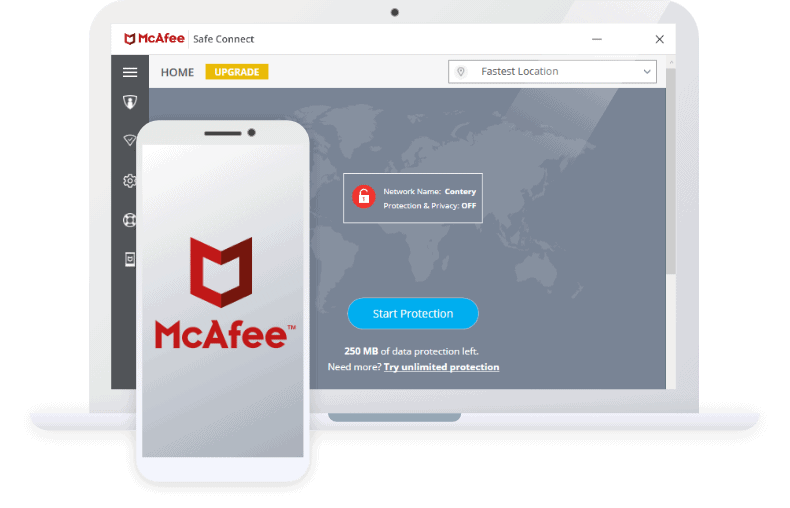
McAfee VPN: What It Does and How to Use It
A virtual private network (VPN) can help protect your internet connection, particularly when you use public Wi-Fi. McAfee offers VPN features through some of its security products, although the product name, included features and availability can vary by subscription, device and country.
What is McAfee VPN?
McAfee VPN encrypts internet traffic between your device and a VPN server. This can make it harder for other people on the same network to view information travelling over your connection. It can also change the IP address visible to websites and online services to one associated with the VPN server.
Depending on the plan and app, McAfee’s VPN may include options such as selecting a server location, automatically connecting on untrusted Wi-Fi, or choosing which apps use the VPN. Check the features listed for your particular subscription, as they may differ.
Why use a VPN?
- Safer browsing on public Wi-Fi: Encryption can help protect traffic from being intercepted on shared networks.
- Added privacy from your local network: A VPN can limit what your Wi-Fi provider or network administrator can see about your connection, although it does not make you completely anonymous.
- A different apparent location: Websites may see the IP address of the VPN server rather than your usual one. Some services may still identify your location through account details, cookies or device settings.
How to set up McAfee VPN
Exact steps depend on the McAfee app and device you use. In general:
- Sign in to your McAfee account and check whether VPN access is included in your plan.
- Install or open the official McAfee security app for your device.
- Find the VPN section and follow the on-screen instructions to enable it.
- Choose a server location, if the app offers a choice, and connect.
- Consider enabling automatic connection on public or unsecured Wi-Fi, if that setting is available.
Download the app from McAfee’s official website or your device’s recognised app store. If the VPN option is missing, check your subscription, app version and regional availability, or contact McAfee support.
What a VPN cannot do
A VPN is one part of online security, not a complete solution. It does not necessarily stop phishing, malicious downloads, tracking through browser cookies or account compromise. It also does not guarantee anonymity or prevent a website from collecting information you provide directly.
A VPN may affect connection speed, and some websites or streaming services may block VPN traffic. Follow the terms of the services you use and local laws. For the best protection, keep your device and apps updated, use strong unique passwords and enable multi-factor authentication where possible.
Is McAfee VPN right for you?
McAfee VPN may be convenient if it is included with your existing McAfee subscription and you want a straightforward way to encrypt connections on supported devices. Before relying on it, review the current plan details, supported platforms, server options and privacy information. Features and terms can change, so consult McAfee’s latest documentation for the most accurate details.
Top 8 Advantages of Using McAfee VPN for Enhanced Online Security and Privacy
- Encrypts internet traffic
- Useful on public Wi-Fi
- May be included with a McAfee plan
- Convenient within the McAfee app
- Can mask your IP address
- May offer multiple server locations
- Can connect automatically on untrusted networks
- Adds an extra layer of online privacy
Considerations of McAfee VPN: Subscription Limitations, Speed Reduction, and Anonymity Concerns
- VPN features and availability vary by subscription and region.
- Using a VPN can reduce connection speeds.
- A VPN does not guarantee anonymity or block all online threats.
Encrypts internet traffic
McAfee VPN encrypts your internet traffic, helping to protect the data sent between your device and the websites or services you use. This can be especially useful on public Wi-Fi, where shared networks may expose your connection to greater risks. Encryption makes it harder for others on the network to read your online activity, though it does not replace safe browsing habits or other security measures.
Useful on public Wi-Fi
McAfee VPN can be useful when connecting to public Wi-Fi in places such as cafés, hotels and airports. It encrypts your internet traffic, making it harder for others on the same network to intercept information travelling between your device and online services. For added convenience, check whether your McAfee plan supports automatic VPN connection on unsecured networks. A VPN is not a substitute for secure websites and safe browsing, but it can provide an extra layer of protection when you’re using shared Wi-Fi.
May be included with a McAfee plan
One advantage of McAfee VPN is that it may be included with some McAfee plans, so you could get VPN protection without arranging a separate subscription. This can make it a convenient option if you already use McAfee security products. Check your plan’s current details, as VPN availability and features vary by subscription and region.
Convenient within the McAfee app
One advantage of McAfee VPN is its convenience: it can be accessed directly within the McAfee app, alongside other security features. This makes it easy to switch on your VPN without installing or managing a separate service, and helps keep your everyday security tools together in one place.
Can mask your IP address
McAfee VPN can mask your IP address by routing your internet traffic through a VPN server, so websites and online services see the server’s address rather than your usual one. This can add a layer of privacy and make it less straightforward to identify your approximate location from your IP address alone. It does not make you completely anonymous, as services may still recognise you through your account, cookies or other information you share.
May offer multiple server locations
McAfee VPN may offer a choice of server locations, giving you flexibility over where your connection appears to come from. This can be useful when travelling or when you want to connect through a particular region, although available locations may vary depending on your plan and app.
Can connect automatically on untrusted networks
McAfee VPN can connect automatically when it detects an untrusted network, such as public Wi-Fi in a café, hotel or airport. This means your internet connection can be encrypted without you having to remember to switch the VPN on each time, helping to add protection while you browse on shared networks.
Adds an extra layer of online privacy
McAfee VPN adds an extra layer of online privacy by encrypting your internet connection and masking your IP address from the websites and services you visit. This can help limit what others on the same network, such as a public Wi-Fi hotspot, can see about your online activity. It does not make you completely anonymous, but it can offer added peace of mind when browsing.
VPN features and availability vary by subscription and region.
One drawback of McAfee VPN is that its features and availability can vary depending on your subscription and region. This means some users may not have access to the VPN, or may find that options such as server locations and automatic connection settings differ from those described elsewhere. Check the details of your plan and local availability before relying on a particular feature.
Using a VPN can reduce connection speeds.
Using McAfee VPN can sometimes reduce your internet speed because your traffic is encrypted and routed through a VPN server before reaching its destination. The impact may be more noticeable if the server is far away, busy or experiencing technical issues, and could affect activities such as streaming, video calls or downloading large files. Choosing a nearby server and switching to a different one if the connection feels slow may help, although speeds can still vary.
A VPN does not guarantee anonymity or block all online threats.
Although McAfee VPN encrypts your internet connection and can help protect your privacy, it does not guarantee anonymity or block every online threat. Websites may still identify you through cookies, account details or other tracking methods, while phishing emails, malicious downloads and unsafe websites can remain a risk. Use the VPN alongside up-to-date security software, strong passwords and careful browsing habits.