The Importance of Access Management: Understanding the Magic Quadrant

Access management is a critical aspect of cybersecurity that involves controlling and monitoring user access to digital resources within an organisation. As technology continues to advance, the need for robust access management solutions becomes increasingly vital in safeguarding sensitive data and maintaining operational efficiency.

One useful tool for evaluating access management solutions is Gartner’s Magic Quadrant. The Magic Quadrant is a research methodology developed by Gartner, a leading technology research and advisory company, to assess various technology markets and provide insights into the competitive landscape of vendors within those markets.

Understanding the Magic Quadrant

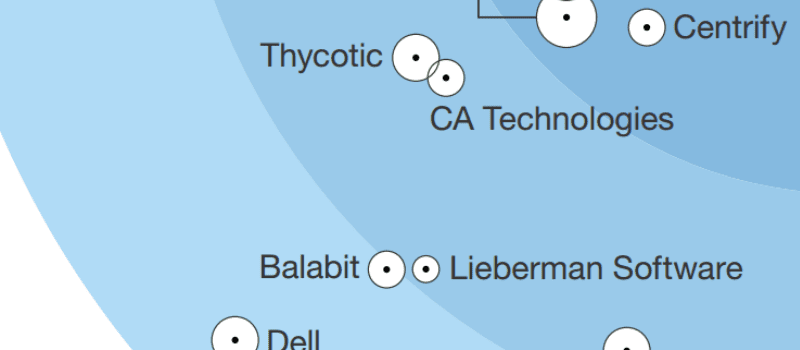
The Magic Quadrant evaluates vendors based on two key criteria: their ability to execute and the completeness of their vision. Vendors are positioned on a quadrant graph with four categories: Leaders, Challengers, Visionaries, and Niche Players. This visual representation helps organisations understand each vendor’s strengths and weaknesses relative to their competitors.

Benefits of Using the Magic Quadrant for Access Management

For organisations seeking access management solutions, the Magic Quadrant offers several benefits:

  • Market Insights: The Magic Quadrant provides a comprehensive overview of the access management market, including key trends, challenges, and emerging technologies.
  • Vendor Evaluation: By analysing where vendors fall within the quadrants, organisations can assess which vendors align best with their specific requirements and strategic goals.
  • Risk Mitigation: Choosing a vendor positioned as a Leader or Visionary in the Magic Quadrant can help mitigate risks associated with implementing subpar access management solutions.
  • Evidence-Based Decision Making: The data-driven analysis presented in the Magic Quadrant enables informed decision-making when selecting an access management solution provider.

Looking Ahead

In today’s digital landscape, effective access management is crucial for protecting sensitive data, ensuring regulatory compliance, and enhancing overall security posture. By leveraging tools such as Gartner’s Magic Quadrant to evaluate access management solutions, organisations can make strategic decisions that align with their cybersecurity objectives and drive business success.

As technology continues to evolve rapidly, staying informed about market trends and vendor capabilities will be essential for maintaining a robust access management strategy that meets the dynamic needs of modern enterprises.

Contact us today to learn more about how our cutting-edge access management solutions can help secure your organisation’s digital assets and streamline user access processes.


Key Advantages of the Access Management Magic Quadrant for Strategic Decision-Making

  1. Provides a comprehensive overview of the access management market.
  2. Enables organisations to assess vendor strengths and weaknesses effectively.
  3. Helps in identifying vendors that align with specific requirements and strategic goals.
  4. Mitigates risks by choosing vendors positioned as Leaders or Visionaries.
  5. Supports evidence-based decision-making when selecting access management solutions.
  6. Offers insights into key trends, challenges, and emerging technologies in the market.
  7. Facilitates informed decision-making for enhancing security posture and compliance measures.
  8. Assists in staying abreast of market dynamics to maintain a robust access management strategy.


Critical Drawbacks of Access Management Magic Quadrant: A Comprehensive Overview

  1. Limited Scope
  2. Subjectivity
  3. Static Assessment
  4. Vendor Bias
  5. Costly Investment
  6. Complexity
  7. Dependency on Analysts

Provides a comprehensive overview of the access management market.

One key advantage of the Access Management Magic Quadrant is its ability to provide a comprehensive overview of the access management market. By evaluating and positioning various vendors within the quadrant based on their execution capabilities and vision, organisations gain valuable insights into the competitive landscape of access management solutions. This comprehensive view allows businesses to understand key market trends, emerging technologies, and the strengths of different vendors, empowering them to make informed decisions when selecting an access management solution that best aligns with their specific requirements and strategic objectives.

Enables organisations to assess vendor strengths and weaknesses effectively.

By utilising the Access Management Magic Quadrant, organisations can effectively evaluate vendor strengths and weaknesses in the access management market. This assessment allows businesses to make informed decisions based on a comprehensive understanding of each vendor’s capabilities and strategic direction. By identifying key strengths and potential areas for improvement, organisations can select vendors that best align with their specific requirements, ultimately enhancing their access management strategies and cybersecurity posture.

Helps in identifying vendors that align with specific requirements and strategic goals.

One key advantage of utilising the Access Management Magic Quadrant is its ability to assist organisations in identifying vendors that closely align with their specific requirements and strategic goals. By evaluating vendors based on their vision and execution capabilities, businesses can pinpoint solutions providers whose offerings best match their unique needs. This targeted approach not only streamlines the vendor selection process but also ensures that organisations partner with providers who can support their long-term objectives effectively.

Mitigates risks by choosing vendors positioned as Leaders or Visionaries.

Mitigating risks is a crucial benefit of leveraging the Access Management Magic Quadrant, as it allows organisations to make informed decisions when selecting vendors positioned as Leaders or Visionaries. By choosing vendors in these categories, organisations can significantly reduce the risks associated with implementing subpar access management solutions. Leaders and Visionaries are recognised for their innovation, market presence, and ability to execute their vision effectively. This strategic approach not only enhances security measures but also instils confidence in the reliability and effectiveness of the chosen access management solution, ensuring a robust defence against potential threats and vulnerabilities within the digital ecosystem.

Supports evidence-based decision-making when selecting access management solutions.

The access management Magic Quadrant offers a valuable advantage by supporting evidence-based decision-making when selecting access management solutions. By providing a structured evaluation of vendors based on their ability to execute and the completeness of their vision, organisations can make informed choices backed by data and analysis. This evidence-based approach enables businesses to assess vendors objectively, aligning their specific requirements with the capabilities and strategic direction of potential solution providers. Ultimately, leveraging the insights from the Magic Quadrant empowers organisations to choose access management solutions that best fit their needs and contribute to enhancing overall cybersecurity posture.

The Access Management Magic Quadrant offers valuable insights into key trends, challenges, and emerging technologies within the market. By analysing the positioning of vendors on the quadrant graph, organisations can gain a deeper understanding of the current landscape of access management solutions. This information enables businesses to stay informed about industry trends, anticipate potential challenges, and identify innovative technologies that can enhance their security posture. Armed with this knowledge, organisations can make strategic decisions that align with their long-term goals and ensure they are equipped to address evolving cybersecurity threats effectively.

Facilitates informed decision-making for enhancing security posture and compliance measures.

The Access Management Magic Quadrant serves as a valuable tool in facilitating informed decision-making for organisations looking to enhance their security posture and compliance measures. By analysing vendors’ positions within the quadrant based on their ability to execute and the completeness of their vision, businesses can make strategic choices that align with their specific security requirements. This enables organisations to select access management solutions that not only bolster their overall security defences but also ensure adherence to regulatory standards, ultimately strengthening their cybersecurity framework and safeguarding sensitive data effectively.

Assists in staying abreast of market dynamics to maintain a robust access management strategy.

By utilising the Access Management Magic Quadrant, organisations can effectively stay abreast of market dynamics, enabling them to adapt and evolve their access management strategies in response to changing cybersecurity landscapes. This proactive approach ensures that businesses can maintain a robust access management strategy that aligns with current industry trends, emerging technologies, and evolving threats. By leveraging the insights provided by the Magic Quadrant, organisations can make informed decisions that enhance their overall security posture and enable them to effectively mitigate risks associated with unauthorised access and data breaches.

Limited Scope

One notable drawback of relying on the Access Management Magic Quadrant is its limited scope. While the Magic Quadrant provides valuable insights into key vendors in the access management market, it may not encompass all access management solutions available. This limitation could result in overlooking niche or emerging vendors that offer innovative approaches to access management. Organisations seeking specialised or cutting-edge solutions may need to conduct additional research beyond the Magic Quadrant to ensure they consider all relevant options and find the best fit for their unique requirements and objectives.

Subjectivity

Subjectivity is a notable con of relying on the Access Management Magic Quadrant for vendor evaluation. The evaluation criteria employed in the Magic Quadrant are formulated by Gartner’s analysis, which may not always perfectly align with the unique requirements and priorities of every organisation. This subjectivity can lead to discrepancies between what Gartner deems as important factors and what a particular organisation considers crucial in their access management solution selection process. As a result, organisations should exercise caution and supplement their decision-making process with additional research and tailored assessments to ensure that the chosen vendor truly meets their individual needs and objectives.

Static Assessment

One notable downside of relying on the Access Management Magic Quadrant is the static nature of vendor positioning within it. The snapshot provided by the Magic Quadrant represents a specific point in time and may not capture real-time developments or improvements made by vendors. This limitation can potentially lead to discrepancies between a vendor’s position in the quadrant and their current performance or offerings. Organisations should be aware that the Magic Quadrant assessment is not a dynamic, continuously updated evaluation, and they may need to conduct additional research to ensure they have the most up-to-date information when selecting an access management solution provider.

Vendor Bias

One notable drawback of relying solely on the Access Management Magic Quadrant is the presence of vendor bias. Vendors positioned as Leaders or Visionaries often attract more attention, potentially overshadowing innovative solutions offered by Challengers or Niche Players. This bias may lead organisations to overlook emerging technologies and unique approaches to access management that could better suit their specific needs. It is essential for decision-makers to critically evaluate all vendors across the quadrants to ensure they consider a diverse range of solutions and make informed choices based on their individual requirements and objectives.

Costly Investment

One significant drawback of relying solely on the Magic Quadrant for vendor selection in access management is the potential for organisations to overlook cost-effective solutions that align with their specific requirements. While the Magic Quadrant provides valuable insights into vendor capabilities and market positioning, focusing solely on vendors positioned as Leaders or Visionaries may lead to a bias towards higher-priced solutions. Organisations must consider their budget constraints and evaluate a broader range of vendors to ensure they find a solution that not only meets their access management needs but also offers the best value for their investment. By balancing the insights from the Magic Quadrant with a thorough cost-benefit analysis, organisations can make informed decisions that optimise both security effectiveness and financial resources.

Complexity

Navigating the complexity of Gartner’s Magic Quadrant for access management can pose a significant challenge for non-technical stakeholders. Understanding the intricacies of how vendors are assessed and positioned within the quadrant requires a certain level of technical expertise that may not be easily grasped by individuals outside the IT realm. The terminology, criteria, and evaluation process involved in the Magic Quadrant can be daunting, making it difficult for non-technical stakeholders to interpret and utilise the information effectively in decision-making processes. Clear communication and guidance are essential to bridge this gap and ensure that all stakeholders, regardless of their technical background, can make informed choices when evaluating access management solutions based on the Magic Quadrant analysis.

Dependency on Analysts

One significant drawback of relying on Gartner’s Magic Quadrant for access management evaluations is the potential dependency it creates on analysts’ assessments. Organisations may inadvertently limit their exploration of alternative access management options by placing excessive trust in Gartner’s rankings. This over-reliance can result in a narrow focus on vendors positioned favourably in the Magic Quadrant, potentially overlooking innovative solutions or niche players that could better align with specific business requirements. It is essential for organisations to use the Magic Quadrant as a valuable reference point rather than a definitive guide, allowing room for independent research and evaluation to ensure the selection of an access management solution that best suits their unique needs and objectives.

Compliance Document Management System

The Importance of a Compliance Document Management System

In today’s regulatory environment, businesses are faced with a multitude of compliance requirements that they must adhere to in order to operate legally and ethically. One key aspect of compliance is the management of documents that demonstrate adherence to these regulations. This is where a Compliance Document Management System (CDMS) plays a crucial role.

What is a Compliance Document Management System?

A Compliance Document Management System is a software solution designed to help organisations manage, store, and track all documents related to compliance requirements. These can include legal documents, policies, procedures, audit reports, and more. By centralising all compliance-related documentation in one secure location, organisations can streamline their compliance processes and ensure easy access to necessary information.

The Benefits of Using a CDMS

  • Enhanced Security: A CDMS provides robust security features to protect sensitive compliance documents from unauthorised access or tampering.
  • Improved Accessibility: With a centralised repository, authorised users can easily retrieve the latest versions of compliance documents whenever needed.
  • Version Control: CDMS ensures that only the most up-to-date versions of documents are accessible, reducing the risk of using outdated information.
  • Audit Trail: The system maintains an audit trail of document activities, tracking changes and providing transparency for compliance audits.
  • Efficiency and Productivity: By automating document management processes, organisations can save time and resources typically spent on manual document handling.

Implementing a CDMS

When implementing a Compliance Document Management System, organisations should consider their specific compliance requirements and choose a system that aligns with their needs. It is essential to involve key stakeholders in the selection process and provide adequate training to ensure successful adoption across the organisation.

In conclusion, a Compliance Document Management System is an invaluable tool for organisations striving to maintain regulatory compliance efficiently and effectively. By investing in a CDMS, businesses can mitigate risks, improve operational processes, and demonstrate their commitment to upholding legal and industry standards.


9 Essential Tips for Effective Compliance Document Management

  1. Ensure all documents are accessible to authorised personnel only.
  2. Regularly update and review compliance documents for accuracy.
  3. Implement a robust version control system to track document changes.
  4. Use encryption to protect sensitive information within documents.
  5. Establish clear naming conventions for easy document retrieval.
  6. Schedule routine audits to ensure adherence to compliance requirements.
  7. Train staff on proper document handling and management procedures.
  8. Automate workflows where possible to increase efficiency and reduce errors.
  9. Maintain a secure backup of all critical compliance documents.

Ensure all documents are accessible to authorised personnel only.

It is essential to ensure that all documents within a Compliance Document Management System are accessible only to authorised personnel. By restricting access to sensitive compliance documents, organisations can prevent unauthorised individuals from viewing or modifying critical information. Implementing robust security measures, such as user authentication and role-based permissions, helps maintain confidentiality and integrity of the documentation. This practice not only enhances data security but also ensures that compliance requirements are met without compromising on data privacy.

Regularly update and review compliance documents for accuracy.

It is essential for organisations to regularly update and review their compliance documents to ensure accuracy and relevance. By staying proactive in maintaining the content of these documents, businesses can reflect any changes in regulations, policies, or procedures promptly. This practice not only helps in keeping the documentation up-to-date but also demonstrates a commitment to compliance and continuous improvement within the organisation. Regular updates and reviews of compliance documents contribute to a robust Compliance Document Management System that supports adherence to legal requirements and industry standards effectively.

Implement a robust version control system to track document changes.

To enhance the integrity and reliability of compliance document management, it is advisable to implement a robust version control system that tracks changes made to documents. By maintaining a clear record of document revisions, organisations can ensure that only the most current and accurate information is accessed and utilised. This proactive approach not only promotes transparency and accountability but also helps in demonstrating compliance with regulatory requirements by providing a detailed history of document modifications.

Use encryption to protect sensitive information within documents.

Utilising encryption to safeguard sensitive information contained within documents is a fundamental practice in maintaining the security and integrity of a Compliance Document Management System. By applying encryption techniques, organisations can ensure that confidential data remains protected from unauthorised access or interception. Encryption adds an additional layer of security, making it challenging for malicious actors to decipher sensitive information even if they gain access to the documents. This proactive approach not only helps in meeting compliance requirements but also instils trust among stakeholders regarding the confidentiality and privacy of critical data stored within the system.

Establish clear naming conventions for easy document retrieval.

Establishing clear naming conventions is a crucial tip for effective compliance document management systems. By implementing a standardised naming structure for documents, organisations can significantly improve document retrieval processes. Clear and consistent naming conventions make it easier for users to search for and locate specific documents quickly, reducing the risk of confusion or errors. This simple yet essential practice enhances efficiency, promotes organisation within the system, and ultimately contributes to maintaining compliance with regulatory requirements.

Schedule routine audits to ensure adherence to compliance requirements.

To maintain a high level of compliance and ensure adherence to regulatory requirements, it is essential to schedule routine audits within the Compliance Document Management System. By conducting regular audits, organisations can systematically review their documentation, processes, and controls to identify any gaps or non-compliance issues. These audits not only help in detecting potential risks but also demonstrate a proactive approach towards maintaining a culture of compliance within the organisation. Regular monitoring through audits ensures that the Compliance Document Management System remains up-to-date and effective in supporting the organisation’s compliance efforts.

Train staff on proper document handling and management procedures.

Training staff on proper document handling and management procedures is a crucial tip when implementing a Compliance Document Management System. By educating employees on best practices for creating, storing, and accessing compliance-related documents, organisations can ensure that data integrity is maintained and regulatory requirements are met. Proper training can help prevent errors, reduce the risk of non-compliance, and empower staff to effectively utilise the CDMS to its full potential. Investing in training demonstrates a commitment to maintaining a culture of compliance within the organisation and equips employees with the knowledge and skills needed to contribute to a successful compliance document management strategy.

Automate workflows where possible to increase efficiency and reduce errors.

Automating workflows within a Compliance Document Management System is a valuable tip that can significantly enhance operational efficiency and minimise errors. By utilising automation capabilities, organisations can streamline document-related processes, such as approvals, notifications, and version control, saving time and resources that would otherwise be spent on manual tasks. Automation not only speeds up workflows but also reduces the likelihood of human errors, ensuring that compliance documents are handled accurately and consistently. Overall, incorporating automation into the system empowers businesses to operate more efficiently while maintaining compliance standards effectively.

Maintain a secure backup of all critical compliance documents.

It is crucial to maintain a secure backup of all critical compliance documents as part of an effective Compliance Document Management System. By ensuring that backups are regularly updated and securely stored, organisations can safeguard against data loss, corruption, or unauthorised access. In the event of unforeseen incidents such as system failures or cyberattacks, having reliable backups in place ensures that vital compliance documentation remains intact and accessible, enabling businesses to quickly recover and resume operations without compromising regulatory requirements.

The Power of Hitachi Identity and Access Management Solutions

Hitachi is a renowned name in the world of technology, known for its innovative solutions that drive business success. One of its key offerings, Hitachi Identity and Access Management (IAM), is a robust suite of tools designed to enhance security, streamline operations, and empower organisations to manage user identities and access rights effectively.

Enhanced Security

With the increasing threat landscape in the digital world, securing sensitive data and systems has become paramount. Hitachi IAM provides advanced security features such as multi-factor authentication, role-based access control, and privileged access management to safeguard critical assets from unauthorised access or breaches.

Operational Efficiency

Managing user identities and access rights across an organisation can be a complex task. Hitachi IAM simplifies this process by offering centralised identity management, automated provisioning and deprovisioning, and self-service capabilities for users. This not only reduces administrative burden but also ensures compliance with internal policies and regulatory requirements.

Scalability and Flexibility

As businesses grow and evolve, their IAM needs also change. Hitachi IAM solutions are built to scale alongside organisations, supporting a diverse range of users, devices, and applications. Whether you are a small start-up or a large enterprise, Hitachi IAM offers flexibility to adapt to your unique requirements without compromising on security or performance.

User Experience

A seamless user experience is crucial for user adoption and productivity. Hitachi IAM focuses on providing an intuitive interface for users to manage their identities, request access permissions, and reset passwords easily. By prioritising user experience, organisations can enhance employee satisfaction while maintaining security standards.

Compliance Assurance

Meeting regulatory compliance standards is a top priority for many organisations. Hitachi IAM includes features that help automate compliance processes, generate audit reports, and enforce access controls based on industry regulations. This ensures that businesses stay compliant with data protection laws and industry mandates.

In Conclusion

Hitachi Identity and Access Management solutions offer a comprehensive approach to managing identities and access rights in today’s dynamic business environment. By combining advanced security features with operational efficiency, scalability, user experience enhancements, and compliance assurance capabilities, Hitachi IAM empowers organisations to secure their digital assets effectively while enabling seamless business operations.


Eight Essential Tips for Optimising Hitachi Identity and Access Management Security

  1. Implement strong password policies to enhance security.
  2. Regularly review and update user access privileges.
  3. Enable multi-factor authentication for added security.
  4. Monitor user activity and set up alerts for suspicious behaviour.
  5. Integrate Hitachi IAM with other security tools for comprehensive protection.
  6. Provide regular training to users on best practices for identity management.
  7. Establish clear procedures for granting and revoking access rights.
  8. Regularly audit system logs to detect any anomalies or potential threats.

Implement strong password policies to enhance security.

Implementing strong password policies is a crucial step in enhancing security within Hitachi Identity and Access Management solutions. By enforcing requirements such as minimum length, complexity, and regular password changes, organisations can significantly reduce the risk of unauthorised access to sensitive data and systems. Strong passwords act as a vital line of defence against cyber threats and ensure that only authorised users can access critical resources. By prioritising robust password policies, businesses can strengthen their overall security posture and mitigate the potential impact of security breaches.

Regularly review and update user access privileges.

Regularly reviewing and updating user access privileges is a fundamental best practice in Hitachi Identity and Access Management. By conducting periodic audits of user permissions, organisations can ensure that individuals have the appropriate level of access needed to perform their roles effectively. This proactive approach helps prevent security risks associated with excessive or outdated access rights, minimises the potential for unauthorised activities, and enhances overall data protection measures. Through consistent monitoring and adjustment of user access privileges, businesses can maintain a secure and compliant environment within their Hitachi IAM framework.

Enable multi-factor authentication for added security.

Enhancing security measures is crucial in today’s digital landscape, and enabling multi-factor authentication in Hitachi Identity and Access Management provides an additional layer of protection. By requiring users to provide two or more forms of verification before accessing sensitive data or systems, such as a password and a unique code sent to their mobile device, organisations can significantly reduce the risk of unauthorised access. This proactive approach to security not only strengthens the overall security posture but also instils confidence in users that their identities and information are well-protected within the Hitachi IAM framework.

Monitor user activity and set up alerts for suspicious behaviour.

Monitoring user activity and setting up alerts for suspicious behaviour are essential practices in Hitachi Identity and Access Management. By closely monitoring user actions within the system, organisations can proactively detect any unusual or potentially harmful behaviour that may indicate a security threat. Setting up alerts for suspicious activities allows security teams to respond swiftly to potential breaches or unauthorised access attempts, mitigating risks before they escalate. This proactive approach not only enhances the overall security posture of the organisation but also helps in maintaining compliance with regulatory requirements by ensuring that any anomalies are promptly addressed and investigated.

Integrate Hitachi IAM with other security tools for comprehensive protection.

To maximise the security posture of your organisation, it is highly recommended to integrate Hitachi Identity and Access Management (IAM) with other security tools. By seamlessly integrating Hitachi IAM with complementary security solutions, such as endpoint protection platforms, threat intelligence systems, and security information and event management (SIEM) tools, you can achieve a more robust and comprehensive protection strategy. This integration allows for real-time data sharing, correlation of security events, and unified visibility across multiple layers of security infrastructure, enhancing threat detection capabilities and enabling proactive response to potential risks. By harnessing the power of integrated security tools alongside Hitachi IAM, organisations can fortify their defences and safeguard critical assets effectively in today’s evolving threat landscape.

Provide regular training to users on best practices for identity management.

To maximise the effectiveness of Hitachi Identity and Access Management solutions, it is crucial to provide regular training to users on best practices for identity management. Educating users on how to create strong passwords, recognise phishing attempts, and securely manage their access rights can significantly enhance the overall security posture of an organisation. By instilling a culture of vigilance and responsibility among users, businesses can mitigate potential risks and ensure that their IAM systems operate at optimal levels of security and efficiency. Regular training sessions serve as a proactive measure to empower users with the knowledge and skills needed to protect sensitive data and maintain compliance with security protocols.

Establish clear procedures for granting and revoking access rights.

Establishing clear procedures for granting and revoking access rights is a fundamental aspect of Hitachi Identity and Access Management. By defining structured processes for assigning permissions and removing access privileges, organisations can ensure that only authorised individuals have the necessary rights to sensitive data and systems. This proactive approach not only enhances security but also streamlines administrative tasks, reduces the risk of human error, and facilitates compliance with regulatory requirements. Clear procedures for access management in Hitachi IAM enable businesses to maintain control over user permissions effectively and respond promptly to changes in user roles or security needs.

Regularly audit system logs to detect any anomalies or potential threats.

Regularly auditing system logs is a crucial practice when it comes to Hitachi Identity and Access Management. By monitoring system logs consistently, organisations can proactively detect any anomalies or potential threats that may compromise the security of their IT environment. Identifying unusual activities or suspicious behaviour in the logs allows for timely investigation and response, helping to prevent security incidents before they escalate. This proactive approach not only enhances the overall security posture of the organisation but also ensures compliance with regulatory requirements by maintaining a thorough record of system activities.

Article: Access Management Lifecycle

The Importance of Access Management Lifecycle in IT Security

In today’s digital age, where data breaches and cyber threats are prevalent, implementing a robust access management lifecycle is crucial for maintaining the security of an organisation’s sensitive information. The access management lifecycle encompasses the processes involved in managing user access rights to systems, applications, and data throughout their entire lifecycle within an organisation.

Phases of Access Management Lifecycle:

  1. Access Request: The lifecycle begins with users requesting access to specific resources based on their roles and responsibilities within the organisation.
  2. Access Approval: Once a request is made, it goes through an approval process where designated authorities review and approve or deny the access based on security policies and requirements.
  3. Provisioning: Upon approval, the necessary access rights are provisioned to the user, allowing them to utilise the requested resources effectively.
  4. Monitoring: Continuous monitoring of user activities and access rights is essential to detect any anomalies or unauthorised actions that may pose a security risk.
  5. Review and Recertification: Regular reviews and recertifications of user access rights ensure that permissions are up-to-date and aligned with current job roles. This phase helps in mitigating risks associated with dormant or excessive privileges.
  6. Revocation: When users change roles or leave the organisation, their access rights need to be promptly revoked to prevent unauthorised access to confidential information.

The Benefits of Implementing Access Management Lifecycle:

  • Enhanced Security: By following a structured approach to managing user access throughout its lifecycle, organisations can significantly reduce the risk of data breaches and insider threats.
  • Regulatory Compliance: Many regulatory frameworks require organisations to implement proper access controls and regularly review user permissions. Adhering to these regulations helps in avoiding penalties and maintaining compliance.
  • Operational Efficiency: Automating access management processes streamlines operations, reduces manual errors, and improves overall efficiency within IT departments.
  • Audit Trail: Maintaining detailed records of user access requests, approvals, provisioning, reviews, and revocations creates a comprehensive audit trail that can be invaluable during security audits or investigations.

In conclusion, a well-defined access management lifecycle is fundamental for safeguarding sensitive data assets, ensuring regulatory compliance, enhancing operational efficiency, and maintaining a robust security posture in today’s digital landscape. Organisations that prioritise implementing and continuously improving their access management processes are better equipped to mitigate security risks effectively.


Understanding the Access Management Lifecycle: Key Stages and Processes Explained

  1. What are the 5 stages of the data life cycle?
  2. What is the user access management lifecycle?
  3. What is the access lifecycle process?
  4. What is the user management lifecycle?
  5. What is access lifecycle management?
  6. What is access management lifecycle?

What are the 5 stages of the data life cycle?

The five stages of the data lifecycle encompass the processes involved in managing data from its creation to its eventual disposal. The stages typically include data creation, where information is generated or collected; data storage, where it is saved and organised for easy access; data processing, involving analysis and manipulation for various purposes; data sharing, enabling collaboration and dissemination within and outside the organisation; and finally, data archiving or deletion, ensuring compliance with retention policies and regulations. Each stage plays a crucial role in maintaining the integrity, security, and usability of data throughout its lifecycle.

What is the user access management lifecycle?

The user access management lifecycle refers to the systematic process of managing and controlling user access rights to various systems, applications, and data within an organisation throughout their entire lifecycle. It encompasses stages such as access request, approval, provisioning, monitoring, review and recertification, and revocation. By following this structured approach, organisations can ensure that users have the appropriate level of access based on their roles and responsibilities while also proactively addressing security risks associated with unauthorised access or dormant privileges. The user access management lifecycle plays a critical role in enhancing security, maintaining regulatory compliance, improving operational efficiency, and establishing a comprehensive audit trail for accountability and transparency.

What is the access lifecycle process?

The access lifecycle process refers to the series of stages involved in managing user access rights to systems, applications, and data within an organisation. It begins with users requesting access based on their roles and responsibilities, followed by an approval process where designated authorities review and grant access according to security policies. Once approved, access rights are provisioned to users, who are then monitored for any unusual activities. Regular reviews and recertifications ensure that access permissions remain appropriate, while prompt revocation of access is carried out when users change roles or leave the organisation. This structured approach helps organisations maintain security, compliance, and operational efficiency throughout the entire lifecycle of user access.

What is the user management lifecycle?

The user management lifecycle refers to the end-to-end process of managing user accounts and access rights within an organisation. It encompasses various stages, including user onboarding, where new users are granted access to necessary resources; access provisioning, which involves assigning appropriate permissions based on roles and responsibilities; ongoing monitoring to detect any unauthorised activities; periodic reviews and recertifications to ensure access remains appropriate; and offboarding, where access is revoked when users change roles or leave the organisation. By following a structured user management lifecycle, organisations can effectively control access to sensitive information, maintain compliance with regulations, and enhance overall security posture.

What is access lifecycle management?

Access lifecycle management, also known as access management lifecycle, refers to the systematic process of managing user access rights to IT resources throughout their entire lifecycle within an organisation. This comprehensive approach involves stages such as access request, approval, provisioning, monitoring, review and recertification, and revocation. By following this structured methodology, organisations can effectively control user permissions, reduce security risks, ensure compliance with regulations, enhance operational efficiency, and maintain a detailed audit trail of access-related activities. Access lifecycle management plays a vital role in safeguarding sensitive data assets and mitigating potential security threats in today’s digital environment.

What is access management lifecycle?

The access management lifecycle refers to the systematic process of managing user access rights to IT resources throughout their entire lifecycle within an organisation. It encompasses various phases, including access request, approval, provisioning, monitoring, review and recertification, and revocation. By following this structured approach, organisations can effectively control and monitor user access, reduce security risks, ensure regulatory compliance, enhance operational efficiency, and maintain a comprehensive audit trail of access-related activities. The access management lifecycle plays a critical role in safeguarding sensitive information assets and maintaining a robust security posture in today’s digital environment.

The Power of Hitachi Privileged Access Manager

The Power of Hitachi Privileged Access Manager

Hitachi Privileged Access Manager (PAM) is a cutting-edge solution designed to enhance security and streamline privileged access management within organisations. As cyber threats continue to evolve, the need to protect sensitive data and critical systems from unauthorised access has become paramount.

With Hitachi PAM, businesses can effectively control, monitor, and audit privileged access across their IT infrastructure. This powerful tool offers a range of features that help mitigate security risks and ensure compliance with industry regulations.

Key Features of Hitachi Privileged Access Manager:

  • Centralised Access Control: Hitachi PAM provides a centralised platform for managing privileged accounts, reducing the risk of credentials being compromised or misused.
  • Session Monitoring: The solution offers real-time monitoring of privileged sessions, allowing administrators to track user activities and detect any suspicious behaviour.
  • Password Management: Hitachi PAM enables secure storage and rotation of passwords for privileged accounts, enhancing overall security posture.
  • Audit Trail: Detailed audit logs capture all privileged access activities, providing visibility into who accessed what information and when.
  • Multi-Factor Authentication: The solution supports multi-factor authentication mechanisms to add an extra layer of security during access requests.

By implementing Hitachi Privileged Access Manager, organisations can strengthen their security posture, improve operational efficiency, and reduce the risk of insider threats. The solution’s robust capabilities make it an essential tool for safeguarding critical assets and maintaining compliance in today’s digital landscape.

Contact us today to learn more about how Hitachi PAM can benefit your organisation and elevate your privileged access management practices.


Understanding Hitachi Privileged Access Manager: Key FAQs and Differences with PIM, IAM, and Password Management

  1. What’s the difference between PIM and Pam?
  2. Why use a PAM solution?
  3. What is privilege access manager?
  4. What’s the difference between IAM and Pam?
  5. What are the 4 pillars of IAM?
  6. What is the Hitachi ID Password Manager?

What’s the difference between PIM and Pam?

When exploring Hitachi Privileged Access Manager (PAM), a common query arises regarding the distinction between Privileged Identity Management (PIM) and PAM. While both PIM and PAM are crucial components of privileged access management, they serve distinct purposes within an organisation’s security framework. PIM primarily focuses on managing and securing privileged identities, such as user accounts with elevated permissions, while PAM is dedicated to controlling and monitoring privileged access to critical systems and data. Understanding the nuances between PIM and PAM is essential for implementing a comprehensive privileged access management strategy that effectively safeguards sensitive information and mitigates security risks.

Why use a PAM solution?

Utilising a Privileged Access Manager (PAM) solution such as Hitachi PAM is crucial for organisations seeking to bolster their cybersecurity defences and safeguard sensitive data. PAM solutions offer centralised control over privileged accounts, ensuring that only authorised users can access critical systems and information. By implementing a PAM solution, businesses can mitigate the risk of insider threats, prevent unauthorised access, and enhance overall security posture. Additionally, PAM solutions provide detailed audit trails and session monitoring capabilities, enabling organisations to track and monitor privileged user activities for compliance purposes. In today’s threat landscape, where cyber attacks are becoming increasingly sophisticated, using a PAM solution is essential in protecting valuable assets and maintaining regulatory compliance.

What is privilege access manager?

Privileged Access Manager, such as Hitachi Privileged Access Manager, is a comprehensive security solution designed to manage and control privileged access within an organisation’s IT environment. Privileged access refers to the elevated permissions granted to users or accounts that have the authority to access sensitive data, critical systems, or perform administrative tasks. By implementing a Privileged Access Manager, businesses can effectively monitor and restrict privileged access, reduce the risk of security breaches or insider threats, and ensure compliance with regulatory requirements. This solution plays a crucial role in enhancing overall cybersecurity posture by providing centralised control, session monitoring, password management, audit capabilities, and multi-factor authentication for privileged accounts.

What’s the difference between IAM and Pam?

When considering the distinction between Identity and Access Management (IAM) and Privileged Access Manager (PAM), it is essential to understand their respective roles in cybersecurity. IAM primarily focuses on managing user identities, authentication, and authorisation across an organisation’s IT environment. It deals with granting appropriate access levels to users based on their roles and responsibilities. On the other hand, PAM specifically targets privileged accounts and access rights, which are typically held by administrators or users with elevated permissions. PAM ensures strict control, monitoring, and auditing of privileged access to critical systems and sensitive data, aiming to prevent potential security breaches and insider threats. In summary, while IAM governs general user access, PAM concentrates on safeguarding high-privilege accounts to fortify overall security measures within an organisation.

What are the 4 pillars of IAM?

In the context of Hitachi Privileged Access Manager, understanding the four pillars of Identity and Access Management (IAM) is crucial for implementing effective security measures. The four pillars of IAM encompass Identity Governance, Access Management, Privileged Access Management, and Identity Lifecycle Management. Each pillar plays a vital role in ensuring that only authorised users have access to specific resources while maintaining security and compliance standards. By comprehensively addressing these four pillars, organisations can establish a robust IAM framework that safeguards critical assets and mitigates security risks effectively.

What is the Hitachi ID Password Manager?

The Hitachi ID Password Manager is a key component of the Hitachi Privileged Access Manager suite, designed to simplify and enhance password management processes within organisations. This solution offers a secure and user-friendly platform for users to securely store, retrieve, and reset passwords across various systems and applications. By centralising password management tasks and implementing self-service capabilities, the Hitachi ID Password Manager helps improve security, streamline operations, and reduce helpdesk workload associated with password-related issues. With features such as password synchronisation, policy enforcement, and automated workflows, organisations can effectively strengthen their security posture while enhancing user productivity.

Article: IT Infrastructure Services

The Importance of IT Infrastructure Services in Today’s Business Landscape

In the modern digital age, having a robust and reliable IT infrastructure is crucial for the success of any business. IT infrastructure services encompass a wide range of offerings that support the technology needs of organisations, from small businesses to large enterprises. These services are designed to ensure that a company’s IT systems operate efficiently, securely, and in alignment with its business goals.

Key Components of IT Infrastructure Services

IT infrastructure services typically include network management, data storage and backup solutions, cloud computing services, cybersecurity measures, hardware and software maintenance, and technical support. These components work together to create a stable and secure environment for an organisation’s digital operations.

The Benefits of Outsourcing IT Infrastructure Services

Many businesses choose to outsource their IT infrastructure services to specialised providers for several reasons. Outsourcing allows companies to access expertise that may not be available in-house, reduce operational costs by only paying for the services they need, improve scalability and flexibility in adapting to changing technology requirements, and enhance overall efficiency by freeing up internal resources to focus on core business activities.

Trends Shaping the Future of IT Infrastructure Services

As technology continues to evolve rapidly, several trends are shaping the future of IT infrastructure services. These include the increasing adoption of cloud-based solutions for greater agility and cost-effectiveness, the rise of artificial intelligence and automation tools for enhanced system monitoring and management, the growing importance of cybersecurity measures in response to cyber threats, and the emphasis on sustainability through energy-efficient data centres and eco-friendly practices.

Conclusion

In conclusion, IT infrastructure services play a vital role in supporting the digital operations of businesses across industries. By investing in reliable IT infrastructure services and staying abreast of emerging trends, organisations can ensure that their technology environments remain secure, efficient, and adaptable to future challenges. Whether through outsourcing or building internal capabilities, prioritising IT infrastructure is key to driving innovation and maintaining a competitive edge in today’s dynamic business landscape.


Understanding IT Infrastructure Services: Key Areas, Roles, and Components

  1. What are the three main areas of IT infrastructure?
  2. What is the role of IT infrastructure services?
  3. What are the 3 types of IT infrastructure?
  4. What are the 7 domains of IT infrastructure?
  5. Which are examples of IT infrastructure?
  6. What are the 7 components of IT infrastructure?
  7. What are the 3 primary components of IT infrastructure?

What are the three main areas of IT infrastructure?

When considering IT infrastructure services, it is essential to understand the three main areas that form the foundation of a robust technological environment. These areas include networking, which encompasses the hardware and software components that enable communication and data exchange within an organisation; computing, which involves servers, storage devices, and virtualisation technologies to support data processing and storage needs; and security, focusing on safeguarding digital assets through measures such as firewalls, encryption, access controls, and threat detection systems. A well-rounded IT infrastructure strategy addresses these key areas to ensure a secure, efficient, and resilient technology ecosystem for business operations.

What is the role of IT infrastructure services?

The role of IT infrastructure services is pivotal in supporting the technological framework that underpins the operations of modern businesses. These services encompass a wide array of functions, including network management, data storage, cybersecurity, cloud computing, and technical support. Essentially, IT infrastructure services ensure that an organisation’s digital systems operate efficiently, securely, and in alignment with its strategic objectives. By providing the necessary tools and resources to maintain and enhance IT environments, these services enable businesses to streamline processes, improve productivity, adapt to technological advancements, and ultimately drive business growth and success in today’s competitive landscape.

What are the 3 types of IT infrastructure?

In the realm of IT infrastructure services, one frequently asked question revolves around the classification of IT infrastructure into three distinct types. These types include physical infrastructure, which encompasses hardware components such as servers, networking devices, and storage systems; digital infrastructure, which refers to software applications, databases, and virtualised environments that support digital operations; and human infrastructure, comprising the skilled professionals who manage and maintain the IT systems. Understanding these three types of IT infrastructure is crucial for organisations seeking to build a comprehensive and efficient technology environment that meets their business objectives.

What are the 7 domains of IT infrastructure?

The seven domains of IT infrastructure refer to the key areas that make up a comprehensive IT environment within an organisation. These domains include networking, hardware, software, data, security, people, and processes. Networking involves the connections and communication pathways that enable data exchange. Hardware encompasses physical devices such as servers, computers, and peripherals. Software refers to applications and programs used to perform tasks. Data involves the storage and management of information. Security focuses on protecting systems and data from threats. People are the individuals who manage and use IT resources. Processes are the procedures and protocols that govern IT operations. Understanding and effectively managing these seven domains is essential for maintaining a resilient and efficient IT infrastructure that supports business objectives.

Which are examples of IT infrastructure?

In the realm of IT infrastructure services, examples of essential components include networking equipment such as routers, switches, and firewalls that facilitate data communication within an organisation. Servers play a pivotal role in storing and processing data, while storage devices like hard drives and cloud storage solutions ensure data accessibility and security. Additionally, software applications, operating systems, and virtualisation technologies form part of the IT infrastructure ecosystem, enabling efficient operations and seamless user experiences. These examples collectively form the backbone of an organisation’s IT infrastructure, supporting its digital operations and strategic objectives.

What are the 7 components of IT infrastructure?

When discussing IT infrastructure services, a commonly asked question revolves around the essential components that make up an organisation’s IT environment. The 7 key components of IT infrastructure typically include networking hardware, such as routers and switches, data storage devices for storing and managing information, servers that host applications and data, software applications that enable various functions, security measures to protect against threats, cloud services for scalability and flexibility, and IT support services to ensure smooth operations and address technical issues promptly. Understanding these fundamental components is crucial for building a resilient and efficient IT infrastructure that supports the digital needs of modern businesses.

What are the 3 primary components of IT infrastructure?

In the realm of IT infrastructure services, understanding the fundamental components is essential for building a strong technological foundation. When asked about the three primary components of IT infrastructure, it typically refers to networking hardware, such as routers and switches that facilitate communication between devices; server systems that store and process data, applications, and services; and data storage solutions for securely storing and managing vast amounts of information. These three core elements work in tandem to create a reliable and efficient IT infrastructure that supports the digital operations of businesses effectively.

The Power of Backlinks in SEO

The Power of Backlinks in SEO

Backlinks are a crucial element in the world of Search Engine Optimization (SEO). They play a significant role in determining the credibility and authority of a website in the eyes of search engines like Google. In simple terms, a backlink is a link from one website to another.

Search engines consider backlinks as votes of confidence. When a reputable website links to your site, it signals to search engines that your content is valuable and trustworthy. As a result, your website is more likely to rank higher in search engine results pages (SERPs).

However, not all backlinks are created equal. Quality matters more than quantity when it comes to backlinks. A backlink from a high-authority website in your industry carries more weight than multiple links from low-quality or irrelevant sites.

Building a strong backlink profile requires strategic planning and consistent effort. Engaging in guest blogging, creating shareable content, and fostering relationships with influencers are some effective ways to attract quality backlinks to your site.

It’s important to note that black hat techniques such as buying backlinks or engaging in link schemes can result in penalties from search engines. The key is to focus on organic link-building strategies that add value to both your audience and the websites linking to you.

In conclusion, backlinks are essential for improving your website’s visibility and ranking on search engines. By earning high-quality backlinks from reputable sources, you can enhance your SEO efforts and establish your website as a credible authority in your niche.


Essential FAQs About Backlinks: Understanding Their Importance, Acquisition, and Quality in Modern SEO

  1. What are backlinks and why are they important for SEO?
  2. How do I get more backlinks to my website?
  3. What is the difference between a good backlink and a bad backlink?
  4. Are backlinks still relevant in today’s SEO landscape?
  5. Can I buy backlinks to improve my website’s ranking?
  6. How can I check the quality of backlinks pointing to my site?

Backlinks, also known as inbound links, are hyperlinks from one website to another. They serve as a crucial element in Search Engine Optimization (SEO) by indicating to search engines the credibility and authority of a website. Backlinks act as “votes of confidence” from other sites, signalling that your content is valuable and trustworthy. The quality and quantity of backlinks pointing to a site influence its search engine ranking. High-quality backlinks from reputable websites in the same industry can significantly boost a site’s SEO performance, helping it rank higher in search results and attract more organic traffic. In essence, backlinks are essential for establishing a website’s authority, improving its visibility online, and enhancing its overall SEO strategy.

To increase the number of backlinks to your website, it is essential to focus on creating high-quality and engaging content that other websites will want to link to. One effective strategy is to produce informative blog posts, articles, or infographics that provide value to your target audience. Additionally, reaching out to industry influencers, participating in guest blogging opportunities, and leveraging social media platforms can help attract backlinks from reputable sources. Building relationships with other website owners and engaging in collaborations can also lead to natural backlink opportunities. Consistency, relevance, and ethical link-building practices are key factors in successfully acquiring more backlinks for your website.

When it comes to backlinks, the difference between a good backlink and a bad backlink lies in their quality and relevance. A good backlink is sourced from a reputable website with high authority in your industry, providing valuable and contextually relevant information to users. These backlinks are seen as endorsements of your content by search engines, boosting your website’s credibility and improving its search engine ranking. On the other hand, a bad backlink originates from low-quality or irrelevant websites, often obtained through unethical practices like link farms or spammy directories. Such backlinks can harm your site’s reputation, leading to penalties from search engines and a decline in organic traffic. It is crucial to focus on acquiring high-quality backlinks through legitimate means to enhance your SEO efforts effectively.

In today’s ever-evolving SEO landscape, the relevance of backlinks remains a hot topic of discussion. While search engine algorithms have become more sophisticated over the years, backlinks continue to hold significant importance in determining a website’s authority and credibility. Quality backlinks from reputable sources can still boost a site’s ranking in search engine results pages (SERPs) and drive organic traffic. However, it is essential to focus on earning natural and relevant backlinks through ethical practices rather than resorting to black hat techniques. By understanding the nuances of modern SEO strategies, website owners can harness the power of backlinks to enhance their online visibility and stay competitive in the digital realm.

It is a common question among website owners whether buying backlinks is a viable strategy to enhance their website’s ranking. While purchasing backlinks may seem like a quick and easy way to improve SEO performance, it is important to approach this practice with caution. Search engines like Google strictly prohibit the buying and selling of backlinks as it goes against their guidelines for organic search results. Engaging in such activities can lead to penalties that harm your website’s ranking rather than boosting it. It is advisable to focus on creating high-quality content and building organic relationships with other websites to earn backlinks naturally, ensuring long-term success in SEO efforts.

To assess the quality of backlinks pointing to your site, you can utilise various metrics and tools. Firstly, consider the authority of the linking domain by checking its Domain Authority and Page Authority scores. Websites with higher scores are likely to provide more valuable backlinks. Moreover, examine the relevance of the linking site’s content to your own, as contextually relevant backlinks carry more weight in search engine algorithms. Additionally, evaluate the anchor text used in the backlink and ensure it is natural and not overly optimised. Tools like Ahrefs, SEMrush, or Moz’s Link Explorer can help you analyse backlink profiles and identify any potentially harmful links that could impact your site’s SEO performance. Regularly monitoring and auditing your backlinks will enable you to maintain a healthy link profile and enhance your website’s search engine rankings.

The Power of Backlinking in SEO Strategies

Backlinking, also known as inbound linking, plays a crucial role in search engine optimisation (SEO) strategies. In simple terms, backlinking refers to the process of getting other websites to link back to your website. These inbound links are like votes of confidence from other sites and are a key factor that search engines use to determine the credibility and authority of your website.

Importance of Backlinking

Backlinks are considered one of the top ranking factors by search engines like Google. When reputable websites link back to your site, it signals to search engines that your content is valuable and worth showing to users. This can lead to higher rankings in search engine results pages (SERPs) and increased organic traffic.

Quality vs. Quantity

Not all backlinks are created equal. Search engines value quality over quantity when it comes to backlinks. A single high-quality backlink from a reputable and relevant website can have more impact on your SEO efforts than multiple low-quality links from spammy sites. It’s important to focus on building a diverse portfolio of high-quality backlinks from authoritative sources within your industry.

Building Backlinks

There are several strategies you can use to build backlinks:

  • Content Marketing: Creating high-quality, valuable content that others want to link to naturally.
  • Guest Blogging: Writing guest posts for other websites in exchange for a backlink.
  • Broken Link Building: Finding broken links on other sites and offering your content as a replacement.
  • Networking: Building relationships with influencers and industry experts who may link back to your site.

Avoiding Common Pitfalls

While backlinking can significantly boost your SEO efforts, it’s essential to avoid common pitfalls such as buying links or engaging in link schemes that violate search engine guidelines. These practices can result in penalties that harm your website’s rankings. Instead, focus on building organic, natural links through valuable content and genuine relationships with other website owners.

In Conclusion

Backlinking remains an essential component of any successful SEO strategy. By focusing on quality over quantity and employing ethical link-building practices, you can improve your website’s authority, visibility, and ultimately its ranking in search engine results. Remember that building a strong backlink profile takes time and effort but can yield significant long-term benefits for your online presence.

Contact us today for expert advice on incorporating effective backlinking strategies into your SEO plan!


Five Key Advantages of Backlinking: Boosting Rankings, Traffic, and Brand Authority

  1. Enhances search engine rankings by signalling website credibility
  2. Drives organic traffic to your website through referral links
  3. Increases brand visibility and exposure across different platforms
  4. Builds authority and trust with search engines and users
  5. Facilitates networking opportunities within your industry


Challenges of Backlinking: Navigating Quality Risks, Time Investment, Penalties, and Uncertainty

  1. 1. Risk of Low-Quality Backlinks
  2. 2. Time-Consuming Process
  3. 3. Potential for Penalties
  4. 4. Unpredictable Nature

Enhances search engine rankings by signalling website credibility

One significant advantage of backlinking is its ability to enhance search engine rankings by signalling website credibility. When reputable websites link back to your site, search engines interpret these inbound links as a vote of confidence in the quality and relevance of your content. This vote of confidence helps search engines like Google determine that your website is a credible and authoritative source within its industry or niche. As a result, websites with a strong backlink profile are more likely to rank higher in search engine results pages, leading to increased visibility and organic traffic.

One significant advantage of backlinking is its ability to drive organic traffic to your website through referral links. When reputable websites link back to your content, they essentially endorse it, making it more likely for their audience to click through and visit your site. This not only increases your website’s visibility but also brings in targeted traffic that is more likely to engage with your content. By leveraging backlinks effectively, you can tap into new audiences and expand your reach organically, ultimately boosting your website’s traffic and authority in the digital landscape.

Increases brand visibility and exposure across different platforms

One of the key benefits of backlinking is its ability to enhance brand visibility and exposure across various platforms. When reputable websites link back to your site, it not only boosts your website’s credibility in the eyes of search engines but also introduces your brand to a wider audience. These backlinks act as pathways for users to discover your content on different platforms, increasing brand recognition and establishing your authority within your industry. By strategically building backlinks from diverse sources, you can expand your reach and connect with new audiences who may have otherwise not come across your brand.

Builds authority and trust with search engines and users

One significant benefit of backlinking is its ability to build authority and trust with both search engines and users. When reputable websites link back to your site, it signals to search engines that your content is credible and valuable, leading to improved rankings in search results. Additionally, users are more likely to trust and engage with websites that have a strong backlink profile, as inbound links from trustworthy sources serve as endorsements of your website’s reliability and expertise. By cultivating a robust network of quality backlinks, you can establish your site as a reputable source of information within your industry, enhancing both its visibility and credibility.

Facilitates networking opportunities within your industry

One significant advantage of backlinking is that it facilitates networking opportunities within your industry. By building relationships with other websites through backlinks, you can establish connections with influencers, industry experts, and potential collaborators. These networking opportunities not only enhance the credibility and authority of your website but also open doors to new partnerships, collaborations, and knowledge sharing within your industry. Backlinking serves as a valuable tool for expanding your professional network and fostering mutually beneficial relationships that can lead to growth and success in your field.

Acquiring backlinks from spammy or irrelevant websites poses a significant risk in the realm of backlinking. These low-quality backlinks can have a detrimental impact on your site’s credibility and SEO rankings. Search engines like Google prioritise quality over quantity when evaluating backlinks, and links from unreliable sources can signal to search algorithms that your website may not be trustworthy or relevant to users. As a result, the presence of such links can potentially lead to penalties from search engines, causing a decline in your site’s visibility and authority online. It is crucial to be vigilant in assessing the quality of backlinks pointing to your site to safeguard its reputation and maintain strong SEO performance.

2. Time-Consuming Process

Building a robust backlink profile is a time-consuming process that demands considerable dedication to outreach, content creation, and relationship building. Securing high-quality backlinks from reputable websites involves crafting compelling content, reaching out to relevant sources, and fostering connections within the industry. This labour-intensive endeavour can be challenging for businesses with limited resources or tight deadlines, as it often requires a sustained investment of time and effort to yield tangible results in improving search engine rankings and driving organic traffic.

3. Potential for Penalties

Engaging in unethical backlinking practices, such as purchasing links or participating in link schemes, poses a significant risk of penalties from search engines. These black hat SEO tactics can violate search engine guidelines and undermine the credibility and authority of your website. Search engines like Google are constantly evolving their algorithms to combat manipulative link-building strategies, and websites found engaging in such practices may face severe repercussions, including lower rankings or even being removed from search results altogether. It is crucial for website owners to prioritise ethical and sustainable backlinking methods to avoid the potential pitfalls associated with shortcuts that can ultimately harm their online presence.

4. Unpredictable Nature

The unpredictable nature of backlinking poses a significant challenge in SEO strategies. The impact of backlinks on SEO rankings can vary due to the ever-changing algorithms used by search engines. As search engine algorithms evolve, what may have been considered a valuable backlink in the past could potentially have a diminished effect or even be penalised in the present. This uncertainty makes it difficult for website owners to predict with certainty how backlinks will influence their search engine rankings, highlighting the need for continuous monitoring and adaptation in backlinking practices to stay ahead in the dynamic landscape of SEO.

The Power of SEMrush in Digital Marketing

SEMrush is a leading online visibility management and content marketing SaaS platform that enables businesses to optimise their online presence and drive measurable results. With a wide range of powerful tools and features, SEMrush has become a go-to solution for digital marketers looking to enhance their strategies and outperform competitors.

Unleashing the Potential of SEMrush

One of the key strengths of SEMrush lies in its ability to provide comprehensive insights into competitors’ strategies. By analysing keywords, backlinks, advertising strategies, and more, users can gain valuable intelligence to refine their own campaigns and stay ahead in the competitive digital landscape.

Moreover, SEMrush offers robust keyword research tools that help businesses identify high-performing keywords with low competition. This empowers marketers to create targeted content that resonates with their audience and improves search engine rankings.

Optimising Content with SEMrush

Content marketing is at the core of any successful digital strategy, and SEMrush offers a suite of tools to streamline the content creation process. From topic research to content optimisation, users can leverage SEMrush’s capabilities to craft engaging and SEO-friendly content that drives traffic and conversions.

Additionally, SEMrush’s social media management features enable businesses to schedule posts, track engagement metrics, and monitor competitor activity across various platforms. This holistic approach to social media allows marketers to maintain a consistent brand presence and maximise audience reach.

Driving Growth with Data-driven Insights

SEMrush goes beyond traditional analytics by providing actionable insights based on real-time data. By monitoring website performance, tracking keyword rankings, and identifying opportunities for improvement, businesses can make informed decisions that drive growth and maximise ROI.

Furthermore, SEMrush’s reporting tools enable users to visualise data trends, measure campaign performance, and generate customised reports for stakeholders. This level of transparency ensures accountability and facilitates data-driven decision-making across all levels of an organisation.

The Future of Digital Marketing with SEMrush

In an ever-evolving digital landscape, staying ahead of the competition requires innovative solutions that deliver tangible results. With its robust suite of tools and commitment to continuous improvement, SEMrush remains a trusted partner for businesses looking to achieve online success through data-driven strategies.

Whether you’re a seasoned marketer or just starting your digital journey, SEMrush provides the resources you need to elevate your online presence and drive sustainable growth in today’s competitive market.


Frequently Asked Questions About SEMrush: Understanding Its Features, Benefits, and Pricing

  1. What is SEMrush and what does it do?
  2. How can SEMrush help improve my website’s SEO?
  3. What are the key features of SEMrush?
  4. Is SEMrush suitable for small businesses or only large enterprises?
  5. Can SEMrush be used for social media marketing?
  6. Does SEMrush provide competitor analysis tools?
  7. How accurate are the data and insights provided by SEMrush?
  8. Are there any training resources available to learn how to use SEMrush effectively?
  9. What pricing plans does SEMrush offer and what features are included in each plan?

What is SEMrush and what does it do?

SEMrush is a powerful online visibility management and content marketing platform that offers a comprehensive suite of tools to help businesses optimise their digital presence. It provides valuable insights into competitors’ strategies, conducts in-depth keyword research, and aids in content creation and optimisation. SEMrush enables users to track website performance, monitor keyword rankings, and analyse data to make informed decisions that drive growth and enhance online visibility. With its user-friendly interface and data-driven approach, SEMrush empowers marketers to stay ahead in the competitive digital landscape by delivering actionable insights and tools for success.

How can SEMrush help improve my website’s SEO?

SEMrush offers a comprehensive suite of tools and features designed to enhance your website’s SEO performance. By conducting in-depth keyword research, analysing competitor strategies, and identifying backlink opportunities, SEMrush provides valuable insights to optimise your website for search engines. With on-page SEO recommendations, content optimisation tools, and site audit capabilities, SEMrush enables you to address technical issues and improve the overall quality of your website. Additionally, SEMrush’s rank tracking and position monitoring features allow you to track keyword rankings over time and adjust your SEO strategy accordingly. Overall, SEMrush empowers you to make data-driven decisions that drive organic traffic growth and boost your website’s visibility in search engine results pages.

What are the key features of SEMrush?

One of the most frequently asked questions about SEMrush is, “What are the key features of SEMrush?” SEMrush offers a comprehensive suite of tools and functionalities designed to empower digital marketers in enhancing their online visibility and driving results. Some of its key features include competitor analysis, keyword research, backlink auditing, site audit, social media management, content optimization, and detailed reporting. These features enable users to gain valuable insights into competitors’ strategies, identify high-performing keywords, improve website performance, streamline content creation, manage social media presence effectively, and make data-driven decisions to achieve success in the competitive digital landscape.

Is SEMrush suitable for small businesses or only large enterprises?

When it comes to the suitability of SEMrush for businesses, it is important to note that SEMrush offers solutions that cater to a wide range of organisations, including both small businesses and large enterprises. While larger enterprises may have more complex needs and larger budgets, SEMrush’s versatile tools and features can be equally beneficial for small businesses looking to enhance their online visibility and digital marketing efforts. With scalable pricing plans and user-friendly interfaces, SEMrush provides small businesses with the opportunity to access powerful analytics, keyword research, and competitor insights that can help them compete effectively in the digital landscape. Whether you’re a small business owner or part of a larger enterprise, SEMrush offers the flexibility and functionality needed to drive success in today’s competitive market.

Can SEMrush be used for social media marketing?

SEMrush is a versatile platform that can indeed be utilised for social media marketing purposes. With its comprehensive suite of tools, SEMrush enables businesses to streamline their social media strategies by providing insights into competitor performance, audience engagement metrics, and content scheduling capabilities. By leveraging SEMrush’s social media management features, users can effectively monitor their brand presence across various platforms, track key performance indicators, and identify opportunities for growth. Whether it’s scheduling posts, analysing engagement data, or benchmarking against competitors, SEMrush empowers marketers to optimise their social media efforts and drive meaningful results in today’s competitive digital landscape.

Does SEMrush provide competitor analysis tools?

Yes, SEMrush offers powerful competitor analysis tools that enable users to gain valuable insights into their competitors’ strategies and performance. By analysing key metrics such as organic and paid search traffic, backlinks, top keywords, and advertising strategies, SEMrush empowers businesses to benchmark their own performance against industry rivals and identify opportunities for improvement. With detailed competitor reports and visualisations, users can make informed decisions to enhance their digital marketing efforts and stay ahead in the competitive landscape. SEMrush’s competitor analysis tools are essential for businesses looking to refine their strategies, identify gaps in the market, and drive sustainable growth in today’s dynamic online environment.

How accurate are the data and insights provided by SEMrush?

When it comes to the accuracy of the data and insights provided by SEMrush, users can trust in the platform’s reputation for delivering reliable and up-to-date information. SEMrush employs advanced algorithms and data sources to ensure that its analytics are precise and actionable. While no tool can guarantee 100% accuracy due to the dynamic nature of online data, SEMrush continuously refines its methodologies to provide users with the most relevant and trustworthy insights for their digital marketing strategies. By leveraging SEMrush’s comprehensive suite of tools, businesses can make informed decisions based on data-driven intelligence that helps them stay competitive in today’s fast-paced online landscape.

Are there any training resources available to learn how to use SEMrush effectively?

For those seeking to enhance their proficiency in utilising SEMrush effectively, the platform offers a plethora of training resources to support users at every level of expertise. From comprehensive tutorials and webinars to in-depth courses and certifications, SEMrush provides a diverse range of educational materials designed to empower individuals in mastering the intricacies of the platform. Whether you are a beginner looking to navigate the basics or an experienced user aiming to refine your skills, SEMrush’s training resources cater to diverse learning needs and ensure that users can maximise their potential in leveraging the platform for optimal results.

What pricing plans does SEMrush offer and what features are included in each plan?

SEMrush offers a range of pricing plans to cater to the diverse needs of businesses and marketers. The plans include Pro, Guru, Business, and Enterprise, each tailored to different levels of usage and requirements. The Pro plan is ideal for freelancers and startups looking to improve their online presence with essential features such as keyword research and site audit. The Guru plan offers advanced tools for marketing agencies and small to medium-sized businesses, including content marketing platform access and historical data. The Business plan is designed for larger enterprises seeking comprehensive analytics and custom solutions, while the Enterprise plan provides a fully customised experience with dedicated support and API access. Regardless of the plan chosen, SEMrush ensures that users have access to valuable features that empower them to enhance their digital marketing strategies effectively.

The Importance of Staying Protected in Today’s Digital World

The Importance of Staying Protected in Today’s Digital World

In the fast-paced digital age we live in, staying protected online has become more crucial than ever. With the increasing number of cyber threats and sophisticated hacking techniques, individuals and organisations must take proactive measures to safeguard their sensitive information and data.

Being ‘protected’ goes beyond just having antivirus software installed on your devices. It involves a comprehensive approach to cybersecurity that includes regular software updates, strong password management, encryption of data, and awareness of phishing scams.

For businesses, maintaining a secure network infrastructure is paramount to prevent data breaches and protect customer trust. Implementing robust security protocols, conducting regular security audits, and providing cybersecurity training to employees are essential steps in ensuring a secure digital environment.

Personal protection is equally important. From securing your social media accounts to being cautious about sharing personal information online, individuals must be vigilant about their digital footprint. Identity theft, online fraud, and privacy breaches are real risks that can have lasting consequences if not addressed proactively.

By staying informed about the latest cybersecurity trends and adopting best practices in digital security, we can all contribute to creating a safer online ecosystem for ourselves and others. Remember, being ‘protected’ is not just a one-time effort but an ongoing commitment to safeguarding our digital identities and assets.

Let’s work together to make ‘protected’ not just a word but a way of life in our interconnected world.


8 Essential Tips for Protecting Your Personal Information Online and Offline

  1. Always use strong and unique passwords for your accounts.
  2. Enable two-factor authentication whenever possible.
  3. Be cautious when sharing personal information online.
  4. Regularly update your security software and operating system.
  5. Avoid clicking on suspicious links or attachments in emails.
  6. Secure your home Wi-Fi network with a strong password.
  7. Keep sensitive documents and information in a secure place.
  8. Shred any documents containing personal or financial details before disposing of them.

Always use strong and unique passwords for your accounts.

It is crucial to always use strong and unique passwords for your accounts as a key measure in staying protected online. By creating complex passwords that combine a mix of letters, numbers, and special characters, you can significantly enhance the security of your accounts and reduce the risk of unauthorised access. Additionally, using different passwords for each account ensures that a breach in one account does not compromise the security of all your other accounts. Remember, a strong password is your first line of defence in safeguarding your digital information and maintaining online privacy.

Enable two-factor authentication whenever possible.

Enabling two-factor authentication whenever possible is a highly effective way to enhance your online security. By requiring a second form of verification in addition to your password, such as a unique code sent to your mobile device, two-factor authentication adds an extra layer of protection against unauthorised access to your accounts. This simple yet powerful security measure significantly reduces the risk of identity theft and ensures that only you can access your sensitive information, making it an essential step in staying protected online.

Be cautious when sharing personal information online.

When it comes to staying protected online, exercising caution when sharing personal information is paramount. Whether on social media platforms, e-commerce websites, or online forums, being mindful of the details you disclose can help prevent identity theft, fraud, and privacy breaches. By limiting the information you share and verifying the legitimacy of websites before providing sensitive data, you can reduce the risk of falling victim to cyber threats and safeguard your personal information in today’s digital landscape.

Regularly update your security software and operating system.

Ensuring the security of your digital devices is paramount in today’s interconnected world. One crucial tip for staying protected is to regularly update your security software and operating system. By keeping your software up-to-date, you can patch vulnerabilities and protect against the latest cyber threats. This simple yet effective practice helps to strengthen your defences and minimise the risk of potential security breaches. Remember, proactive measures like regular updates are key to maintaining a secure digital environment.

It is essential to avoid clicking on suspicious links or attachments in emails to stay protected online. Cybercriminals often use phishing techniques to trick individuals into revealing sensitive information or downloading malware onto their devices. By exercising caution and refraining from interacting with dubious email content, you can significantly reduce the risk of falling victim to cyber attacks and safeguard your personal and financial data.

Secure your home Wi-Fi network with a strong password.

To enhance the security of your home Wi-Fi network, it is essential to secure it with a strong password. By setting a complex and unique password, you can prevent unauthorised access to your network and protect your personal data from potential cyber threats. A strong Wi-Fi password should include a combination of letters, numbers, and special characters to make it difficult for hackers to crack. Regularly updating your password and avoiding common phrases or easily guessable information further strengthens the security of your home network. By taking this simple yet effective step, you can significantly reduce the risk of intrusions and ensure a safer online experience for yourself and your family.

Keep sensitive documents and information in a secure place.

It is essential to keep sensitive documents and information in a secure place to ensure their protection. Whether it’s physical documents or digital files, storing them in a safe and confidential manner helps prevent unauthorised access and potential data breaches. By maintaining a secure storage system, such as locked cabinets or encrypted digital folders, you can safeguard sensitive information from falling into the wrong hands and maintain the confidentiality of critical data.

Shred any documents containing personal or financial details before disposing of them.

It is essential to shred any documents containing personal or financial details before disposing of them. By shredding sensitive information such as bank statements, invoices, or personal letters, you can prevent identity theft and fraud. Criminals often target discarded documents to obtain valuable information that can be used for malicious purposes. Therefore, adopting the practice of shredding documents before disposal is a simple yet effective way to enhance your personal security and protect your confidential data from falling into the wrong hands.