
Untangle NG Firewall: An Overview
Untangle NG Firewall is a network security platform designed to help organisations monitor and protect the traffic passing through their networks. It combines traditional firewall controls with a collection of security and network-management tools, making it possible to manage several protections from one interface.
The product was developed by Untangle, which Arista Networks acquired in 2021. It is now commonly referred to as Arista NG Firewall. Product names, licensing and availability may change over time, so organisations considering it should check the current information from Arista before making a purchasing or migration decision.
How it works
NG Firewall is typically placed between an organisation’s internal network and its internet connection. Traffic passes through the appliance, where configured rules and security services can inspect it. The firewall can run on dedicated hardware or, depending on the version and deployment requirements, in a virtual environment.
A notable feature of the platform is its app-based design. Rather than presenting every capability as a separate product, it groups functions into applications that administrators can enable and configure to suit their network.
Key features
- Firewall controls: Create rules to manage network traffic and restrict unwanted connections.
- Intrusion prevention: Inspect traffic for activity associated with known attacks and suspicious behaviour.
- Web filtering: Apply policies to web access, such as limiting access to selected categories or sites.
- Malware protection: Use supported scanning tools to help identify threats in network traffic.
- Virtual private networking: Provide secure remote access or connections between locations, subject to the available configuration and licence.
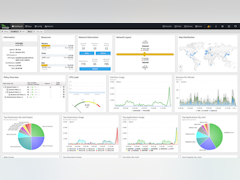
- Reporting and monitoring: Review network activity and security events through dashboards and reports.
- Traffic management: Apply bandwidth policies and manage how network resources are used.
Not every feature is necessarily included in every edition or subscription. Administrators should confirm which services are available, how they are licensed and what hardware or system resources they require.
Who might use it?
Untangle NG Firewall may suit small and medium-sized organisations that want a central point for managing internet access and network security. It can also be of interest to IT teams looking for a single interface for firewall rules, web policies, traffic visibility and related controls.
Suitability depends on the size and complexity of the network. Larger organisations may need to assess its high-availability options, central management capabilities, integration with existing security tools and performance under expected traffic loads. A trial or controlled pilot can help establish whether it meets operational requirements.
Benefits and considerations
The app-based approach can make it easier to enable the protections a network needs without deploying a separate appliance for every function. Centralised reporting may also help administrators understand what is happening on the network and investigate issues.
However, a firewall is only one part of a security programme. It needs careful configuration, regular updates and ongoing review. Administrators should also consider the impact of encrypted traffic inspection, privacy obligations, logging and data retention. As with any gateway security product, incorrect rules or an overloaded appliance can affect both protection and network performance.
Planning a deployment
Before installing NG Firewall, document the network layout, internet connection speed, number of users and the services that must remain accessible. Check the product’s current compatibility and sizing guidance, then plan how the appliance will fit into the network and how administrators will access it if a configuration change causes a problem.
After deployment, test key services, review alert and reporting settings, and establish a routine for updating the system and checking firewall rules. Keep a record of configuration changes and make sure there is a recovery plan, including backups where supported.
Conclusion
Untangle NG Firewall, now associated with the Arista NG Firewall name, brings firewalling and a range of network security tools together in a single platform. Its feature set and app-based design may be useful for organisations seeking consolidated network management. The best way to assess it is to compare its current capabilities, licensing, support and performance requirements with the needs of the network it is intended to protect.
7 Essential Tips for Securing Untangle NG Firewall
- Keep Untangle NG Firewall updated.
- Use strong, unique administrator passwords.
- Enable only the apps and features you need.
- Back up your configuration regularly.
- Review firewall rules and logs often.
- Test changes before applying them widely.
- Restrict admin access to trusted networks.
Keep Untangle NG Firewall updated.
Keep Untangle NG Firewall updated to ensure it has the latest security fixes, feature improvements and compatibility updates. Check for updates regularly, review the release notes before installing them, and schedule upgrades at a suitable time to minimise disruption. Before a major update, back up the configuration and confirm that you have a recovery plan in case anything goes wrong.
Use strong, unique administrator passwords.
Use a strong, unique password for every Untangle NG Firewall administrator account. A long passphrase made from several unrelated words can be easier to remember and harder to guess; avoid reusing passwords from other services or using predictable details. Store credentials securely in a reputable password manager, limit administrator access to people who need it, and enable multi-factor authentication if it is available in your setup. Regularly review accounts and remove access that is no longer required.
Enable only the apps and features you need.
Enable only the apps and features your network needs in Untangle NG Firewall. Each additional service can use system resources and may introduce settings that need monitoring, so a focused configuration can help maintain performance and make the firewall easier to manage. Review your requirements regularly and enable further features only when there is a clear need.
Back up your configuration regularly.
Back up your Untangle NG Firewall configuration regularly, especially after making significant changes to firewall rules, network settings or security applications. A recent backup can help you restore your setup more quickly if the appliance fails, an update causes problems or a configuration change interrupts network access. Store backup files securely, keep copies separate from the firewall itself, and check periodically that they’re available when needed.
Review firewall rules and logs often.
Review firewall rules and logs regularly to make sure your Untangle NG Firewall is protecting the network as intended. Remove outdated or overly broad rules, check that permitted traffic is still necessary, and investigate unusual activity or repeated blocked connections in the logs. Routine reviews can help uncover misconfigurations and potential threats before they cause wider problems.
Test changes before applying them widely.
Before rolling out a new rule or configuration across your network, test it on a small, controlled group of users or devices. This helps you spot blocked services, unexpected alerts or performance issues without disrupting everyone’s access. Once the change has been checked and any problems resolved, apply it more widely and continue monitoring the firewall’s logs and reports.
Restrict admin access to trusted networks.
Restricting administrator access to trusted networks helps reduce the risk of unauthorised changes to your Untangle NG Firewall. Configure management access so it is available only from designated internal networks, secure administrator accounts with strong, unique passwords and multi-factor authentication where supported, and avoid exposing the management interface directly to the internet. Review access rules regularly and remove any networks or accounts that are no longer needed.