The Power of Open Source CIAM

The Power of Open Source CIAM

Customer Identity and Access Management (CIAM) is a critical component for businesses looking to provide secure and seamless digital experiences for their customers. Traditionally, CIAM solutions were proprietary and often came with high costs and limited flexibility.

However, the rise of open source CIAM solutions has revolutionised the way businesses approach identity and access management. Open source CIAM offers a range of benefits that make it an attractive option for organisations of all sizes.

Flexibility and Customisation

One of the key advantages of open source CIAM is its flexibility. Organisations can customise the solution to meet their specific requirements, whether it’s branding, user experience, or integration with other systems. This level of customisation allows businesses to create a tailored identity management solution that aligns perfectly with their needs.

Cost-Effectiveness

Open source CIAM eliminates the high licensing fees associated with proprietary solutions. Businesses can leverage open source software without incurring significant costs, making it a cost-effective option for organisations looking to manage customer identities without breaking the bank.

Community Support and Innovation

The open source community is a vibrant ecosystem of developers, contributors, and users who collaborate to improve and innovate on existing solutions. By opting for an open source CIAM platform, businesses can tap into this community-driven innovation to stay ahead of the curve in identity management best practices.

Transparency and Security

Open source software provides transparency into the codebase, allowing organisations to inspect how data is handled and processed within the CIAM solution. This transparency builds trust with customers who are increasingly concerned about data privacy and security. Additionally, the community-driven nature of open source projects means that security vulnerabilities are quickly identified and patched by a collective effort.

In conclusion, open source CIAM offers a compelling alternative to traditional proprietary solutions by providing flexibility, cost-effectiveness, community support, transparency, and enhanced security. Businesses looking to enhance their customer identity management capabilities should consider embracing open source CIAM to unlock its full potential.


6 Essential Tips for Implementing Open Source CIAM Solutions

  1. Choose a reputable open source CIAM solution with active community support.
  2. Ensure the open source CIAM platform complies with relevant data protection regulations.
  3. Customize and configure the CIAM solution to meet your specific business requirements.
  4. Regularly update and patch the open source CIAM software to address security vulnerabilities.
  5. Integrate the CIAM platform seamlessly with your existing systems for a smooth user experience.
  6. Provide adequate training to your team on how to effectively manage and maintain the open source CIAM solution.

Choose a reputable open source CIAM solution with active community support.

When selecting an open source CIAM solution, it is crucial to opt for a reputable option backed by an active community support system. A solution with a thriving community not only ensures ongoing development and updates but also provides access to a pool of expertise and resources for troubleshooting and customisation. By choosing a reputable open source CIAM solution with active community support, businesses can leverage collective knowledge and stay ahead of emerging trends in identity management, ultimately enhancing the security and efficiency of their customer identity processes.

Ensure the open source CIAM platform complies with relevant data protection regulations.

It is crucial to ensure that the chosen open source CIAM platform complies with the pertinent data protection regulations. Adhering to data protection laws such as GDPR (General Data Protection Regulation) ensures that customer data is handled securely and ethically. By selecting a CIAM solution that aligns with these regulations, businesses can demonstrate their commitment to safeguarding customer information and maintaining compliance with legal requirements. Conducting thorough due diligence on the platform’s adherence to data protection regulations is essential in building trust with customers and mitigating risks associated with non-compliance.

Customize and configure the CIAM solution to meet your specific business requirements.

To maximise the benefits of open source CIAM, it is crucial to customise and configure the solution according to your specific business requirements. By tailoring the CIAM platform to align with your unique needs, you can enhance user experience, ensure seamless integration with existing systems, and establish a cohesive brand identity. Customisation allows businesses to adapt the CIAM solution to their workflows, security protocols, and scalability demands, empowering them to create a robust and efficient customer identity management system that truly reflects their organisational goals and values.

Regularly update and patch the open source CIAM software to address security vulnerabilities.

Regularly updating and patching the open source CIAM software is crucial in maintaining a secure and robust identity management system. By staying current with the latest updates, businesses can address security vulnerabilities promptly and effectively. These updates often include essential security fixes that help protect sensitive customer data and prevent potential breaches. Prioritising regular maintenance not only enhances the overall security posture of the CIAM solution but also demonstrates a commitment to safeguarding customer identities and maintaining trust in the digital ecosystem.

Integrate the CIAM platform seamlessly with your existing systems for a smooth user experience.

To maximise the benefits of open source CIAM, it is crucial to seamlessly integrate the CIAM platform with your existing systems. By ensuring a smooth integration process, businesses can provide a seamless user experience for their customers. This integration allows for efficient data flow between systems, enabling a unified view of customer identities and interactions. A well-integrated CIAM platform not only enhances user experience but also streamlines operations and improves overall security by maintaining consistency across all touchpoints.

Provide adequate training to your team on how to effectively manage and maintain the open source CIAM solution.

To maximise the benefits of implementing an open source CIAM solution, it is crucial to provide comprehensive training to your team on how to efficiently manage and maintain the system. Equipping your staff with the necessary skills and knowledge ensures that they can effectively utilise the features of the CIAM platform, address any issues that may arise, and optimise its performance. By investing in training, you empower your team to leverage the full potential of the open source CIAM solution, enhancing security, user experience, and overall operational efficiency.

Audit LDAP Queries in Active Directory

The Importance of Auditing LDAP Queries in Active Directory

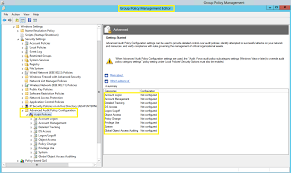
Active Directory is a critical component of many organisations’ IT infrastructures, serving as a central repository for user accounts, group policies, and other network resources. LDAP (Lightweight Directory Access Protocol) is commonly used to query and manage information stored in Active Directory.

While LDAP queries are essential for accessing and updating directory information, they can also pose security risks if not properly monitored and audited. Audit trails of LDAP queries can provide valuable insights into who is accessing the directory, what information they are retrieving, and whether any unauthorised or suspicious activities are taking place.

Benefits of Auditing LDAP Queries:

  • Enhanced Security: By auditing LDAP queries, organisations can detect and respond to potential security threats in real-time. Monitoring query activities can help identify unusual patterns or unauthorised access attempts.
  • Compliance Requirements: Many regulatory standards such as GDPR, HIPAA, and PCI DSS mandate auditing of directory services like Active Directory. Maintaining audit logs of LDAP queries ensures compliance with data protection regulations.
  • Troubleshooting and Performance Monitoring: Auditing LDAP queries can aid in troubleshooting issues related to directory services performance. By analysing query logs, IT administrators can pinpoint bottlenecks or inefficiencies in the system.
  • Accountability and Governance: Having a record of LDAP query activities promotes accountability among users and administrators. It helps establish a clear audit trail for tracking changes made to directory data.

Best Practices for Auditing LDAP Queries:

To effectively audit LDAP queries in Active Directory, organisations should consider implementing the following best practices:

  1. Enable Logging: Ensure that logging of LDAP query activities is enabled on domain controllers. Configure appropriate log settings to capture relevant information.
  2. Centralised Log Management: Consolidate audit logs from multiple domain controllers into a centralised log management system for easier analysis and monitoring.
  3. Regular Review: Regularly review and analyse audit logs to identify any anomalous behaviour or security incidents related to LDAP queries.
  4. User Training: Educate users and IT staff on the importance of secure LDAP querying practices to minimise risks associated with unauthorised access or data leakage.
  5. Audit Trail Retention: Establish retention policies for storing audit trails of LDAP queries to meet compliance requirements and facilitate forensic investigations if needed.

In conclusion, auditing LDAP queries in Active Directory is essential for maintaining a secure and compliant IT environment. By implementing robust auditing mechanisms and following best practices, organisations can proactively safeguard their directory services against potential threats and ensure the integrity of their network infrastructure.


Frequently Asked Questions on Auditing and Querying LDAP in Active Directory

  1. How do I audit an Active Directory account?
  2. How do I test a LDAP query?
  3. How do I view LDAP logs?
  4. How do I query LDAP in Active Directory?

How do I audit an Active Directory account?

When it comes to auditing an Active Directory account, one common practice is to monitor and track the activities associated with that account through LDAP queries. By auditing an Active Directory account, organisations can gain valuable insights into the actions performed by the account holder, such as login attempts, changes to group memberships, password resets, and other relevant activities. This process involves setting up auditing policies within Active Directory to capture events related to the specific account of interest. By maintaining detailed audit logs and regularly reviewing them, administrators can ensure accountability, detect potential security incidents, and comply with regulatory requirements regarding user account management in Active Directory.

How do I test a LDAP query?

Testing LDAP queries is a crucial step in ensuring the accuracy and effectiveness of querying Active Directory. To test an LDAP query, you can utilise tools such as LDAP browsers or command-line utilities like LDP.exe (LDAP Data Interchange Format) on Windows servers. These tools allow you to construct and execute LDAP queries against your Active Directory environment, providing real-time results that help validate the query syntax and filter criteria. By testing LDAP queries, you can verify that the desired information is being retrieved accurately and troubleshoot any issues before implementing them in production environments.

How do I view LDAP logs?

To view LDAP logs in Active Directory, you can access the Event Viewer tool on your domain controller. Within Event Viewer, navigate to the Windows Logs section and select the Security log. Look for events with the source listed as “LDAP Interface Events” or related to LDAP queries. These logs will provide details on LDAP queries, including information such as the query source, target object, and outcome. By reviewing these logs regularly, you can monitor LDAP activities, detect any suspicious behaviour, and ensure the security and compliance of your Active Directory environment.

How do I query LDAP in Active Directory?

One frequently asked question regarding auditing LDAP queries in Active Directory is, “How do I query LDAP in Active Directory?” Querying LDAP in Active Directory involves using tools such as PowerShell or third-party LDAP browser applications to search for and retrieve information stored in the directory. To execute an LDAP query, users typically specify search criteria such as attributes, filters, and base DN (Distinguished Name) to retrieve specific data from the directory. It is important for users to have a clear understanding of LDAP query syntax and best practices to effectively retrieve the desired information while ensuring security and compliance with audit requirements.

Article: Security Access Management

The Importance of Security Access Management in Today’s Digital World

In an era where data breaches and cyber threats are increasingly prevalent, the need for robust security access management has never been more critical. Security access management refers to the processes and technologies that organisations implement to control and monitor access to their sensitive information and resources.

Effective security access management plays a vital role in safeguarding against unauthorised access, data leaks, and other security incidents that can compromise the integrity and confidentiality of valuable assets. By implementing stringent access controls, organisations can mitigate risks and ensure that only authorised individuals have the necessary permissions to view or modify sensitive data.

The Key Components of Security Access Management

Security access management encompasses a range of practices aimed at protecting digital assets from internal and external threats. Some key components include:

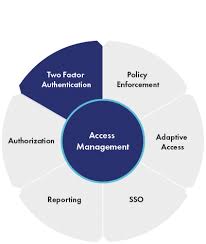
  • Authentication: Verifying the identity of users before granting access to systems or data.
  • Authorisation: Assigning specific permissions and privileges based on users’ roles and responsibilities.
  • Access Control: Implementing mechanisms to restrict or allow access to resources based on predefined policies.
  • Audit Trails: Logging and monitoring user activities to track changes and detect suspicious behaviour.

The Benefits of Effective Security Access Management

Implementing robust security access management practices offers several benefits to organisations, including:

  • Data Protection: Safeguarding sensitive information from unauthorised disclosure or tampering.
  • Compliance: Ensuring adherence to regulatory requirements by controlling access to confidential data.
  • Risk Mitigation: Minimising the likelihood of security incidents by proactively managing access rights.
  • Operational Efficiency: Streamlining user authentication processes and reducing administrative overhead.

In Conclusion

In conclusion, security access management is a fundamental aspect of modern cybersecurity strategies. By establishing robust controls over who can access critical resources within an organisation, businesses can enhance their overall security posture and protect themselves against evolving cyber threats. Investing in effective security access management not only helps mitigate risks but also instils trust among stakeholders that their valuable data is being safeguarded appropriately.


Understanding Security Access Management: Key Questions and Insights

  1. What is security access management?
  2. Why is security access management important for businesses?
  3. How does security access management help in preventing data breaches?
  4. What are the key components of a security access management system?
  5. What role does authentication play in security access management?

What is security access management?

Security access management refers to the comprehensive set of processes and technologies implemented by organisations to regulate and supervise access to their digital assets, systems, and sensitive information. It involves mechanisms such as authentication, authorisation, access control, and audit trails to ensure that only authorised individuals have the necessary permissions to view or modify specific resources. By defining and enforcing access policies, security access management helps prevent unauthorised access, data breaches, and other security incidents that could compromise the confidentiality and integrity of valuable data. In essence, security access management is a crucial component of cybersecurity strategies aimed at protecting organisations from internal and external threats in today’s increasingly interconnected digital landscape.

Why is security access management important for businesses?

Ensuring effective security access management is crucial for businesses to protect their valuable assets and sensitive information from unauthorised access and potential security breaches. By implementing robust access controls, businesses can prevent data leaks, insider threats, and other security incidents that could compromise the integrity and confidentiality of their data. Security access management also helps businesses comply with regulatory requirements by ensuring that only authorised individuals have access to specific resources. By investing in comprehensive security access management practices, businesses can safeguard their digital infrastructure, mitigate risks, and maintain the trust of their customers and stakeholders in today’s increasingly interconnected and vulnerable digital landscape.

How does security access management help in preventing data breaches?

Security access management plays a crucial role in preventing data breaches by implementing strict controls over who can access sensitive information within an organisation. By enforcing robust authentication mechanisms, such as multi-factor authentication and strong password policies, security access management ensures that only authorised users can log in to systems and applications. Additionally, through effective authorisation practices, access rights are granted based on users’ roles and responsibilities, limiting exposure to confidential data. Access control mechanisms further restrict privileges to specific resources, reducing the risk of unauthorised data access or manipulation. By monitoring user activities and maintaining audit trails, security access management helps detect suspicious behaviour and potential security threats proactively, thus enhancing overall cybersecurity resilience and significantly reducing the likelihood of data breaches.

What are the key components of a security access management system?

When discussing the key components of a security access management system, it is essential to highlight several critical elements that form the foundation of robust access control. Authentication, authorisation, access control, and audit trails are fundamental components that work together to ensure the security and integrity of digital assets. Authentication involves verifying the identity of users before granting access, while authorisation assigns specific permissions based on roles and responsibilities. Access control mechanisms restrict or allow access to resources based on predefined policies, and audit trails enable the monitoring of user activities for tracking changes and detecting any suspicious behaviour. These components collectively contribute to a comprehensive security access management system that helps organisations protect their sensitive information from unauthorised access and potential security threats.

What role does authentication play in security access management?

Authentication plays a pivotal role in security access management by verifying the identity of users seeking access to digital resources. Through authentication mechanisms such as passwords, biometrics, or multi-factor authentication, organisations can ensure that individuals are who they claim to be before granting them permissions to sensitive data or systems. By authenticating users effectively, security access management can prevent unauthorised access and protect against potential security breaches. Strong authentication practices are essential in establishing a secure environment where only authorised users have the necessary privileges to interact with critical assets, thereby enhancing overall cybersecurity posture.

Thales IAM Solution: Enhancing Security and Efficiency

Thales IAM Solution: Enhancing Security and Efficiency

In today’s digital landscape, ensuring the security of sensitive data and resources is paramount for organisations across all industries. Identity and Access Management (IAM) solutions play a vital role in safeguarding critical assets while enabling efficient access for authorised users. Thales, a renowned leader in cybersecurity, offers a comprehensive IAM solution that addresses the evolving security challenges faced by modern businesses.

The Features of Thales IAM Solution

Thales IAM solution provides a robust set of features designed to enhance security posture and streamline access management processes. Some key features include:

  • Identity Governance: Thales IAM solution allows organisations to define and enforce identity governance policies, ensuring that access rights are aligned with business requirements.
  • Multi-Factor Authentication: By implementing multi-factor authentication capabilities, Thales enhances user authentication processes, significantly reducing the risk of unauthorised access.
  • Single Sign-On (SSO): SSO functionality simplifies user access by enabling seamless authentication across multiple applications and services, improving user experience without compromising security.
  • Privileged Access Management: Thales IAM solution includes privileged access management features that restrict elevated privileges to authorised personnel, mitigating the risk of insider threats.
  • Compliance Monitoring: Organisations can leverage Thales IAM solution to monitor compliance with regulatory requirements and internal policies, facilitating audit processes and ensuring adherence to industry standards.

The Benefits of Thales IAM Solution

Implementing Thales IAM solution offers numerous benefits to organisations seeking to bolster their cybersecurity defences:

  • Enhanced Security: By implementing advanced authentication mechanisms and access controls, Thales IAM solution strengthens overall security posture and reduces the likelihood of data breaches.
  • Improved Operational Efficiency: Streamlined access management processes, such as SSO functionality, enhance user productivity and reduce administrative overhead associated with managing multiple credentials.
  • Auditing and Reporting Capabilities: Thales IAM solution provides comprehensive auditing and reporting features that enable organisations to track user activities, monitor compliance status, and generate detailed reports for regulatory purposes.
  • Risk Mitigation: Through privileged access management capabilities, organisations can mitigate the risk of insider threats and unauthorised privilege escalation attempts.
  • Flexible Scalability: Thales IAM solution is designed to scale alongside organisational growth, accommodating changing business needs without compromising security or performance.

In conclusion, Thales IAM solution stands out as a versatile and robust cybersecurity offering that empowers organisations to fortify their defences against evolving threats while optimising access management processes. By leveraging the advanced features and benefits provided by Thales IAM solution, businesses can achieve a secure, efficient, and compliant IT environment in today’s dynamic digital landscape.


9 Essential Tips for Optimising Security with Thales IAM Solution

  1. Thales IAM solution provides secure access management for your organisation.
  2. Ensure to configure multi-factor authentication for an added layer of security.
  3. Regularly review and update user access permissions to prevent unauthorized access.
  4. Utilize Thales IAM solution’s reporting features to monitor user activity and detect any anomalies.
  5. Integrate Thales IAM with other security tools for a comprehensive security infrastructure.
  6. Train employees on best practices for using Thales IAM solution effectively and securely.
  7. Implement strong password policies within the Thales IAM system to enhance security.
  8. Stay informed about software updates and patches released by Thales for their IAM solution.
  9. Consider conducting regular security audits to assess the effectiveness of the Thales IAM implementation.

Thales IAM solution provides secure access management for your organisation.

Thales IAM solution offers a comprehensive and robust approach to secure access management for your organisation. By leveraging Thales IAM solution, businesses can establish stringent access controls, authenticate users with advanced mechanisms, and monitor user activities effectively. This ensures that only authorised individuals have access to critical resources, reducing the risk of data breaches and insider threats. With Thales IAM solution, organisations can enhance their security posture and maintain a secure IT environment that aligns with industry best practices and regulatory requirements.

Ensure to configure multi-factor authentication for an added layer of security.

To enhance the security of your organisation’s IT infrastructure, it is crucial to configure multi-factor authentication as part of the Thales IAM solution. By implementing this additional layer of security, users are required to provide multiple forms of verification before accessing sensitive data or resources. This proactive measure significantly reduces the risk of unauthorised access and strengthens overall cybersecurity defences, ensuring that only legitimate users with verified identities can securely authenticate and access critical systems.

Regularly review and update user access permissions to prevent unauthorized access.

Regularly reviewing and updating user access permissions is a crucial tip when utilising Thales IAM solution to enhance security measures. By consistently monitoring and adjusting user access rights, organisations can effectively prevent unauthorised access to sensitive data and resources. This proactive approach ensures that only authorised individuals have the necessary permissions, reducing the risk of security breaches and maintaining a robust security posture within the IT environment. Compliance with regulatory requirements is also facilitated through regular reviews, demonstrating a commitment to data protection and governance best practices.

Utilize Thales IAM solution’s reporting features to monitor user activity and detect any anomalies.

By utilising Thales IAM solution’s reporting features, organisations can proactively monitor user activity and swiftly detect any anomalies within their IT environment. The robust reporting capabilities offered by Thales IAM solution enable real-time visibility into user interactions, allowing for the identification of suspicious behaviour or unauthorised access attempts. By leveraging these reporting tools effectively, businesses can enhance their security posture, mitigate risks, and promptly respond to potential threats, ensuring the integrity of their systems and data.

Integrate Thales IAM with other security tools for a comprehensive security infrastructure.

To maximise the effectiveness of Thales IAM solution, it is advisable to integrate it with other security tools to create a comprehensive security infrastructure. By integrating Thales IAM with complementary security solutions, organisations can establish a cohesive defence mechanism that addresses various aspects of cybersecurity. This integration enables seamless information sharing and coordinated responses to security incidents, enhancing overall threat detection and mitigation capabilities. Additionally, combining Thales IAM with other tools allows for a more holistic view of the IT environment, facilitating proactive security measures and ensuring a robust defence against evolving threats.

Train employees on best practices for using Thales IAM solution effectively and securely.

To maximise the effectiveness and security of Thales IAM solution, it is crucial to train employees on best practices for its use. By providing comprehensive training sessions, organisations can empower their staff to utilise the solution effectively while adhering to security protocols. Educating employees on proper authentication procedures, access management guidelines, and compliance requirements not only enhances operational efficiency but also strengthens overall cybersecurity posture. With well-informed and trained personnel, organisations can ensure that Thales IAM solution is utilised optimally to safeguard critical assets and mitigate potential risks effectively.

Implement strong password policies within the Thales IAM system to enhance security.

Implementing strong password policies within the Thales IAM system is a crucial step towards enhancing security and safeguarding sensitive data. By enforcing robust password requirements, such as minimum length, complexity, and expiration intervals, organisations can significantly reduce the risk of unauthorised access and potential security breaches. Strong passwords act as an additional layer of defence, complementing other security measures within the IAM solution. With stringent password policies in place, users are encouraged to create unique and secure passwords, thereby strengthening overall cybersecurity posture and ensuring the integrity of access controls within the Thales IAM system.

Stay informed about software updates and patches released by Thales for their IAM solution.

It is crucial to stay informed about software updates and patches released by Thales for their IAM solution. Regularly updating the IAM software ensures that your system is equipped with the latest security enhancements and fixes for potential vulnerabilities. By promptly applying updates and patches, you can strengthen the resilience of your identity and access management infrastructure, mitigate security risks, and maintain optimal performance. Keeping abreast of Thales’ software releases demonstrates a proactive approach to cybersecurity, safeguarding your organisation’s sensitive data and resources effectively.

Consider conducting regular security audits to assess the effectiveness of the Thales IAM implementation.

To enhance the security posture of your organisation and maximise the benefits of Thales IAM solution, it is advisable to consider conducting regular security audits. These audits play a crucial role in evaluating the effectiveness of the Thales IAM implementation by identifying potential vulnerabilities, assessing compliance with security policies, and ensuring that access controls are appropriately configured. By performing regular security audits, organisations can proactively address any weaknesses in their IAM infrastructure, strengthen their overall security defences, and maintain a robust cybersecurity posture in the face of evolving threats.

Article: IT Compliance Management Software

The Importance of IT Compliance Management Software

Ensuring compliance with regulatory requirements and industry standards is a critical aspect of modern business operations. In the realm of Information Technology (IT), compliance management software plays a pivotal role in helping organisations adhere to various regulations, protect sensitive data, and mitigate risks.

What is IT Compliance Management Software?

IT compliance management software is a specialised tool designed to assist businesses in monitoring, assessing, and managing their adherence to legal requirements, internal policies, and industry standards. This software helps organisations maintain a secure and compliant IT environment by automating processes, tracking changes, and generating reports for audits.

The Key Features of IT Compliance Management Software

Effective IT compliance management software typically offers the following key features:

  • Policy Enforcement: The software helps enforce internal policies and external regulations by setting rules and alerts for non-compliance.
  • Risk Assessment: It conducts risk assessments to identify potential vulnerabilities and threats to the organisation’s IT infrastructure.
  • Audit Trails: The software creates detailed audit trails that track user activities, system changes, and access permissions for accountability.
  • Reporting: It generates comprehensive reports that provide insights into compliance status, potential issues, and areas for improvement.
  • Automated Compliance Checks: The software automates compliance checks to ensure continuous monitoring and timely remediation of violations.

The Benefits of Using IT Compliance Management Software

Implementing IT compliance management software offers several benefits to organisations:

  • Enhanced Security: By proactively monitoring compliance requirements, organisations can strengthen their security posture and prevent data breaches.
  • Cost Savings: Automating compliance processes reduces manual effort and minimises the risk of fines or penalties for non-compliance.
  • Audit Readiness: The software streamlines audit preparation by maintaining up-to-date records and documentation for regulatory inspections.
  • Risk Mitigation: Identifying risks early on allows organisations to take corrective actions promptly and reduce the likelihood of security incidents.
  • Efficiency Improvements: Centralising compliance management tasks improves efficiency within IT teams and ensures consistency across the organisation.

In Conclusion

In today’s rapidly evolving regulatory landscape, investing in robust IT compliance management software is essential for safeguarding sensitive data, maintaining trust with stakeholders, and avoiding costly penalties. By leveraging the capabilities of such software solutions, organisations can achieve proactive compliance monitoring, risk mitigation, and operational efficiency in their IT environments.


Essential FAQs on IT Compliance Management Software: Understanding, Benefits, Suitability, and Best Practices

  1. What is IT compliance management software and how does it work?
  2. What are the key features and benefits of using IT compliance management software?
  3. How can IT compliance management software help my organisation stay compliant with regulations?
  4. Is IT compliance management software suitable for businesses of all sizes?
  5. What are some best practices for implementing and utilising IT compliance management software effectively?

What is IT compliance management software and how does it work?

IT compliance management software is a specialised tool designed to help organisations ensure adherence to regulatory requirements, internal policies, and industry standards within their IT infrastructure. This software works by automating compliance processes, monitoring activities, and generating reports to track and assess the organisation’s compliance status. It enforces policies, conducts risk assessments, maintains audit trails, and provides insights through detailed reporting. By centralising compliance management tasks and automating checks, IT compliance management software streamlines the process of maintaining a secure and compliant IT environment, enabling organisations to proactively address risks, prevent violations, and prepare for audits effectively.

What are the key features and benefits of using IT compliance management software?

When exploring IT compliance management software, understanding its key features and benefits is crucial for organisations seeking to enhance their regulatory adherence and cybersecurity practices. The software typically offers essential features such as policy enforcement, risk assessment, audit trails, reporting, and automated compliance checks. These functionalities enable businesses to enforce internal policies, identify vulnerabilities, track activities for accountability, generate insightful reports, and automate monitoring processes. By utilising IT compliance management software, organisations can experience enhanced security measures, cost savings through automation, improved audit readiness, proactive risk mitigation strategies, and increased operational efficiency. Embracing these features and benefits empowers businesses to maintain compliance with regulations effectively while fortifying their overall IT infrastructure against potential threats.

How can IT compliance management software help my organisation stay compliant with regulations?

IT compliance management software plays a crucial role in helping organisations maintain compliance with regulations by providing automated tools and processes to streamline adherence to legal requirements. By utilising IT compliance management software, your organisation can benefit from features such as policy enforcement, risk assessment, audit trails, reporting, and automated compliance checks. These functionalities enable proactive monitoring of regulatory requirements, identification of potential vulnerabilities, tracking of user activities and system changes, generation of comprehensive reports for audits, and continuous monitoring for timely remediation of violations. Ultimately, IT compliance management software empowers your organisation to enhance security measures, reduce manual effort in compliance tasks, prepare for audits efficiently, mitigate risks effectively, and improve overall operational efficiency in aligning with regulatory standards.

Is IT compliance management software suitable for businesses of all sizes?

The question of whether IT compliance management software is suitable for businesses of all sizes is a common one in the realm of cybersecurity. The answer lies in the versatility and scalability of modern compliance management solutions. While larger enterprises may have more complex IT infrastructures and regulatory requirements, smaller businesses can also benefit from implementing such software. Tailored options exist to accommodate the specific needs and resources of small and medium-sized enterprises, offering essential features for maintaining compliance without overwhelming overheads. Ultimately, IT compliance management software can be customised to suit businesses of all sizes, providing valuable tools for ensuring data security, regulatory adherence, and risk mitigation across the board.

What are some best practices for implementing and utilising IT compliance management software effectively?

When it comes to implementing and utilising IT compliance management software effectively, several best practices can enhance the process. Firstly, organisations should conduct a thorough assessment of their compliance requirements and tailor the software configuration to align with specific regulatory mandates and internal policies. Regular training sessions for staff on using the software optimally can ensure its full potential is realised. Additionally, establishing clear roles and responsibilities for managing compliance tasks within the software and conducting regular audits to validate its effectiveness are essential steps towards successful implementation. Continuous monitoring, timely updates, and proactive remediation of compliance issues are key practices that contribute to maximising the benefits of IT compliance management software within an organisation’s IT infrastructure.

Article: Microsoft Azure Privileged Identity Management

The Importance of Microsoft Azure Privileged Identity Management

Microsoft Azure Privileged Identity Management (PIM) is a crucial tool for organisations looking to enhance their security posture in the cloud. With the increasing number of cyber threats targeting privileged accounts, managing and monitoring access to sensitive resources has become a top priority for IT teams.

What is Azure PIM?

Azure PIM is a service that helps you manage, control, and monitor access within your Azure environment. It allows you to identify, govern, and protect privileged identities across your organisation. By implementing PIM, you can reduce the risk of unauthorised access and ensure that only authorised users have elevated permissions when necessary.

The Key Features of Azure PIM

One of the key features of Azure PIM is the ability to enable “just-in-time” privileged access. This means that users can request elevated permissions for a specific period, reducing the exposure of sensitive resources. Additionally, PIM provides detailed logs and reports on privileged role activations, helping you track and audit access changes effectively.

Benefits of Using Azure PIM

  • Enhanced Security: By implementing least-privileged access principles, Azure PIM reduces the attack surface and mitigates the risk of insider threats.
  • Improved Compliance: With detailed access reviews and audit trails, organisations can easily demonstrate compliance with regulatory requirements.
  • Efficient Access Management: Azure PIM streamlines the process of granting temporary elevated permissions, improving operational efficiency without compromising security.
  • Auditability: The comprehensive logging capabilities of Azure PIM enable organisations to track all privileged role activations and changes effectively.

Conclusion

In conclusion, Microsoft Azure Privileged Identity Management is a valuable tool for organisations seeking to strengthen their security posture in the cloud. By implementing least-privileged access controls and monitoring privileged identities effectively, organisations can reduce risks associated with unauthorised access and enhance overall security resilience in their Azure environment.


Top 5 Tips for Enhancing Security with Microsoft Azure Privileged Identity Management

  1. Enable multi-factor authentication for all privileged roles in Azure AD.
  2. Regularly review and audit the assignments of privileged roles in Azure AD.
  3. Set up alerts for suspicious or high-risk activities related to privileged roles.
  4. Implement just-in-time access to limit the exposure of privileged accounts.
  5. Educate users on best practices for managing and using privileged identities in Azure.

Enable multi-factor authentication for all privileged roles in Azure AD.

Enabling multi-factor authentication for all privileged roles in Azure Active Directory is a crucial step in enhancing the security of your Azure environment. By requiring an additional layer of verification beyond passwords, such as a code sent to a mobile device, you significantly reduce the risk of unauthorised access to sensitive resources. This added security measure ensures that even if a password is compromised, malicious actors would still need physical access to the secondary authentication method, providing an extra level of protection for privileged accounts and helping to prevent potential security breaches.

Regularly review and audit the assignments of privileged roles in Azure AD.

Regularly reviewing and auditing the assignments of privileged roles in Azure Active Directory is a critical practice to maintain a secure cloud environment. By conducting routine assessments of who has elevated access permissions and ensuring that these privileges are necessary and appropriate, organisations can mitigate the risk of unauthorised access and potential security breaches. This proactive approach not only enhances security but also helps in maintaining compliance with regulatory requirements by demonstrating a commitment to proper access management practices.

Setting up alerts for suspicious or high-risk activities related to privileged roles in Microsoft Azure Privileged Identity Management is a proactive step towards enhancing security measures. By configuring alerts, organisations can promptly detect and respond to any unusual or potentially harmful actions taken by users with elevated permissions. This real-time monitoring capability allows for immediate intervention in case of unauthorised access attempts or malicious activities, helping to mitigate risks and safeguard critical assets within the Azure environment effectively.

Implement just-in-time access to limit the exposure of privileged accounts.

Implementing just-in-time access in Microsoft Azure Privileged Identity Management is a strategic approach to mitigating the risk associated with privileged accounts. By enabling just-in-time access, organisations can restrict elevated permissions to specific time frames when they are needed, reducing the overall exposure of sensitive resources. This proactive measure not only enhances security by limiting the window of vulnerability but also aligns with the principle of least privilege, ensuring that users have access only when necessary. Just-in-time access in Azure PIM empowers organisations to bolster their security posture and strengthen control over privileged identities effectively.

Educate users on best practices for managing and using privileged identities in Azure.

To maximise the effectiveness of Microsoft Azure Privileged Identity Management, it is essential to educate users on best practices for managing and using privileged identities within the Azure environment. By providing comprehensive training and guidance, users can understand the importance of least-privileged access, the significance of just-in-time access, and the necessity of adhering to security protocols when handling sensitive resources. Educating users on these best practices not only enhances security measures but also promotes a culture of accountability and responsibility in managing privileged identities within Azure, ultimately contributing to a more secure and resilient cloud environment.

The Importance of Compliance Software in Today’s Business Environment

The Importance of Compliance Software in Today’s Business Environment

In today’s rapidly evolving regulatory landscape, businesses are facing increasing pressure to adhere to a myriad of laws and regulations. Compliance with these rules is not only essential for avoiding costly fines and legal consequences but also for maintaining trust with customers and stakeholders.

Compliance software plays a crucial role in helping organisations navigate this complex environment efficiently and effectively. This specialised software is designed to streamline compliance processes, automate tasks, and provide real-time monitoring of regulatory changes.

Key Benefits of Compliance Software:

  • Efficiency: Compliance software automates manual tasks such as data collection, reporting, and auditing, saving time and resources for businesses.
  • Accuracy: By centralising compliance data and processes, software reduces the risk of human error and ensures accurate reporting.
  • Real-Time Monitoring: Many compliance software solutions offer real-time monitoring capabilities, allowing businesses to stay ahead of regulatory changes and potential risks.
  • Audit Trail: Detailed audit trails provided by compliance software enable organisations to track compliance activities and demonstrate their adherence to regulations during audits.
  • Risk Mitigation: By identifying non-compliance issues early on, compliance software helps mitigate risks associated with penalties, reputational damage, and business disruptions.

Implementing compliance software is not just about meeting regulatory requirements; it is about fostering a culture of accountability, transparency, and integrity within an organisation. By investing in robust compliance tools, businesses can proactively manage risks, build customer trust, and drive sustainable growth.

In conclusion, in today’s business environment where regulations are constantly evolving, leveraging compliance software is no longer optional but a strategic imperative. It empowers businesses to navigate the complexities of compliance with confidence and agility while focusing on their core objectives.


Enhancing Organisational Efficiency and Accountability: The Six Key Benefits of Compliance Software

  1. Automates manual compliance tasks, saving time and resources.
  2. Centralises compliance data for easy access and reporting.
  3. Provides real-time monitoring of regulatory changes to stay up-to-date.
  4. Creates detailed audit trails for tracking compliance activities.
  5. Helps mitigate risks associated with non-compliance and penalties.
  6. Fosters a culture of accountability, transparency, and integrity within organisations.


Compliance Software: Navigating Costs, Complexity, and Customisation Challenges

  1. Cost
  2. Complexity
  3. Customisation Challenges

Automates manual compliance tasks, saving time and resources.

One of the key advantages of compliance software is its ability to automate manual compliance tasks, resulting in significant time and resource savings for businesses. By streamlining processes such as data collection, reporting, and auditing, organisations can allocate their resources more efficiently and focus on strategic initiatives. This automation not only enhances productivity but also reduces the likelihood of errors, ensuring that compliance activities are carried out accurately and consistently. Ultimately, by automating these labour-intensive tasks, compliance software enables businesses to operate more effectively and stay ahead of regulatory requirements.

Centralises compliance data for easy access and reporting.

One of the key advantages of compliance software is its ability to centralise compliance data, making it easily accessible and simplifying reporting processes. By consolidating all relevant information in one place, organisations can efficiently track and manage their compliance activities. This centralisation not only enhances transparency within the organisation but also enables quick and accurate reporting to regulatory bodies or stakeholders when required. Ultimately, having a centralised repository of compliance data ensures that businesses can demonstrate their adherence to regulations effectively and proactively address any non-compliance issues that may arise.

Provides real-time monitoring of regulatory changes to stay up-to-date.

One of the key advantages of compliance software is its ability to offer real-time monitoring of regulatory changes, allowing businesses to stay up-to-date with the latest requirements and adjustments. This feature ensures that organisations can promptly adapt their practices and policies to remain compliant with evolving laws and regulations. By providing instant alerts and updates on regulatory developments, compliance software enables proactive decision-making and helps mitigate the risks associated with non-compliance. Staying ahead of regulatory changes not only enhances operational efficiency but also demonstrates a commitment to adherence and integrity in today’s dynamic business environment.

Creates detailed audit trails for tracking compliance activities.

One significant advantage of compliance software is its ability to create detailed audit trails for tracking compliance activities. These audit trails serve as a comprehensive record of all actions taken within the compliance framework, providing a clear and transparent overview of how regulations are being adhered to. By maintaining detailed logs of compliance-related activities, organisations can easily demonstrate their commitment to regulatory requirements during audits and investigations. This feature not only enhances accountability but also helps in identifying any deviations from compliance standards promptly, enabling proactive measures to be taken to address potential issues before they escalate.

Helps mitigate risks associated with non-compliance and penalties.

Compliance software serves as a crucial tool in mitigating risks linked to non-compliance and potential penalties. By automating compliance processes, providing real-time monitoring, and generating detailed audit trails, this software enables organisations to proactively identify and address non-compliance issues before they escalate. By staying ahead of regulatory changes and ensuring adherence to laws and standards, businesses can significantly reduce the financial, reputational, and operational risks associated with non-compliance, thereby safeguarding their sustainability and credibility in the marketplace.

Fosters a culture of accountability, transparency, and integrity within organisations.

Compliance software plays a vital role in fostering a culture of accountability, transparency, and integrity within organisations. By centralising compliance processes and data, this software encourages employees at all levels to take ownership of their responsibilities and adhere to regulatory requirements. It promotes transparency by providing visibility into compliance activities and ensuring that all actions are documented and traceable. Moreover, by emphasising integrity in compliance practices, organisations can build trust with stakeholders and demonstrate their commitment to ethical business conduct. Overall, compliance software acts as a catalyst for creating a culture where accountability, transparency, and integrity are not just values but ingrained principles guiding everyday operations.

Cost

Implementing compliance software can present a notable challenge in terms of cost. The initial investment required for acquiring the software, providing comprehensive training to employees, and ensuring the ongoing maintenance of the system can be substantial. These upfront expenses may pose a financial burden for some organisations, especially smaller businesses with limited budgets. However, it is essential for businesses to weigh this cost against the potential risks and consequences of non-compliance, recognising that investing in compliance software is ultimately an investment in long-term regulatory adherence and operational efficiency.

Complexity

Some compliance software solutions may present a significant challenge due to their inherent complexity in setup and integration with existing systems. This complexity can demand additional time and resources from organisations, potentially causing delays in implementation and hindering seamless integration with current workflows. Businesses may face a learning curve when adopting such software, which could lead to temporary disruptions in operations as employees familiarise themselves with the new tools and processes. Despite the benefits of compliance software, navigating through its complexities during the initial stages of deployment can pose a notable con for organisations seeking efficient and straightforward solutions.

Customisation Challenges

One significant drawback of compliance software is the customisation challenges it presents. Off-the-shelf solutions may not perfectly align with the specific requirements and processes of each organisation, resulting in limitations when it comes to customisation. This lack of flexibility can hinder the software’s ability to adapt to the unique compliance needs of a business, potentially requiring manual workarounds or compromising on certain aspects of regulatory adherence. Organizations may find themselves constrained by the rigid structure of off-the-shelf compliance software, highlighting the importance of carefully evaluating customisation capabilities before investing in a solution.

The Importance of Audit and Risk Management Software in Today’s Business Environment

The Importance of Audit and Risk Management Software in Today’s Business Environment

In today’s rapidly evolving business landscape, organisations face a myriad of challenges when it comes to managing risks and ensuring compliance with regulations. One crucial tool that has emerged to address these challenges is audit and risk management software.

Enhancing Compliance

Audit and risk management software plays a vital role in helping businesses adhere to regulatory requirements. By automating the auditing process, organisations can easily monitor their operations, identify potential risks, and ensure that they are compliant with industry standards and regulations.

Improving Risk Identification

Effective risk management is essential for the long-term success of any business. Audit and risk management software provides organisations with the tools they need to identify, assess, and mitigate risks proactively. By leveraging advanced analytics and reporting capabilities, businesses can gain valuable insights into potential threats and take timely action to minimise their impact.

Increasing Operational Efficiency

Manual auditing processes are time-consuming and prone to errors. Audit and risk management software streamlines these processes by automating repetitive tasks, allowing employees to focus on more strategic initiatives. This not only improves operational efficiency but also reduces the likelihood of human error, enhancing the overall accuracy of audits.

Enhancing Decision-Making

By providing real-time data insights and comprehensive reports, audit and risk management software empowers decision-makers to make informed choices that drive business growth. The ability to access up-to-date information on risks and compliance issues enables organisations to respond quickly to changing circumstances and make decisions that align with their strategic objectives.

Conclusion

Audit and risk management software is a valuable asset for modern businesses looking to navigate the complexities of regulatory compliance and risk mitigation. By leveraging advanced technology solutions, organisations can enhance their operational efficiency, improve decision-making processes, and safeguard their long-term success in an increasingly competitive business environment.


Understanding Audit and Risk Management Software: Key Features, Benefits, and Its Role in Compliance and Decision-Making

  1. What is audit and risk management software?
  2. How does audit and risk management software help in ensuring regulatory compliance?
  3. What are the key features of audit and risk management software?
  4. How can audit and risk management software improve operational efficiency?
  5. What role does audit and risk management software play in identifying and mitigating risks?
  6. How does audit and risk management software contribute to informed decision-making within an organisation?

What is audit and risk management software?

Audit and risk management software is a powerful tool designed to help organisations streamline their auditing processes, manage risks effectively, and ensure compliance with industry regulations. This software automates the auditing process, enabling businesses to monitor their operations, identify potential risks, and take proactive measures to mitigate them. By providing advanced analytics, reporting capabilities, and real-time data insights, audit and risk management software empowers businesses to make informed decisions that drive operational efficiency and enhance overall security. It serves as a comprehensive solution for businesses seeking to strengthen their risk management practices and maintain a robust compliance framework in today’s dynamic business environment.

How does audit and risk management software help in ensuring regulatory compliance?

Audit and risk management software plays a crucial role in ensuring regulatory compliance by providing organisations with the tools needed to monitor their operations, identify potential risks, and adhere to industry regulations. By automating the auditing process, this software enables businesses to conduct thorough assessments of their activities, detect any deviations from compliance standards, and take corrective actions promptly. With features such as real-time monitoring and detailed reporting, audit and risk management software empowers organisations to proactively address compliance issues, mitigate risks, and demonstrate adherence to regulatory requirements effectively.

What are the key features of audit and risk management software?

When considering audit and risk management software, it is essential to understand its key features that can significantly benefit organisations. Some of the crucial features include automated auditing capabilities, real-time monitoring of risks, customisable reporting functionalities, integration with existing systems for seamless data flow, compliance tracking tools to ensure adherence to regulations, and advanced analytics for identifying potential threats. These features collectively empower businesses to enhance their risk management processes, improve compliance efforts, and make informed decisions based on accurate and up-to-date data insights.

How can audit and risk management software improve operational efficiency?

Audit and risk management software plays a crucial role in enhancing operational efficiency by automating and streamlining auditing processes. By replacing manual tasks with automated workflows, organisations can save time and resources, allowing employees to focus on more strategic initiatives. The software provides real-time insights into potential risks and compliance issues, enabling proactive decision-making to address issues promptly. Additionally, by centralising data and generating comprehensive reports, audit and risk management software empowers businesses to identify inefficiencies, implement corrective measures, and improve overall performance across various operational areas.

What role does audit and risk management software play in identifying and mitigating risks?

Audit and risk management software plays a crucial role in identifying and mitigating risks within organisations. By leveraging advanced analytics and automation capabilities, this software enables businesses to conduct thorough audits of their operations, pinpoint potential risks, and assess their potential impact. Through real-time monitoring and reporting functionalities, organisations can proactively identify vulnerabilities, compliance gaps, and emerging threats. By providing actionable insights and facilitating timely risk mitigation strategies, audit and risk management software empowers businesses to strengthen their resilience against uncertainties and safeguard their assets effectively.

How does audit and risk management software contribute to informed decision-making within an organisation?

Audit and risk management software plays a crucial role in contributing to informed decision-making within an organisation by providing key insights and data-driven intelligence. By automating the auditing process and consolidating risk information into comprehensive reports, this software enables decision-makers to have a clear understanding of the potential risks facing the organisation. With real-time data insights on compliance issues and identified risks, stakeholders can make informed choices that align with the company’s strategic objectives. This proactive approach to risk management allows organisations to respond swiftly to emerging threats, seize opportunities, and ultimately drive sustainable growth and success.

The Significance of Gartner Magic Quadrant in Evaluating Compliance Software

When it comes to selecting the right compliance software for your organisation, navigating through the myriad of options can be a daunting task. This is where the Gartner Magic Quadrant comes into play as a valuable resource for businesses looking to make informed decisions based on expert analysis and insights.

The Gartner Magic Quadrant is a research methodology that provides a graphical representation of a market’s direction, maturity, and participants. It evaluates vendors based on their completeness of vision and ability to execute, placing them in one of four quadrants: Leaders, Challengers, Visionaries, and Niche Players.

For compliance software buyers, the Magic Quadrant offers a comprehensive overview of the competitive landscape, helping them understand which vendors are best positioned to meet their specific needs. Leaders in the quadrant are typically established players with a strong track record of delivering high-quality solutions that align with market trends and customer requirements.

Challengers may have solid execution capabilities but may lack visionary strategies, while Visionaries demonstrate innovative approaches but may still be developing their market presence. Niche Players focus on specific niches or emerging markets and may offer specialised solutions tailored to unique requirements.

By leveraging the Gartner Magic Quadrant, organisations can gain valuable insights into the strengths and weaknesses of various compliance software providers. This enables them to make well-informed decisions that align with their business objectives and regulatory requirements.

It’s important to note that while the Magic Quadrant is a useful tool for evaluating compliance software vendors, it should not be the sole factor in decision-making. Organisations should also consider factors such as their specific compliance needs, budget constraints, integration capabilities, and vendor support services before making a final selection.

In conclusion, the Gartner Magic Quadrant serves as a valuable guide for organisations seeking to navigate the complex landscape of compliance software solutions. By leveraging this research methodology alongside careful consideration of their unique requirements, businesses can confidently select a vendor that best meets their compliance needs and sets them on the path towards operational excellence.


Top 8 Advantages of Gartner Magic Quadrant Compliance Software

  1. 1. Industry Recognition
  2. 2. Clear Visual Representation
  3. 3. Informed Decision-Making
  4. 4. Market Insight
  5. 5. Vendor Evaluation
  6. 6. Competitive Analysis
  7. 7. Strategic Planning
  8. 8. Benchmarking Tool


Key Drawbacks of Gartner Magic Quadrant Compliance Software: Limited Scope, Subjectivity, Static Assessment, Dependency Risk, and Cost Implications

  1. Limited scope
  2. Subjectivity
  3. Static assessment
  4. Dependency risk
  5. Cost implications

1. Industry Recognition

Industry Recognition: The Gartner Magic Quadrant is highly esteemed in the industry for its comprehensive assessment of compliance software vendors. With a reputation for thoroughness and accuracy, the Magic Quadrant serves as a trusted source of information for businesses seeking to evaluate and select the most suitable compliance solutions. Vendors featured in the Magic Quadrant benefit from increased visibility and credibility, as being recognised by Gartner signifies a level of excellence and innovation that resonates with industry professionals and decision-makers.

2. Clear Visual Representation

The clear visual representation offered by the Gartner Magic Quadrant for compliance software is a significant advantage. The quadrant format simplifies the process of comparing vendors by visually categorising them based on their vision and execution capabilities. This allows businesses to quickly assess and understand where each vendor stands in relation to others in the market, enabling them to make more informed decisions when selecting a compliance software provider that aligns with their specific needs and objectives.

3. Informed Decision-Making

One significant advantage of utilising the Gartner Magic Quadrant in evaluating compliance software is its ability to facilitate informed decision-making for businesses. By clearly outlining the key strengths and weaknesses of various vendors within the market, the Magic Quadrant empowers organisations to make strategic choices based on comprehensive insights. This enables businesses to assess which vendors align best with their specific requirements, ensuring that they select a compliance software solution that not only meets their needs but also positions them for success in navigating regulatory landscapes and achieving operational efficiency.

4. Market Insight

One of the key advantages of utilising the Gartner Magic Quadrant for evaluating compliance software is its ability to provide valuable market insight. By assessing vendors based on their completeness of vision and ability to execute, the Magic Quadrant offers a comprehensive view of market trends, emerging technologies, and vendor strategies. This enables organisations to stay informed about the latest developments in the compliance software landscape and make strategic decisions that align with current market dynamics. The insights gained from the Magic Quadrant empower businesses to proactively adapt to changing regulatory requirements and technological advancements, ensuring they remain competitive and compliant in an ever-evolving environment.

5. Vendor Evaluation

One significant advantage of the Gartner Magic Quadrant in the realm of compliance software is its ability to facilitate vendor evaluation based on their capacity to fulfil specific compliance requirements. By leveraging this tool, organisations can assess vendors’ strengths and weaknesses in relation to their unique compliance needs, enabling them to make informed decisions when selecting a software provider. This vendor evaluation aspect empowers businesses to align their choice with the intricacies of their compliance landscape, ensuring that they partner with a vendor who can effectively address their specific regulatory demands.

6. Competitive Analysis

The Gartner Magic Quadrant for compliance software provides a significant advantage in facilitating competitive analysis by positioning vendors in relation to each other within the market. This pro allows businesses to gain a clear understanding of how different vendors stack up against each other in terms of their completeness of vision and ability to execute. By visualising vendor placements on the quadrant, organisations can easily compare and contrast key players, enabling them to make informed decisions based on a comprehensive assessment of the competitive landscape.

7. Strategic Planning

The Gartner Magic Quadrant for compliance software plays a crucial role in strategic planning by identifying potential partners that align with business goals and objectives. By leveraging the insights provided in the Magic Quadrant, organisations can make informed decisions about selecting compliance software vendors that not only meet their current needs but also align with their long-term strategic vision. This proactive approach to partner selection ensures that businesses can establish strong relationships with vendors who can support their growth and help them achieve their strategic objectives efficiently and effectively.

8. Benchmarking Tool

The Gartner Magic Quadrant for compliance software serves as a valuable benchmarking tool for organisations seeking to evaluate and compare their current compliance solutions against industry standards. By referencing the quadrant, businesses can gain insights into where their software stands in relation to competitors and market leaders. This enables them to identify areas for improvement, make informed decisions on potential upgrades or changes, and ensure that their compliance efforts align with best practices and industry benchmarks.

Limited scope

One significant drawback of the Gartner Magic Quadrant in evaluating compliance software is its limited scope, which may result in the omission of certain vendors from the assessment. This limitation could lead to overlooking niche or emerging solutions that may offer innovative approaches or cater to specific industry requirements. As a result, organisations relying solely on the Magic Quadrant for vendor selection may miss out on valuable options that could potentially address their unique compliance needs more effectively. It is essential for businesses to supplement their research with additional sources and considerations to ensure a comprehensive evaluation of all available compliance software solutions in the market.

Subjectivity

An important drawback of the Gartner Magic Quadrant in evaluating compliance software is its inherent subjectivity. The placement of vendors within the Magic Quadrant relies on Gartner’s predefined evaluation criteria, which may not always perfectly align with an organisation’s unique needs or priorities. This subjectivity can potentially lead to discrepancies between a vendor’s positioning in the quadrant and their actual suitability for a particular business environment. As a result, organisations must exercise caution and conduct additional due diligence to ensure that the compliance software selected truly meets their specific requirements and objectives.

Static assessment

One notable drawback of the Gartner Magic Quadrant for evaluating compliance software is its static assessment nature. As the quadrant is updated on an annual basis, it may not capture real-time changes in vendor performance, innovations, or market dynamics. This limitation can potentially lead to a lack of up-to-date information for organisations looking to make timely decisions on selecting compliance software providers. Businesses must be aware that the snapshot provided by the Magic Quadrant may not always reflect the most current landscape of the industry, requiring them to supplement their research with additional sources of information to ensure they are making informed choices aligned with the latest developments in the market.

Dependency risk

One significant drawback of relying solely on the Gartner Magic Quadrant for selecting compliance software vendors is the dependency risk it poses. By placing excessive trust in this framework, organisations may overlook conducting thorough due diligence and evaluating critical factors that extend beyond Gartner’s analysis. This could result in a narrow perspective on vendor capabilities and potential limitations, potentially leading to mismatched solutions that do not fully address the organisation’s specific compliance needs. It is crucial for businesses to complement the insights provided by the Magic Quadrant with comprehensive research and assessments to ensure a well-rounded vendor selection process that aligns with their unique requirements and strategic objectives.

Cost implications

One significant drawback of relying solely on the Gartner Magic Quadrant to select compliance software vendors is the potential cost implications. Opting for a vendor purely based on their position in the quadrant may lead to higher expenses, overlooking more cost-effective solutions that could better align with budget constraints. It is essential for organisations to carefully evaluate not only a vendor’s placement in the Magic Quadrant but also consider alternative options that offer similar features and functionalities at a more affordable price point. Failure to do so could result in unnecessary financial strain and hinder the organisation’s ability to maximise value from their compliance software investment.