Enhancing IT Security with IBM Tivoli Identity Manager: A Comprehensive Solution

The Power of IBM Tivoli Identity Manager in Strengthening IT Security

In today’s digital landscape, where data breaches and cyber threats are prevalent, maintaining robust identity and access management (IAM) practices is crucial for organisations. IBM Tivoli Identity Manager stands out as a comprehensive solution that helps businesses streamline their IAM processes and enhance security.

What is IBM Tivoli Identity Manager?

IBM Tivoli Identity Manager is a sophisticated IAM platform that enables businesses to manage user identities and control access to resources efficiently. It provides a centralised system for defining, implementing, and enforcing identity management policies across an organisation’s IT infrastructure.

Key Features and Benefits

One of the key features of IBM Tivoli Identity Manager is its ability to automate user provisioning and de-provisioning processes. This automation not only saves time and reduces human errors but also ensures that users have the appropriate level of access based on their roles within the organisation.

Another notable benefit of IBM Tivoli Identity Manager is its support for compliance management. Organisations can define access control policies that align with regulatory requirements and industry standards, helping them demonstrate compliance during audits.

Enhancing Security with IBM Tivoli Identity Manager

By implementing IBM Tivoli Identity Manager, organisations can strengthen their overall security posture. The platform offers advanced authentication mechanisms, role-based access controls, and continuous monitoring capabilities to detect suspicious activities promptly.

Furthermore, IBM Tivoli Identity Manager provides detailed reporting and auditing functionalities that enable organisations to track user activities and identify potential security risks proactively. This visibility into user behaviour helps in mitigating threats before they escalate.

Conclusion

In conclusion, IBM Tivoli Identity Manager is a powerful tool for organisations looking to bolster their IAM practices and safeguard their digital assets. By leveraging its automation capabilities, compliance support, and robust security features, businesses can achieve greater efficiency, regulatory adherence, and protection against evolving cyber threats.

If you are seeking a comprehensive IAM solution that prioritises security without compromising usability, consider implementing IBM Tivoli Identity Manager to fortify your organisation’s defences in today’s dynamic threat landscape.


Understanding IBM Tivoli Identity Manager: Key Functions, Security Benefits, Features, Compliance Support, Business Suitability, and Available Resources

  1. What is IBM Tivoli Identity Manager and what does it do?
  2. How does IBM Tivoli Identity Manager improve security within an organisation?
  3. What are the key features of IBM Tivoli Identity Manager?
  4. How can IBM Tivoli Identity Manager help with compliance and regulatory requirements?
  5. Is IBM Tivoli Identity Manager suitable for businesses of all sizes?
  6. What kind of support and resources are available for implementing and maintaining IBM Tivoli Identity Manager?

What is IBM Tivoli Identity Manager and what does it do?

IBM Tivoli Identity Manager is a sophisticated identity and access management platform developed by IBM to help organisations efficiently manage user identities and control access to resources within their IT infrastructure. This robust solution automates user provisioning and de-provisioning processes, ensuring that users have the appropriate level of access based on their roles. Additionally, IBM Tivoli Identity Manager supports compliance management by enabling organisations to define access control policies that align with regulatory requirements and industry standards. With advanced authentication mechanisms, role-based access controls, and comprehensive monitoring capabilities, IBM Tivoli Identity Manager plays a vital role in enhancing security by detecting and mitigating potential threats proactively.

How does IBM Tivoli Identity Manager improve security within an organisation?

IBM Tivoli Identity Manager enhances security within an organisation by providing a comprehensive set of tools and features to manage user identities and control access to critical resources. By automating user provisioning and de-provisioning processes, the platform ensures that users have appropriate access levels based on their roles, reducing the risk of unauthorised access. Additionally, IBM Tivoli Identity Manager supports compliance management by enabling organisations to define and enforce access control policies that align with regulatory requirements. Its advanced authentication mechanisms, role-based access controls, and continuous monitoring capabilities help detect and mitigate security threats promptly. With detailed reporting and auditing functionalities, organisations gain visibility into user activities, enabling proactive risk mitigation and ensuring a robust security posture across the IT infrastructure.

What are the key features of IBM Tivoli Identity Manager?

One of the frequently asked questions regarding IBM Tivoli Identity Manager is about its key features. IBM Tivoli Identity Manager offers a range of powerful features that streamline identity and access management processes within an organisation. Some of the key features include automated user provisioning and de-provisioning, role-based access controls, compliance management capabilities, advanced authentication mechanisms, detailed reporting and auditing functionalities, and continuous monitoring for detecting suspicious activities. These features collectively contribute to enhancing security, improving operational efficiency, ensuring regulatory compliance, and providing organisations with greater visibility and control over their IAM processes.

How can IBM Tivoli Identity Manager help with compliance and regulatory requirements?

IBM Tivoli Identity Manager plays a crucial role in assisting organisations with compliance and regulatory requirements by providing robust identity and access management solutions. By leveraging IBM Tivoli Identity Manager, businesses can define and enforce access control policies that align with various regulations and industry standards. The platform offers features such as automated user provisioning, role-based access controls, and detailed auditing capabilities, enabling organisations to monitor user activities effectively. This proactive approach not only helps in demonstrating compliance during audits but also enhances overall security posture by ensuring that users have appropriate access levels based on their roles within the organisation. With IBM Tivoli Identity Manager, businesses can streamline compliance efforts and mitigate risks associated with non-compliance, thereby fostering a secure and compliant IT environment.

Is IBM Tivoli Identity Manager suitable for businesses of all sizes?

When considering whether IBM Tivoli Identity Manager is suitable for businesses of all sizes, it is essential to recognise its scalability and flexibility. While IBM Tivoli Identity Manager is a robust solution designed to meet the complex identity and access management needs of large enterprises, its modular architecture allows for customisation and deployment options that can be tailored to suit the requirements of businesses of varying sizes. Small and medium-sized businesses can benefit from the core features of IBM Tivoli Identity Manager, such as automated user provisioning, compliance management, and enhanced security controls, while larger organisations can leverage its scalability to manage a vast number of users and resources effectively. Ultimately, IBM Tivoli Identity Manager offers a versatile solution that can be adapted to meet the IAM needs of businesses across different scales.

What kind of support and resources are available for implementing and maintaining IBM Tivoli Identity Manager?

When it comes to implementing and maintaining IBM Tivoli Identity Manager, users can benefit from a wealth of support and resources provided by IBM. The company offers comprehensive documentation, online guides, and training materials to assist users in understanding the platform’s functionalities and best practices for deployment. Additionally, IBM provides technical support services to address any issues or challenges that may arise during implementation or ongoing maintenance. Users can access a dedicated support team for troubleshooting, advice, and guidance to ensure a smooth and successful experience with IBM Tivoli Identity Manager.

The Significance of GRC Software in Gartner Magic Quadrant

When it comes to Governance, Risk, and Compliance (GRC) software solutions, the Gartner Magic Quadrant is a name that holds significant weight in the industry. Gartner, a leading research and advisory company, evaluates various technology vendors based on their completeness of vision and ability to execute. Being positioned in the Gartner Magic Quadrant is a testament to a vendor’s capabilities and market presence.

GRC software plays a crucial role in helping organisations manage their governance, risk management, and compliance processes effectively. By integrating these functions into a single platform, GRC software enables businesses to streamline operations, enhance decision-making processes, and ensure regulatory compliance.

Being featured in the Gartner Magic Quadrant for GRC software is a recognition of a vendor’s commitment to innovation and customer satisfaction. Vendors positioned as Leaders in the quadrant are considered to have a strong track record of delivering high-quality products that meet the evolving needs of their clients.

For businesses looking to invest in GRC software, consulting the Gartner Magic Quadrant can provide valuable insights into the top vendors in the market. The quadrant categorises vendors into four quadrants: Leaders, Challengers, Visionaries, and Niche Players. Each category signifies different strengths and weaknesses based on Gartner’s evaluation criteria.

Organisations can use the information provided in the Gartner Magic Quadrant to make informed decisions about which GRC software solution best aligns with their specific requirements. Whether it’s enhancing risk visibility, improving compliance processes, or strengthening governance practices, selecting a vendor from the Leaders quadrant can offer assurance of quality and reliability.

In conclusion, the Gartner Magic Quadrant serves as a valuable resource for businesses seeking to implement robust GRC software solutions. By leveraging the insights provided by this renowned evaluation framework, organisations can navigate the complex landscape of governance, risk management, and compliance with confidence.


Top Benefits of the Gartner Magic Quadrant for GRC Software: A Comprehensive Guide for UK Businesses

  1. Provides a comprehensive overview of the top GRC software vendors in the market.
  2. Helps businesses identify leading vendors based on their completeness of vision and ability to execute.
  3. Enables organisations to make informed decisions when selecting a GRC software solution.
  4. Recognises vendors for their innovation, customer satisfaction, and market presence.
  5. Categorises vendors into Leaders, Challengers, Visionaries, and Niche Players for easy comparison.
  6. Offers valuable insights into vendor strengths and weaknesses in governance, risk management, and compliance capabilities.
  7. Assists businesses in streamlining operations, enhancing decision-making processes, and ensuring regulatory compliance.
  8. Positions vendors in the Magic Quadrant signify their commitment to quality products and continuous improvement.
  9. Serves as a trusted resource for businesses navigating the complex landscape of GRC software solutions.


Evaluating the Drawbacks of GRC Software in Gartner’s Magic Quadrant: Limited Coverage, Subjectivity, Cost Implications, and Market Presence Bias

  1. Limited coverage
  2. Subjectivity
  3. Cost implications
  4. Overemphasis on market presence

Provides a comprehensive overview of the top GRC software vendors in the market.

One of the key benefits of utilising GRC software featured in the Gartner Magic Quadrant is its ability to offer a comprehensive overview of the top GRC software vendors in the market. By evaluating and categorising vendors based on their completeness of vision and ability to execute, the Gartner Magic Quadrant provides businesses with valuable insights into the leading players in the industry. This information empowers organisations to make informed decisions when selecting a GRC software solution that best aligns with their specific needs and requirements. The detailed analysis offered by the Gartner Magic Quadrant helps businesses navigate the complex landscape of GRC technology, ensuring they choose a vendor that meets their expectations for quality and innovation.

Helps businesses identify leading vendors based on their completeness of vision and ability to execute.

One key advantage of utilising GRC software within the Gartner Magic Quadrant is its ability to assist businesses in identifying top-tier vendors based on their comprehensive vision and execution capabilities. By leveraging the insights provided by the Gartner Magic Quadrant, organisations can make informed decisions about selecting vendors that not only have a clear strategic direction but also possess the operational prowess to deliver on their promises. This proactive approach enables businesses to partner with vendors who are well-equipped to meet their current and future GRC needs effectively, ensuring a robust and sustainable governance, risk management, and compliance framework.

Enables organisations to make informed decisions when selecting a GRC software solution.

One of the key advantages of GRC software being featured in the Gartner Magic Quadrant is that it empowers organisations to make well-informed decisions when choosing a GRC software solution. By evaluating vendors based on their completeness of vision and ability to execute, the Gartner Magic Quadrant provides valuable insights into the strengths and capabilities of each vendor. This enables businesses to compare different offerings, assess their alignment with specific requirements, and ultimately select a GRC software solution that best meets their needs. Making a decision based on the analysis presented in the Gartner Magic Quadrant ensures that organisations invest in a solution that is not only reputable but also tailored to enhance governance, risk management, and compliance processes effectively.

Recognises vendors for their innovation, customer satisfaction, and market presence.

One notable advantage of GRC software being featured in the Gartner Magic Quadrant is its recognition of vendors for their innovation, customer satisfaction, and market presence. Vendors positioned in this prestigious evaluation framework are acknowledged for their commitment to pushing the boundaries of technology, meeting and exceeding customer expectations, and establishing a strong foothold in the competitive market landscape. This recognition not only highlights the vendor’s dedication to continuous improvement but also provides businesses with valuable insights into selecting a GRC software solution that not only meets their current needs but also aligns with future growth and success strategies.

Categorises vendors into Leaders, Challengers, Visionaries, and Niche Players for easy comparison.

One significant advantage of GRC software being featured in the Gartner Magic Quadrant is its categorisation of vendors into Leaders, Challengers, Visionaries, and Niche Players. This structured classification system allows businesses to easily compare different vendors based on their strengths and capabilities. By clearly defining each vendor’s position in the market, organisations can make informed decisions about which GRC software provider best aligns with their specific needs and objectives. This categorisation simplifies the evaluation process, enabling businesses to identify potential partners that excel in areas crucial to their governance, risk management, and compliance requirements.

Offers valuable insights into vendor strengths and weaknesses in governance, risk management, and compliance capabilities.

One of the key advantages of GRC software being featured in the Gartner Magic Quadrant is its ability to offer valuable insights into vendor strengths and weaknesses in governance, risk management, and compliance capabilities. By evaluating vendors based on their completeness of vision and ability to execute, the Gartner Magic Quadrant provides businesses with a comprehensive view of the competitive landscape. This enables organisations to make informed decisions about which GRC software solution aligns best with their specific requirements, helping them identify vendors that excel in areas crucial for effective governance, risk management, and compliance practices.

Assists businesses in streamlining operations, enhancing decision-making processes, and ensuring regulatory compliance.

One significant advantage of GRC software featured in the Gartner Magic Quadrant is its ability to assist businesses in streamlining operations, enhancing decision-making processes, and ensuring regulatory compliance. By integrating governance, risk management, and compliance functions into a unified platform, GRC software enables organisations to optimise their workflows, make informed decisions based on real-time data insights, and maintain adherence to regulatory standards. This streamlined approach not only increases operational efficiency but also minimises risks and ensures that businesses operate within legal boundaries, ultimately contributing to sustainable growth and success.

Positions vendors in the Magic Quadrant signify their commitment to quality products and continuous improvement.

Being positioned in the Gartner Magic Quadrant signifies a vendor’s commitment to quality products and continuous improvement. Vendors featured in the Magic Quadrant are recognised for their dedication to delivering innovative solutions that meet the evolving needs of their customers. This positioning reflects a vendor’s proactive approach to enhancing their offerings, staying ahead of industry trends, and providing high-quality services that drive value for their clients. By being included in the Magic Quadrant, vendors demonstrate their commitment to excellence and their ongoing efforts to deliver top-tier GRC software solutions that meet the highest standards of performance and reliability.

Serves as a trusted resource for businesses navigating the complex landscape of GRC software solutions.

A notable advantage of GRC software being featured in the Gartner Magic Quadrant is its role as a trusted resource for businesses navigating the intricate realm of GRC software solutions. By evaluating vendors based on their capabilities and market presence, the Gartner Magic Quadrant provides valuable insights that can guide organisations in selecting the most suitable GRC software for their specific needs. This recognition not only highlights top-performing vendors but also helps businesses make informed decisions, ultimately streamlining their governance, risk management, and compliance processes with confidence and efficiency.

Limited coverage

One notable drawback of the Gartner Magic Quadrant for GRC software is its limited coverage, which may exclude certain niche vendors offering specialised solutions that could be highly beneficial for specific organisations. By focusing on a select group of vendors, the quadrant runs the risk of overlooking unique offerings that might better cater to the distinct needs and requirements of certain businesses. This limitation highlights the importance for organisations to conduct thorough research beyond the Gartner Magic Quadrant to explore a wider range of options and ensure they find a GRC software solution that aligns perfectly with their individual circumstances.

Subjectivity

One notable con of relying on the Gartner Magic Quadrant for evaluating GRC software is the inherent subjectivity in Gartner’s assessment criteria and quadrant categorisation. The subjective nature of these evaluations means that they may not always perfectly align with an organisation’s unique requirements or priorities. As a result, businesses should exercise caution and consider supplementing their decision-making process with additional research and analysis to ensure that the chosen GRC software solution truly meets their specific needs and objectives.

Cost implications

Cost implications can be a significant drawback when considering GRC software from vendors positioned as Leaders in the Gartner Magic Quadrant. While these vendors may offer top-tier solutions with advanced features and capabilities, the premium pricing associated with their products can pose challenges for smaller businesses operating on tight budgets. The cost barrier may limit the accessibility of high-quality GRC software to organisations that lack the financial resources to invest in these top-tier solutions, potentially hindering their ability to effectively manage governance, risk, and compliance processes.

Overemphasis on market presence

An inherent con of the GRC software Gartner Magic Quadrant is the risk of overemphasis on market presence by vendors. In their pursuit to elevate their standing in the Magic Quadrant, vendors may prioritise marketing and sales strategies over refining the functionality and usability of their GRC software. This imbalance could potentially lead to a scenario where the perceived value of a vendor’s solution is inflated through aggressive promotional tactics, overshadowing any shortcomings in actual product performance. As a result, organisations evaluating GRC software based solely on Magic Quadrant positioning may overlook critical aspects of functionality and user experience, ultimately impacting the effectiveness of their governance, risk management, and compliance processes.

The Importance of GRC Reporting Tools in Modern Business

In today’s complex and fast-paced business environment, organisations face a multitude of challenges when it comes to governance, risk management, and compliance (GRC). To effectively navigate these challenges, businesses rely on GRC reporting tools to provide them with the insights and data needed to make informed decisions and ensure regulatory compliance.

What are GRC Reporting Tools?

GRC reporting tools are software solutions designed to streamline the process of gathering, analysing, and reporting on governance, risk, and compliance-related information within an organisation. These tools help businesses centralise their GRC activities, track key performance indicators (KPIs), and generate comprehensive reports that enable stakeholders to assess the overall health of the organisation’s GRC initiatives.

The Benefits of Using GRC Reporting Tools

Implementing GRC reporting tools offers several key benefits for modern businesses:

  1. Efficiency: By automating manual processes and consolidating data from various sources, GRC reporting tools save time and resources while improving accuracy.
  2. Visibility: These tools provide real-time visibility into the organisation’s risk profile, compliance status, and governance practices, allowing stakeholders to make proactive decisions.
  3. Compliance: With built-in regulatory frameworks and customisable reporting templates, GRC reporting tools help ensure that organisations meet industry standards and regulatory requirements.
  4. Risk Management: By identifying potential risks early on and providing actionable insights, these tools empower businesses to mitigate risks effectively and protect their assets.

Choosing the Right GRC Reporting Tool

When selecting a GRC reporting tool for your organisation, consider the following factors:

  • Scalability: Ensure that the tool can grow with your business and accommodate evolving GRC needs.
  • User-Friendliness: Look for a tool that is intuitive to use and offers customisable dashboards for different user roles.
  • Data Security: Prioritise tools that adhere to industry standards for data protection and encryption to safeguard sensitive information.
  • Integration Capabilities: Choose a tool that can seamlessly integrate with your existing systems for enhanced functionality.

In Conclusion

GRC reporting tools play a crucial role in helping organisations proactively manage risks, maintain compliance with regulations, and enhance overall governance practices. By investing in robust GRC reporting solutions tailored to their specific needs, businesses can achieve greater transparency, efficiency, and resilience in today’s dynamic business landscape.

Contact us today to learn more about how our cutting-edge GRC reporting tools can empower your organisation towards sustainable growth and success.


Maximising Efficiency: Top 5 Tips for Effective Use of GRC Reporting Tools

  1. Ensure the GRC reporting tool aligns with your organisation’s specific compliance requirements.
  2. Regularly update and review the data input into the GRC reporting tool for accuracy and relevance.
  3. Customise reports to meet the needs of different stakeholders within the organisation.
  4. Provide training to employees on how to effectively use the GRC reporting tool for maximum benefit.
  5. Implement strong security measures to protect sensitive data stored and processed by the GRC reporting tool.

Ensure the GRC reporting tool aligns with your organisation’s specific compliance requirements.

To maximise the effectiveness of GRC reporting tools, it is essential to ensure that the chosen tool aligns seamlessly with your organisation’s specific compliance requirements. By selecting a GRC reporting tool that is tailored to address the unique regulatory landscape and industry standards relevant to your business, you can streamline compliance efforts, enhance risk management practices, and maintain a proactive approach to governance. Customising the tool to match your organisation’s compliance needs ensures that you can accurately capture, analyse, and report on data that directly impacts your regulatory obligations, ultimately fostering a culture of accountability and transparency within your business operations.

Regularly update and review the data input into the GRC reporting tool for accuracy and relevance.

It is essential to regularly update and review the data input into the GRC reporting tool to ensure its accuracy and relevance. By maintaining up-to-date information, businesses can make informed decisions based on reliable data. Regular reviews help identify any discrepancies or outdated information that may impact the effectiveness of the GRC reporting tool. Keeping the data current and relevant enhances the overall integrity of the reporting process, enabling organisations to proactively address risks, maintain compliance, and improve governance practices.

Customise reports to meet the needs of different stakeholders within the organisation.

Tailoring reports to align with the requirements of diverse stakeholders within an organisation is a critical aspect of leveraging GRC reporting tools effectively. By customising reports, businesses can ensure that each stakeholder receives relevant and meaningful insights that cater to their specific roles and responsibilities. Whether it’s providing high-level summaries for executives, detailed analytics for risk managers, or compliance metrics for auditors, personalised reports enhance communication, decision-making, and overall engagement across the organisation. Customisation empowers stakeholders to focus on the information most pertinent to their areas of interest, ultimately driving collaboration and alignment towards achieving common GRC objectives.

Provide training to employees on how to effectively use the GRC reporting tool for maximum benefit.

To maximise the benefits of GRC reporting tools, it is essential to provide comprehensive training to employees on how to effectively utilise the tool. By offering training sessions tailored to their roles and responsibilities, employees can gain a deeper understanding of the tool’s functionalities and how to leverage its capabilities for improved governance, risk management, and compliance practices. Equipping staff with the necessary skills and knowledge not only enhances their productivity but also ensures that the organisation derives maximum value from its investment in GRC reporting tools.

Implement strong security measures to protect sensitive data stored and processed by the GRC reporting tool.

It is essential to implement strong security measures to safeguard sensitive data stored and processed by GRC reporting tools. By prioritising data protection, organisations can mitigate the risk of data breaches and unauthorised access to critical information. Implementing robust security protocols, such as encryption, access controls, and regular security audits, ensures that sensitive data remains confidential and secure within the GRC reporting tool. Proactive security measures not only protect the organisation’s reputation but also demonstrate a commitment to compliance with data protection regulations.

The Importance of Using a GPO Audit Tool

The Importance of Using a GPO Audit Tool

In the realm of IT security and system administration, Group Policy Objects (GPOs) play a crucial role in managing and controlling the configuration settings of Windows operating systems. However, ensuring the integrity and security of these GPOs can be a challenging task, especially in large and complex environments.

This is where a GPO audit tool comes into play. A GPO audit tool is a specialised software solution designed to help organisations monitor, track, and manage changes to their Group Policy Objects effectively. By using a GPO audit tool, IT administrators can gain valuable insights into the modifications made to GPOs, identify potential security risks, and maintain compliance with internal policies and external regulations.

Key Benefits of Using a GPO Audit Tool:

  • Enhanced Security: By monitoring changes to GPOs in real-time, organisations can quickly detect unauthorised modifications that may compromise system security.
  • Compliance Management: A GPO audit tool helps ensure that GPO configurations align with industry standards and regulatory requirements, simplifying compliance efforts.
  • Historical Tracking: The ability to view historical data on GPO changes allows for better troubleshooting, auditing, and accountability within the IT environment.
  • Audit Trail Creation: Detailed logs generated by the tool provide an audit trail of all actions taken on GPOs, aiding in forensic investigations and incident response.
  • Efficiency and Productivity: Automating the monitoring and auditing process saves time for IT staff and allows them to focus on more strategic tasks.

In conclusion, investing in a quality GPO audit tool is essential for maintaining a secure, compliant, and well-managed IT infrastructure. By leveraging the capabilities of such a tool, organisations can proactively safeguard their Group Policy Objects from potential threats while ensuring operational efficiency and regulatory adherence.


Essential FAQs on GPO Audit Tools: Understanding Their Functionality, Importance, and Key Features

  1. What is a GPO audit tool and how does it work?
  2. Why is monitoring GPO changes important for IT security?
  3. How can a GPO audit tool help with compliance management?
  4. What are the key features to look for in a GPO audit tool?
  5. Is it necessary to invest in a dedicated GPO audit tool, or can existing tools be used for auditing?

What is a GPO audit tool and how does it work?

A GPO audit tool is a specialised software solution designed to monitor and track changes made to Group Policy Objects (GPOs) within a Windows operating system environment. It works by continuously scanning and analysing GPO configurations, detecting any modifications or updates in real-time. The tool generates detailed logs and reports that provide insights into who made the changes, what specific modifications were implemented, and when they occurred. By offering this level of visibility and control, a GPO audit tool enables IT administrators to enhance security, ensure compliance with regulations, maintain system integrity, and troubleshoot issues effectively within their IT infrastructure.

Why is monitoring GPO changes important for IT security?

Monitoring GPO changes is crucial for IT security as Group Policy Objects (GPOs) dictate the configuration settings of Windows systems, impacting the overall security posture of an organisation. By tracking GPO modifications, IT administrators can swiftly identify unauthorised changes that may introduce vulnerabilities or weaken system defences. Proactive monitoring of GPOs helps in maintaining the integrity of IT environments, ensuring compliance with security policies and regulations, and enhancing incident response capabilities. Ultimately, monitoring GPO changes plays a pivotal role in fortifying the security infrastructure and safeguarding critical assets against potential threats.

How can a GPO audit tool help with compliance management?

A GPO audit tool plays a vital role in compliance management by providing organisations with the necessary capabilities to ensure adherence to industry standards and regulatory requirements. By monitoring and tracking changes to Group Policy Objects (GPOs), the tool enables IT administrators to maintain a detailed record of configurations and modifications. This historical tracking feature not only aids in identifying compliance gaps but also facilitates the implementation of corrective actions to align GPO settings with regulatory mandates. Additionally, the audit trail generated by the tool serves as valuable documentation for audits, demonstrating proactive measures taken towards compliance. Overall, a GPO audit tool streamlines compliance management processes, enhances transparency, and helps organisations mitigate risks associated with non-compliance.

What are the key features to look for in a GPO audit tool?

When considering a GPO audit tool, it is crucial to look for key features that can enhance the security and efficiency of managing Group Policy Objects. Some essential features to consider include real-time monitoring capabilities to track changes instantly, detailed reporting functionalities for comprehensive insights into GPO modifications, user-friendly interfaces that simplify navigation and configuration, compliance management tools to ensure alignment with regulations, and audit trail creation for maintaining a historical record of GPO activities. By prioritising these features in a GPO audit tool, organisations can effectively strengthen their IT security posture and streamline the management of critical system configurations.

Is it necessary to invest in a dedicated GPO audit tool, or can existing tools be used for auditing?

When considering the necessity of investing in a dedicated GPO audit tool versus utilising existing tools for auditing, it is important to recognise the distinct advantages that a specialised GPO audit tool offers. While some general-purpose IT management tools may provide basic auditing capabilities, a dedicated GPO audit tool is specifically designed to comprehensively monitor and track changes within Group Policy Objects. These tools often offer advanced features such as real-time alerts, historical tracking, compliance management, and detailed reporting tailored to the nuances of GPO management. Investing in a dedicated GPO audit tool not only enhances security and compliance efforts but also streamlines the auditing process, providing organisations with a more efficient and effective means of safeguarding their IT environments.

The Importance of Group Policy Object (GPO) Audit in IT Security

In today’s digital landscape, where cyber threats are becoming increasingly sophisticated, organisations must adopt proactive measures to safeguard their IT infrastructure. One crucial aspect of maintaining a secure network is conducting regular audits of Group Policy Objects (GPOs).

GPOs are a fundamental component of Microsoft Windows Active Directory environments, providing administrators with a centralised way to manage user and computer settings across the network. However, if not properly monitored and audited, GPOs can become vulnerable points for security breaches.

Why Conduct GPO Audits?

Regular audits of GPOs help organisations ensure that their security policies are being enforced correctly and that no unauthorised changes have been made. By auditing GPOs, administrators can:

  • Identify misconfigurations or inconsistencies in security settings
  • Detect unauthorised changes made to GPOs
  • Monitor compliance with internal policies and regulatory requirements
  • Track user activity and access permissions

The Benefits of GPO Auditing

By implementing a robust GPO auditing process, organisations can enhance their overall cybersecurity posture. Some key benefits of conducting regular GPO audits include:

  • Improved security posture: Identifying and addressing vulnerabilities in GPO configurations can help prevent potential security breaches.
  • Compliance adherence: Ensuring that GPO settings align with industry regulations and internal policies helps maintain compliance.
  • Auditing user activity: Tracking changes to GPOs allows administrators to monitor who is making modifications and when they occur.
  • Faster incident response: In the event of a security incident, having detailed audit logs enables quicker identification and resolution of issues.

Best Practices for GPO Auditing

To maximise the effectiveness of GPO audits, organisations should consider implementing the following best practices:

  • Use automated auditing tools to streamline the audit process and generate comprehensive reports.
  • Regularly review audit logs to identify trends or anomalies that may indicate potential security risks.
  • Implement role-based access controls to restrict who can modify GPO settings.
  • Educate staff on the importance of adhering to GPO policies and procedures.

In conclusion, conducting regular audits of Group Policy Objects is essential for maintaining a secure IT environment. By proactively monitoring and reviewing GPO configurations, organisations can mitigate risks, ensure compliance, and strengthen their overall cybersecurity defences.


Understanding GPO: Purpose, Auditing, Usage, and Process Explained

  1. What is the GPO for?
  2. How do you audit GPOs?
  3. What is a GPO What is it used for?
  4. What is GPO process?

What is the GPO for?

Group Policy Object (GPO) serves as a vital tool in Microsoft Windows Active Directory environments, enabling administrators to centrally manage and enforce user and computer settings across the network. By defining policies through GPOs, organisations can ensure consistency in configurations, security settings, and access permissions. GPOs play a crucial role in simplifying IT management tasks, enhancing security by enforcing uniform policies, and facilitating compliance with regulatory requirements. In essence, GPOs streamline the administration of network resources and help maintain a secure and efficient IT infrastructure.

How do you audit GPOs?

Auditing Group Policy Objects (GPOs) is a critical practice in maintaining a secure IT environment. To audit GPOs effectively, organisations can utilise specialised auditing tools that provide comprehensive insights into GPO configurations and activities. These tools typically offer features such as real-time monitoring, detailed reporting, and alert notifications for any changes made to GPO settings. By configuring these tools to track modifications, access permissions, and compliance status, administrators can proactively identify security risks, ensure policy adherence, and streamline the auditing process. Regularly reviewing audit logs generated by these tools is essential in identifying any discrepancies or unauthorised changes to GPOs, enabling prompt action to mitigate potential security threats.

What is a GPO What is it used for?

A Group Policy Object (GPO) in the context of Microsoft Windows Active Directory is a collection of settings that define how a computer or user account operates within a networked environment. GPOs are used to centralise and manage various configurations, such as security settings, software installation policies, and user preferences, across multiple computers or users. By applying GPOs, administrators can enforce consistent settings and security policies throughout an organisation, ensuring compliance with internal standards and regulatory requirements. GPOs play a crucial role in simplifying IT management, enhancing security controls, and streamlining the administration of large-scale network environments.

What is GPO process?

The Group Policy Object (GPO) process refers to the mechanism by which administrators can manage and enforce settings for users and computers within an Active Directory environment. GPOs allow organisations to define policies related to security, system configurations, and user preferences centrally, ensuring consistency across the network. The GPO process involves creating GPOs, linking them to specific Active Directory containers, configuring settings within the GPOs using Group Policy Management tools, and applying these policies to target objects. Regular auditing of the GPO process is essential to verify that policies are being applied correctly, monitor changes made to GPO configurations, and ensure compliance with security standards and regulatory requirements.

The Advantages of Using an Open Source Access Management System

Access management systems play a crucial role in ensuring the security and integrity of digital assets within an organisation. These systems help control who can access what information, when they can access it, and under what circumstances. While there are many proprietary access management solutions available on the market, open source alternatives are gaining popularity for several compelling reasons.

Cost-Effectiveness

One of the primary advantages of opting for an open source access management system is cost-effectiveness. Open source software is typically free to download and use, which can result in significant cost savings for organisations, especially smaller businesses with limited budgets. Additionally, open source solutions often have lower maintenance costs as updates and support can be community-driven.

Customisation and Flexibility

Open source access management systems offer unparalleled customisation and flexibility compared to their proprietary counterparts. Organisations can modify the software to meet their specific requirements, add new features, or integrate it seamlessly with existing systems. This level of flexibility allows businesses to tailor the access management system to their unique needs without being locked into a rigid proprietary solution.

Transparency and Security

Transparency is a core principle of open source software development. The source code of open source access management systems is freely available for review by anyone, which enhances security by allowing vulnerabilities to be identified and fixed quickly. Organisations can have greater confidence in the security of their data knowing that the system has been scrutinised by a global community of developers.

Community Support

Open source projects benefit from a vibrant community of developers who contribute code, report bugs, and offer support to users. This means that organisations using open source access management systems have access to a wealth of resources and expertise that can help them maximise the value of the software. Community support also ensures that the software remains up-to-date and relevant in a rapidly changing technological landscape.

Conclusion

Choosing an open source access management system offers numerous advantages for organisations seeking robust security solutions that are cost-effective, flexible, secure, and well-supported by a dedicated community. By embracing open source software, businesses can take control of their digital security needs while benefiting from the collective knowledge and innovation of a global network of developers.


Advantages of Open Source Access Management Systems for Organisations

  1. Cost-effective solution for organisations with limited budgets.
  2. Highly customisable and flexible to meet specific requirements.
  3. Enhanced security through transparent code review and quick vulnerability fixes.
  4. Access to a supportive community of developers for assistance and updates.
  5. No vendor lock-in, allowing freedom to modify and integrate the system as needed.
  6. Continuous innovation driven by a global network of contributors.
  7. Scalable solutions that can grow with the organisation’s needs over time.
  8. Compliance with open standards, ensuring interoperability with other systems.


Challenges of Open Source Access Management Systems: Key Considerations for Users

  1. Limited vendor support compared to proprietary solutions
  2. Potential for slower response times in addressing bugs and vulnerabilities
  3. Higher risk of compatibility issues with other software or systems
  4. Complexity in implementation and configuration for non-technical users
  5. Lack of comprehensive documentation and user guides
  6. Dependency on community contributions for feature updates and enhancements
  7. Uncertainty about the long-term sustainability of the open source project

Cost-effective solution for organisations with limited budgets.

An open source access management system serves as a cost-effective solution for organisations operating with limited budgets. By offering free access to the software and lower maintenance costs, open source solutions enable businesses to implement robust access management capabilities without incurring significant financial burdens. This affordability empowers smaller organisations to enhance their security posture and control access to critical resources effectively, ensuring that even those with constrained resources can benefit from advanced security measures.

Highly customisable and flexible to meet specific requirements.

The high level of customisation and flexibility offered by open source access management systems allows organisations to tailor the software to meet their specific requirements with precision. From implementing unique access control policies to integrating seamlessly with existing IT infrastructure, the ability to customise open source solutions empowers businesses to create a security framework that aligns perfectly with their operational needs. This flexibility ensures that organisations can adapt and evolve their access management system as their requirements change, providing a scalable and versatile solution for safeguarding digital assets effectively.

Enhanced security through transparent code review and quick vulnerability fixes.

One of the key advantages of utilising an open source access management system is the enhanced security it provides through transparent code review and rapid vulnerability fixes. With the source code openly available for scrutiny by developers worldwide, potential weaknesses can be identified and addressed promptly, reducing the risk of exploitation by malicious actors. This level of transparency not only instils confidence in the system’s security but also fosters a culture of continuous improvement and vigilance against emerging threats, ultimately bolstering the overall resilience of the organisation’s digital infrastructure.

Access to a supportive community of developers for assistance and updates.

One of the key advantages of opting for an open source access management system is the access to a supportive community of developers who offer assistance and updates. This collaborative network of developers provides valuable resources and expertise to users, ensuring that any issues or queries are promptly addressed. By being part of a vibrant community, organisations can benefit from continuous improvements, updates, and best practices shared by fellow developers, enhancing the overall effectiveness and security of their access management system.

No vendor lock-in, allowing freedom to modify and integrate the system as needed.

An inherent advantage of using an open source access management system is the absence of vendor lock-in, providing organisations with the freedom to modify and integrate the system according to their specific requirements. This flexibility empowers businesses to tailor the access management system to their unique needs without being constrained by proprietary limitations, ultimately fostering innovation and adaptability within their IT infrastructure.

Continuous innovation driven by a global network of contributors.

The continuous innovation of open source access management systems is propelled by a vast network of contributors from around the world. This diverse community of developers, security experts, and enthusiasts collaborates to enhance the software, introduce new features, and address emerging security challenges. The collective knowledge and creativity of this global network ensure that open source access management systems remain at the forefront of technological advancements, providing organisations with cutting-edge solutions that evolve in line with changing security requirements and industry best practices.

Scalable solutions that can grow with the organisation’s needs over time.

An inherent advantage of open source access management systems is their scalability, allowing for solutions that can expand alongside the evolving needs of an organisation. As businesses grow and their requirements change, open source systems offer the flexibility to scale up seamlessly, accommodating increased user bases, additional functionalities, and enhanced security measures. This scalability ensures that organisations can adapt their access management infrastructure over time without being constrained by rigid limitations, ultimately supporting long-term growth and development.

Compliance with open standards, ensuring interoperability with other systems.

An important benefit of using an open source access management system is its compliance with open standards, guaranteeing seamless interoperability with other systems. By adhering to established industry standards, open source solutions enable organisations to integrate their access management system with various platforms and applications effortlessly. This interoperability not only enhances operational efficiency but also ensures that businesses can adapt and scale their IT infrastructure without facing compatibility issues. Ultimately, embracing open standards through open source access management systems promotes a harmonious and interconnected digital ecosystem within an organisation.

Limited vendor support compared to proprietary solutions

One significant drawback of open source access management systems is the limited vendor support available compared to proprietary solutions. While open source software benefits from a community of developers and users who contribute to its development and maintenance, organisations may find it challenging to receive dedicated support from a specific vendor. In contrast, proprietary solutions often come with comprehensive vendor support packages, including regular updates, technical assistance, and troubleshooting services. The lack of direct vendor support in open source systems can pose a challenge for organisations seeking immediate assistance or specialised guidance for their access management needs.

Potential for slower response times in addressing bugs and vulnerabilities

One significant drawback of open source access management systems is the potential for slower response times in addressing bugs and vulnerabilities. While the transparency of open source software allows for community-driven bug identification and fixes, the decentralised nature of development can sometimes lead to delays in resolving issues. Unlike proprietary solutions that may have dedicated teams focused on rapid bug fixes, open source projects rely on volunteer contributors who may not always be available to address vulnerabilities promptly. This delay in response times could pose a security risk for organisations relying on timely updates to protect their digital assets.

Higher risk of compatibility issues with other software or systems

One significant drawback of using an open source access management system is the higher risk of compatibility issues with other software or systems. Due to the diverse nature of open source solutions and the potential for customisation, integrating an open source access management system with existing proprietary software or legacy systems can sometimes be challenging. Compatibility issues may arise when trying to synchronise data, share information, or maintain consistent performance across different platforms, leading to potential disruptions in workflow and operational inefficiencies. Organisations considering an open source access management system should carefully assess their compatibility requirements and potential risks before implementation to mitigate any issues that may arise.

Complexity in implementation and configuration for non-technical users

One significant drawback of open source access management systems is the complexity in implementation and configuration, particularly for non-technical users. Setting up and fine-tuning these systems often requires a certain level of technical expertise that may be challenging for individuals without a background in IT. Non-technical users may find themselves overwhelmed by the intricacies of customising the system to suit their specific needs, leading to potential errors or misconfigurations that could compromise security. This complexity can hinder the adoption of open source access management systems within organisations that lack dedicated IT resources or technical support.

Lack of comprehensive documentation and user guides

One significant drawback of open source access management systems is the potential lack of comprehensive documentation and user guides. While the community-driven nature of open source projects encourages collaboration and innovation, it can sometimes result in inconsistent or incomplete documentation. This can pose challenges for users, especially those who are less experienced or require detailed guidance on implementing and configuring the system effectively. Without clear documentation and user guides, organisations may struggle to fully leverage the capabilities of the access management system, leading to inefficiencies and potential security risks.

Dependency on community contributions for feature updates and enhancements

One significant drawback of using an open source access management system is the dependency on community contributions for feature updates and enhancements. Unlike proprietary solutions that have dedicated development teams focused on continuous improvement, open source software relies heavily on the voluntary efforts of community members to introduce new features and enhancements. This reliance can sometimes lead to delays in implementing critical updates, as the pace of development is dictated by the availability and priorities of community contributors. Organisations may find themselves waiting for desired features or improvements, which could impact their ability to adapt quickly to changing security requirements or technological advancements.

Uncertainty about the long-term sustainability of the open source project

An inherent con of using an open source access management system is the uncertainty surrounding the long-term sustainability of the project. While open source software relies on community contributions and support, there is always a risk that key developers may lose interest or move on to other projects, potentially leaving the software without adequate maintenance or updates. This uncertainty about the future viability of the project can raise concerns for organisations relying on the access management system for their security needs, as they may face challenges in ensuring ongoing support and development in the long run.

The Importance of Using an Active Directory Password Audit Tool

The Importance of Using an Active Directory Password Audit Tool

In today’s digital age, where cyber threats are becoming increasingly sophisticated, ensuring the security of your organisation’s data is paramount. One crucial aspect of maintaining a secure IT environment is managing and auditing user passwords within your Active Directory.

Organisations often face challenges in enforcing strong password policies and monitoring password security effectively. This is where an Active Directory password audit tool proves to be invaluable.

What is an Active Directory Password Audit Tool?

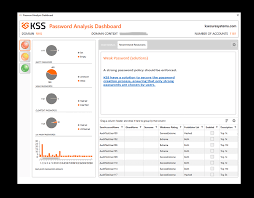
An Active Directory password audit tool is a software solution designed to assess the strength and security of user passwords stored in your Active Directory environment. It helps administrators identify weak passwords, enforce password policies, and detect potential vulnerabilities that could be exploited by malicious actors.

The Benefits of Using an Active Directory Password Audit Tool

  • Enhanced Security: By conducting regular password audits, you can identify and address weak passwords that may pose a security risk to your organisation.
  • Compliance: Many regulatory standards require organisations to maintain strong password policies. An audit tool can help you ensure compliance with these standards.
  • Improved User Awareness: Auditing passwords can also help educate users about the importance of creating secure passwords and following best practices for password management.
  • Proactive Threat Detection: Detecting weak passwords proactively can help prevent unauthorised access and potential data breaches before they occur.
  • Ease of Management: Automated password auditing tools simplify the process of monitoring and enforcing password policies across your organisation.

Conclusion

Investing in an Active Directory password audit tool is a proactive step towards enhancing the security posture of your organisation. By regularly auditing user passwords, you can strengthen your defences against cyber threats and safeguard sensitive data from potential breaches. Remember, when it comes to cybersecurity, prevention is always better than cure.


Understanding and Utilising Password Audit Tools for Active Directory

  1. What is domain password audit tool?
  2. What is the free password audit tool for Active Directory?
  3. How do I audit my Active Directory passwords?
  4. What is the tool to check ad password?

What is domain password audit tool?

A domain password audit tool is a specialised software solution designed to evaluate and analyse the strength and security of user passwords within a domain, particularly in Active Directory environments. This tool helps administrators identify weak or compromised passwords, enforce password policies, and detect potential vulnerabilities that could be exploited by cyber attackers. By conducting regular audits using a domain password audit tool, organisations can proactively strengthen their security measures, ensure compliance with industry standards, and mitigate the risk of unauthorised access to sensitive data.

What is the free password audit tool for Active Directory?

When seeking a free password audit tool for Active Directory, one commonly referenced solution is Lepide’s Active Directory Auditor. This tool offers a range of features for auditing user passwords within an Active Directory environment, including identifying weak passwords, enforcing password policies, and generating detailed reports for compliance purposes. Users appreciate its user-friendly interface and the ability to enhance password security without incurring additional costs. Lepide’s Active Directory Auditor stands out as a valuable option for organisations looking to improve their password management practices effectively and efficiently.

How do I audit my Active Directory passwords?

Auditing Active Directory passwords is a critical aspect of maintaining a secure IT environment. To audit your Active Directory passwords effectively, you can utilise specialised tools known as Active Directory password audit tools. These tools are designed to assess the strength and security of user passwords stored within your Active Directory environment. By using an Active Directory password audit tool, you can identify weak passwords, enforce password policies, and proactively detect potential vulnerabilities that could be exploited by malicious actors. Conducting regular password audits with the help of these tools is essential for enhancing security, ensuring compliance with regulatory standards, and mitigating the risk of unauthorised access to sensitive data.

What is the tool to check ad password?

When it comes to checking Active Directory passwords, organisations often rely on specialised tools known as Active Directory password audit tools. These tools are designed to assess the strength and security of user passwords stored within the Active Directory environment. By using an Active Directory password audit tool, administrators can identify weak passwords, enforce password policies, and enhance overall security measures to protect against potential cyber threats. This proactive approach helps organisations maintain a robust security posture and ensure compliance with industry regulations regarding password management.

The Importance of Active Directory Audit Software

The Importance of Active Directory Audit Software

In the realm of cybersecurity, maintaining the security and integrity of your organisation’s IT infrastructure is paramount. One crucial aspect of this is ensuring the proper management and monitoring of your Active Directory.

Active Directory audit software plays a vital role in helping organisations keep track of user activities, changes to configurations, and potential security threats within their Active Directory environment. By implementing robust audit software, businesses can proactively detect and respond to suspicious behaviour, unauthorised access attempts, and compliance violations.

Key features of effective Active Directory audit software include:

  • Real-time Monitoring: The ability to monitor user actions and system events in real-time provides immediate visibility into any unusual or potentially harmful activities.
  • Comprehensive Reporting: Detailed reports on user logins, modifications to permissions, group policy changes, and more help administrators gain insights into the health and security of their Active Directory.
  • Alerting Mechanisms: Automated alerts and notifications enable prompt responses to security incidents or policy violations, reducing the risk of data breaches or compliance issues.
  • Audit Trails: Maintaining audit trails that record all changes made within the Active Directory ensures accountability and facilitates forensic investigations when necessary.
  • Compliance Support: Simplifying compliance with regulatory requirements such as GDPR, HIPAA, or SOX by providing pre-defined reports and audit templates tailored to specific standards.

By investing in quality Active Directory audit software, organisations can enhance their overall cybersecurity posture, reduce the likelihood of data breaches, improve regulatory compliance efforts, and ultimately safeguard their most critical assets.


Understanding AD Audit Software: Key FAQs Answered

  1. Is AD audit Plus free?
  2. What is the best audit tool?
  3. How do I audit Active Directory?
  4. What is AD audit tool?

Is AD audit Plus free?

When it comes to AD audit software, a common question that arises is whether AD Audit Plus is free. AD Audit Plus, developed by ManageEngine, is not a free tool; it is a comprehensive auditing solution that offers advanced features for monitoring and securing Active Directory environments. While there may be trial versions or limited-feature editions available for evaluation purposes, the full functionality of AD Audit Plus typically requires a subscription or purchase. Organisations looking to leverage the robust capabilities of AD Audit Plus should consider the investment as a valuable enhancement to their IT security and compliance efforts.

What is the best audit tool?

When it comes to selecting the best audit tool for Active Directory, the answer may vary depending on the specific needs and requirements of your organisation. Factors such as the size of your network, the level of security you aim to achieve, compliance regulations you need to adhere to, and your budget all play a significant role in determining the most suitable audit tool. It is essential to conduct thorough research, consider user reviews and expert recommendations, and possibly even test out different options before making a decision. Ultimately, the best audit tool is one that effectively meets your organisation’s unique auditing needs and helps enhance the security and integrity of your Active Directory environment.

How do I audit Active Directory?

Auditing Active Directory is a critical process in maintaining the security and integrity of your organisation’s IT infrastructure. To audit Active Directory effectively, start by defining your audit objectives and scope. Identify the key areas you want to monitor, such as user account activities, group policy changes, or access permissions. Next, select a reliable Active Directory audit software that aligns with your requirements and offers features like real-time monitoring, comprehensive reporting, and alerting mechanisms. Configure the software to track and record relevant events within the Active Directory environment. Regularly review audit logs, analyse reports, and investigate any anomalies or suspicious activities to ensure compliance with security best practices and regulatory standards. By following a structured approach to auditing Active Directory, you can enhance your organisation’s overall cybersecurity posture and mitigate potential risks effectively.

What is AD audit tool?

An Active Directory (AD) audit tool is a specialised software solution designed to monitor, track, and analyse user activities and system events within an organisation’s Active Directory environment. This tool enables administrators to gain insight into changes made to user accounts, permissions, group policies, and other critical components of the AD infrastructure. By providing real-time monitoring, detailed reporting capabilities, and alerting mechanisms, an AD audit tool helps organisations proactively detect security threats, unauthorised access attempts, and compliance issues. Implementing an AD audit tool is essential for maintaining the security and integrity of the Active Directory, enhancing overall cybersecurity measures, and ensuring regulatory compliance.

The Importance of Using an Active Directory Audit Tool in Microsoft Environments

The Importance of Using an Active Directory Audit Tool in Microsoft Environments

In today’s digital landscape, where cybersecurity threats are on the rise, maintaining the security and integrity of your IT infrastructure is paramount. For organisations using Microsoft environments, such as Active Directory, implementing an effective audit tool is crucial to ensure the protection of sensitive data and prevent unauthorised access.

Active Directory serves as the central hub for managing user accounts, permissions, and access to resources within a network. However, without proper monitoring and auditing mechanisms in place, it can be challenging to track changes and activities that occur within this critical system.

By utilising an Active Directory audit tool specifically designed for Microsoft environments, organisations can gain valuable insights into user behaviour, detect suspicious activities, and maintain compliance with industry regulations. These tools offer features such as real-time monitoring, detailed reporting, and alert notifications that enable IT administrators to proactively identify security risks and take appropriate action.

Furthermore, an Active Directory audit tool can help streamline compliance processes by providing comprehensive audit logs and documentation to demonstrate adherence to internal policies and external regulations. This not only enhances security posture but also simplifies the auditing process during regulatory assessments or internal investigations.

Overall, investing in an Active Directory audit tool for Microsoft environments is a proactive step towards safeguarding your organisation’s digital assets and maintaining a robust security posture. By leveraging these tools effectively, businesses can mitigate risks, improve incident response capabilities, and ensure the confidentiality and integrity of their data.


Essential FAQs About Active Directory Audit Tools for Microsoft Environments

  1. What is an Active Directory audit tool?
  2. How does an Active Directory audit tool benefit Microsoft environments?
  3. What features should I look for in an Active Directory audit tool for Microsoft?
  4. How can an Active Directory audit tool enhance security in my organisation?
  5. Is it necessary to use an Active Directory audit tool for compliance purposes in Microsoft environments?

What is an Active Directory audit tool?

An Active Directory audit tool is a software solution designed to monitor, track, and analyse activities within a Microsoft Active Directory environment. This tool provides IT administrators with detailed insights into user actions, changes to permissions, and access to resources within the network. By generating comprehensive audit logs and reports, an Active Directory audit tool helps organisations enhance security, detect anomalies or suspicious behaviour, and ensure compliance with regulatory requirements. Essentially, it serves as a vital component in maintaining the integrity and security of an organisation’s IT infrastructure by offering visibility into user activity and facilitating proactive risk management strategies.

How does an Active Directory audit tool benefit Microsoft environments?

An Active Directory audit tool offers significant benefits to Microsoft environments by providing essential insights into user activities, changes, and security events within the Active Directory infrastructure. This tool enables IT administrators to monitor and track user behaviour in real-time, detect unauthorised access or suspicious activities promptly, and generate detailed reports for compliance purposes. By leveraging an Active Directory audit tool, organisations can enhance their security posture, streamline compliance efforts, and proactively identify and mitigate security risks in their Microsoft environments.

What features should I look for in an Active Directory audit tool for Microsoft?

When considering an Active Directory audit tool for Microsoft environments, it is essential to look for specific features that can enhance the security and management of your IT infrastructure. Key features to consider include real-time monitoring capabilities to track user activities and changes in real-time, detailed reporting functionalities that provide comprehensive insights into audit logs and compliance status, alert notifications for immediate detection of suspicious behaviour, and integration with Microsoft technologies to ensure seamless compatibility and efficient deployment. Additionally, features such as customisable dashboards, role-based access control, and automated remediation options can further streamline auditing processes and enhance overall security measures within your Active Directory environment.

How can an Active Directory audit tool enhance security in my organisation?

Implementing an Active Directory audit tool in your organisation can significantly enhance security by providing comprehensive monitoring and analysis of user activities within the network. This tool enables real-time tracking of changes, access attempts, and other critical events, allowing IT administrators to swiftly detect any suspicious behaviour or potential security threats. By generating detailed reports and alerts, an Active Directory audit tool empowers organisations to proactively identify vulnerabilities, strengthen access controls, and enforce compliance with security policies. Ultimately, the insights gained from using such a tool enable businesses to bolster their overall security posture, mitigate risks effectively, and safeguard sensitive data from unauthorised access or malicious activities.

Is it necessary to use an Active Directory audit tool for compliance purposes in Microsoft environments?

In Microsoft environments, utilising an Active Directory audit tool for compliance purposes is highly recommended and often necessary. These tools play a crucial role in ensuring that organisations meet regulatory requirements by providing detailed insights into user activities, changes made to the system, and access permissions. By using an Active Directory audit tool, businesses can demonstrate compliance with industry standards and regulations, such as GDPR or HIPAA, through comprehensive audit logs and reports. Moreover, these tools facilitate proactive monitoring of security events, enabling quick identification of potential threats and unauthorised activities that could compromise data integrity. Ultimately, incorporating an Active Directory audit tool into your compliance strategy not only enhances security measures but also streamlines the auditing process for regulatory assessments.