The Equivalent of IAM in Azure: Understanding Identity and Access Management
Identity and Access Management (IAM) is a crucial aspect of managing security within any IT infrastructure. In the context of cloud computing, Azure provides its own set of tools and services to effectively handle IAM requirements. Let’s explore how IAM functions in Azure and its equivalent features compared to traditional IAM systems.
Understanding IAM in Azure
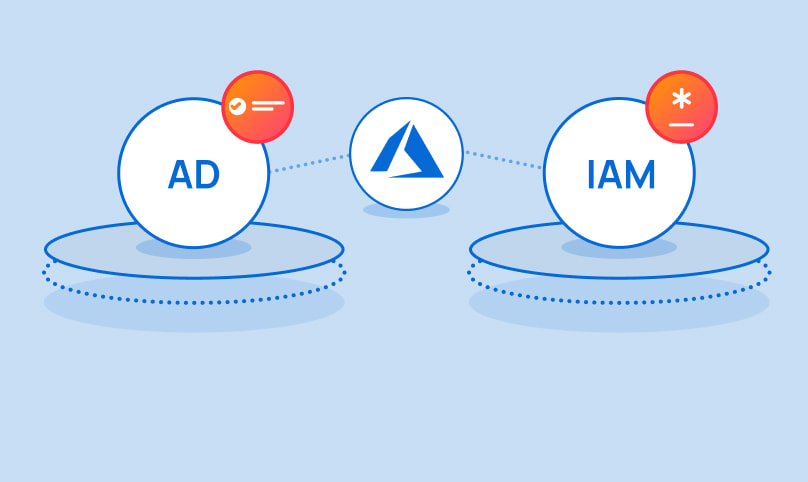
In Microsoft Azure, Identity and Access Management revolves around the concept of Azure Active Directory (Azure AD). Azure AD is Microsoft’s cloud-based identity and access management service that helps organisations manage users, groups, and applications securely. It serves as the backbone for controlling access to resources within the Azure environment.
Key Features of IAM in Azure
Azure offers a range of features that are equivalent to traditional IAM functionalities:
- Role-Based Access Control (RBAC): RBAC in Azure allows administrators to assign specific roles to users or groups, defining what actions they can perform on Azure resources.
- Multi-Factor Authentication (MFA): Just like traditional IAM systems, Azure supports MFA to add an extra layer of security by requiring users to verify their identity using multiple methods.
- Conditional Access Policies: With Conditional Access policies, administrators can enforce specific conditions for accessing resources based on factors such as location, device health, or user risk level.
- Audit Logs and Reporting: Azure provides detailed audit logs and reporting capabilities that help track user activities, monitor changes, and ensure compliance with security policies.
The Advantages of Using IAM in Azure
Transitioning to IAM in Azure offers several advantages over traditional on-premises solutions:
- Scalability: Azure’s IAM services are designed to scale with your organisation’s growth without compromising security or performance.
- Integration with Cloud Services: By using Azure AD as the central identity provider, you can seamlessly integrate with other Microsoft cloud services for a more unified experience.
- Simplified Management: Centralised management through the Azure portal makes it easier to configure and monitor access controls across your entire cloud environment.
- Enhanced Security: Leveraging advanced security features in Azure helps protect your data from evolving cyber threats and ensures compliance with industry regulations.
In Conclusion
In conclusion, while the concept of IAM remains consistent across different platforms, understanding how it operates within specific cloud environments like Azure is essential for effective security management. By utilising the robust identity and access management capabilities offered by Microsoft Azure, organisations can strengthen their security posture and streamline access control processes in the cloud.
If you are looking to enhance your organisation’s security posture through effective identity and access management practices, exploring IAM solutions within Microsoft Azure could be a strategic step towards achieving your cybersecurity goals.
Understanding Azure’s Identity and Access Management: Addressing Common Questions
- Does Azure have IAM?
- Is Azure AD the same as AWS IAM?
- What is AWS IAM equivalent in Azure?
- What is the new name for Azure IAM?
- Does Microsoft have an IAM solution?
- What is difference between IAM and RBAC in Azure?
- What is identity management in Azure?
Does Azure have IAM?
One of the frequently asked questions regarding Azure is, “Does Azure have IAM?” The answer is yes. Azure offers robust Identity and Access Management (IAM) capabilities through its Azure Active Directory (Azure AD) service. Azure AD serves as the cornerstone for managing user identities, groups, and access to resources within the Azure cloud environment. With features such as Role-Based Access Control (RBAC), Multi-Factor Authentication (MFA), Conditional Access Policies, and comprehensive audit logs, Azure provides a comprehensive IAM solution that aligns with industry standards and best practices for ensuring secure access to cloud resources.
Is Azure AD the same as AWS IAM?
One frequently asked question regarding Identity and Access Management (IAM) in cloud computing is whether Azure Active Directory (Azure AD) is the same as AWS Identity and Access Management (IAM). While both Azure AD and AWS IAM serve as identity management solutions within their respective cloud platforms, they have distinct functionalities tailored to the specific features and services offered by Microsoft Azure and Amazon Web Services (AWS). Azure AD primarily focuses on managing user identities, access controls, and single sign-on capabilities for Microsoft cloud services and applications. In contrast, AWS IAM is designed to control access to AWS resources such as EC2 instances, S3 buckets, and other AWS services. While there are similarities in the core principles of IAM between Azure AD and AWS IAM, their implementations differ to align with the unique requirements of each cloud provider’s ecosystem.
What is AWS IAM equivalent in Azure?
A common query that arises in discussions about Identity and Access Management (IAM) in cloud environments is the comparison between AWS IAM and its equivalent in Azure. In Azure, the counterpart to AWS IAM is Azure Active Directory (Azure AD). While both services focus on managing user identities and access controls, Azure AD offers a comprehensive set of tools tailored specifically for Microsoft’s cloud platform. These tools include Role-Based Access Control (RBAC), Multi-Factor Authentication (MFA), Conditional Access Policies, and robust auditing capabilities. Understanding the similarities and differences between AWS IAM and Azure AD is crucial for organisations seeking to implement effective identity management strategies in their cloud infrastructure.
What is the new name for Azure IAM?
The new name for Azure IAM, previously known as Azure Active Directory (Azure AD), is now referred to as Microsoft Azure Identity services. This change reflects Microsoft’s ongoing efforts to streamline its branding and align its cloud services under a unified identity. Microsoft Azure Identity services continue to provide robust identity and access management capabilities, including role-based access control, multi-factor authentication, conditional access policies, and audit logs. Organizations leveraging Azure can benefit from these advanced features to secure their resources and manage user access effectively within the cloud environment.
Does Microsoft have an IAM solution?
One frequently asked question regarding Identity and Access Management (IAM) in Azure is, “Does Microsoft have an IAM solution?” The answer to this question is affirmative. Microsoft offers a robust IAM solution through Azure Active Directory (Azure AD). Azure AD serves as Microsoft’s cloud-based identity and access management service, providing comprehensive tools and features to manage user identities, access controls, and security within the Azure environment. By leveraging Azure AD, organisations can effectively implement role-based access control, multi-factor authentication, conditional access policies, audit logs, and reporting capabilities to enhance security and compliance across their cloud resources.
What is difference between IAM and RBAC in Azure?
A common query regarding Identity and Access Management (IAM) in Azure revolves around understanding the distinction between IAM and Role-Based Access Control (RBAC). While IAM in Azure encompasses the broader concept of managing identities and access to resources within the cloud environment, RBAC specifically focuses on assigning roles to users or groups to control their permissions. In essence, IAM sets the foundation for identity management and access control strategies in Azure, while RBAC provides a granular approach by defining what actions users can perform based on their assigned roles. By grasping this difference, organisations can effectively leverage both IAM and RBAC functionalities to enhance security and governance within their Azure deployments.
What is identity management in Azure?
Identity management in Azure refers to the comprehensive set of tools and services provided by Microsoft Azure to manage user identities, control access to resources, and ensure security within the Azure cloud environment. At its core, Azure Identity Management involves the use of Azure Active Directory (Azure AD) to centralise user authentication, authorisation, and access control across various Azure services and applications. By leveraging features such as Role-Based Access Control (RBAC), Multi-Factor Authentication (MFA), Conditional Access policies, and detailed audit logs, organisations can effectively manage identities, enforce security policies, and monitor user activities to protect their data and maintain compliance with regulatory requirements within the Azure ecosystem.