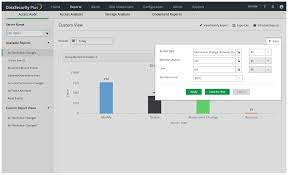
Article: Access Control Auditing Software

The Importance of Access Control Auditing Software

Access control auditing software plays a crucial role in maintaining the security and integrity of an organisation’s digital assets. In today’s interconnected world, where cyber threats are ever-present, having robust access control measures is essential to prevent unauthorised access and potential data breaches.

What is Access Control Auditing Software?

Access control auditing software is a tool that allows organisations to monitor and manage user access to their systems, applications, and data. It provides detailed insights into who has access to what resources, when they accessed them, and what actions they performed. By maintaining a comprehensive audit trail of user activities, organisations can track changes, detect anomalies, and ensure compliance with security policies and regulations.

The Benefits of Access Control Auditing Software

Implementing access control auditing software offers several benefits:

  • Enhanced Security: By monitoring user activities in real-time and generating alerts for suspicious behaviour, access control auditing software helps prevent security incidents before they escalate.
  • Compliance: Organisations can demonstrate compliance with industry regulations such as GDPR, HIPAA, or PCI DSS by maintaining detailed audit logs of user access and actions.
  • Risk Mitigation: Identifying potential security risks and vulnerabilities through regular audits enables proactive risk mitigation strategies to be implemented.
  • Operational Efficiency: Streamlining access management processes and automating audit tasks improve operational efficiency and reduce the burden on IT teams.
  • Audit Trail: Having a complete audit trail of user activities facilitates forensic investigations in the event of a security incident or data breach.

Choosing the Right Access Control Auditing Software

When selecting access control auditing software for your organisation, consider the following factors:

  • Scalability: Ensure that the software can scale with your organisation’s growth and adapt to changing security requirements.
  • User-Friendly Interface: Look for intuitive dashboards and reporting tools that make it easy to interpret audit data.
  • Integration Capabilities: Choose software that seamlessly integrates with your existing IT infrastructure for smooth implementation.
  • Audit Customisation: The ability to customise audit policies based on your unique security needs is essential for effective monitoring.


Seven Essential Tips for Enhancing Security with Access Control Auditing Software

  1. Regularly review and update access control policies.
  2. Implement role-based access control to assign permissions effectively.
  3. Monitor user activities and access logs for any suspicious behaviour.
  4. Ensure segregation of duties to prevent conflicts of interest.
  5. Utilise automation to streamline auditing processes and improve efficiency.
  6. Conduct regular audits to identify security gaps and compliance issues.
  7. Provide training to employees on access control best practices.

Regularly review and update access control policies.

Regularly reviewing and updating access control policies is a fundamental practice in ensuring the effectiveness of access control auditing software. By periodically revisiting and adjusting access control policies, organisations can align security measures with evolving threats and business requirements. This proactive approach not only enhances the accuracy of access permissions but also helps in identifying and addressing potential vulnerabilities before they are exploited. Consistent policy reviews contribute to a more robust security posture, enabling organisations to maintain compliance with regulations and safeguard their sensitive data effectively.

Implement role-based access control to assign permissions effectively.

To enhance security and streamline access management, it is advisable to implement role-based access control when utilising access control auditing software. By assigning permissions based on predefined roles within the organisation, administrators can effectively control who has access to specific resources and functionalities. This approach not only simplifies the process of granting and revoking access but also ensures that users are only granted permissions necessary for their roles, reducing the risk of unauthorised activities and data breaches. Role-based access control promotes a granular level of security while maintaining operational efficiency in managing user privileges within the system.

Monitor user activities and access logs for any suspicious behaviour.

Monitoring user activities and access logs for any suspicious behaviour is a fundamental tip when utilising access control auditing software. By keeping a vigilant eye on the actions of users within the system, organisations can swiftly identify any anomalies or potential security threats. Detecting unusual patterns or unauthorised access attempts allows for prompt intervention to mitigate risks and safeguard sensitive data. This proactive approach to monitoring not only enhances security posture but also helps in maintaining compliance with regulatory requirements by ensuring accountability and transparency in user interactions with critical resources.

Ensure segregation of duties to prevent conflicts of interest.

Ensuring the segregation of duties is a fundamental principle in access control auditing software to prevent conflicts of interest and maintain the integrity of an organisation’s security practices. By assigning specific roles and responsibilities to different individuals, organisations can minimise the risk of fraud, errors, and misuse of privileges. Segregation of duties helps create checks and balances within the system, ensuring that no single individual has excessive control over critical processes or sensitive data. This practice not only enhances security but also promotes accountability and transparency in access management procedures.

Utilise automation to streamline auditing processes and improve efficiency.

By utilising automation in access control auditing software, organisations can streamline their auditing processes and enhance overall efficiency. Automation enables the software to perform routine tasks such as log collection, analysis, and reporting without manual intervention, saving time and reducing the risk of human error. By automating repetitive tasks, IT teams can focus on more strategic security initiatives while ensuring that audit activities are consistently and accurately carried out. This not only improves operational efficiency but also enhances the organisation’s ability to proactively monitor access control measures and respond promptly to security incidents.

Conduct regular audits to identify security gaps and compliance issues.

Conducting regular audits using access control auditing software is a proactive approach to identifying potential security gaps and ensuring compliance with regulatory requirements. By systematically reviewing user access permissions, monitoring activity logs, and analysing audit trails, organisations can pinpoint vulnerabilities and address them before they are exploited by malicious actors. These audits not only enhance the overall security posture of the IT environment but also demonstrate a commitment to maintaining data integrity and protecting sensitive information from unauthorised access.

Provide training to employees on access control best practices.

Providing training to employees on access control best practices is essential in ensuring the effective implementation of access control auditing software. Educating staff members on the importance of securely managing their access rights, following password protocols, and recognising potential security threats can significantly enhance the overall security posture of an organisation. By empowering employees with the knowledge and skills to navigate access control systems responsibly, businesses can minimise the risk of insider threats and data breaches, ultimately contributing to a more secure and resilient IT environment.
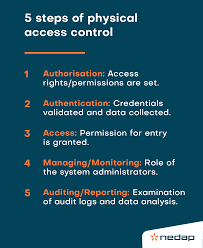

Access Control Auditing: Ensuring Security and Compliance

Access Control Auditing: Ensuring Security and Compliance

Access control auditing is a critical component of any organisation’s cybersecurity strategy. It involves monitoring and analysing access permissions within an IT environment to ensure that only authorised individuals have the appropriate level of access to sensitive data and resources.

Effective access control auditing helps organisations prevent data breaches, unauthorised access, and compliance violations. By regularly reviewing and auditing access controls, businesses can identify potential security gaps, detect anomalies in user behaviour, and mitigate risks before they escalate.

The Importance of Access Control Auditing

Access control auditing plays a crucial role in maintaining the confidentiality, integrity, and availability of data. By implementing robust access controls and conducting regular audits, organisations can:

  • Identify security weaknesses and vulnerabilities in their IT systems
  • Monitor user activity to detect suspicious behaviour or unauthorised access attempts
  • Ensure compliance with industry regulations and data protection laws
  • Protect sensitive information from insider threats and external attacks

Best Practices for Access Control Auditing

To maximise the effectiveness of access control auditing, organisations should adhere to the following best practices:

  1. Implement a least privilege model: Grant users only the minimum level of access required to perform their job functions.
  2. Regularly review user permissions: Conduct periodic audits to verify that users have appropriate access rights based on their roles and responsibilities.
  3. Monitor user activity: Use logging and monitoring tools to track user actions, detect anomalies, and investigate security incidents.
  4. Automate audit processes: Utilise automated tools to streamline access control audits, identify issues proactively, and generate comprehensive reports.
  5. Educate employees: Raise awareness among staff about the importance of access control policies, data security best practices, and potential risks associated with improper access management.

In Conclusion

Access control auditing is a fundamental aspect of cybersecurity that helps organisations safeguard their sensitive information, maintain regulatory compliance, and mitigate security risks. By implementing robust access controls, conducting regular audits, and following best practices, businesses can enhance their overall security posture and protect against potential threats in an increasingly digital world.


Five Key Benefits of Access Control Auditing for Strengthening Data Security and Compliance

  1. Enhances data security by restricting access to sensitive information
  2. Helps detect and prevent unauthorised access to critical resources
  3. Facilitates compliance with industry regulations and data protection laws
  4. Identifies security vulnerabilities and gaps in access control policies
  5. Mitigates risks associated with insider threats and cyber attacks


Seven Key Challenges of Access Control Auditing: Resource Demands, Intricacy, Error Potential, Expense, Incorrect Alarms, Staff Pushback, and Regulatory Hurdles

  1. Resource-intensive
  2. Complexity
  3. Human error
  4. Costly
  5. False positives
  6. User resistance
  7. Compliance challenges

Enhances data security by restricting access to sensitive information

Access control auditing greatly enhances data security by restricting access to sensitive information. By implementing strict access controls and regularly auditing user permissions, organisations can ensure that only authorised individuals have the necessary privileges to view or manipulate confidential data. This proactive approach minimises the risk of data breaches, insider threats, and unauthorised access attempts, ultimately safeguarding valuable information from falling into the wrong hands.

Helps detect and prevent unauthorised access to critical resources

Access control auditing serves as a crucial mechanism in detecting and preventing unauthorised access to critical resources within an organisation’s IT infrastructure. By monitoring access permissions and user activities, access control auditing can identify suspicious login attempts, unauthorised changes to permissions, and potential security breaches. This proactive approach enables businesses to swiftly respond to security threats, mitigate risks, and safeguard their most valuable assets from malicious actors.

Facilitates compliance with industry regulations and data protection laws

Facilitating compliance with industry regulations and data protection laws is a significant benefit of access control auditing. By regularly monitoring and evaluating access permissions within an organisation’s IT environment, businesses can ensure that they meet the specific requirements outlined in various regulations and laws. This proactive approach not only helps prevent costly penalties for non-compliance but also demonstrates a commitment to data security and privacy, fostering trust with customers and stakeholders. Access control auditing serves as a crucial tool in ensuring that sensitive information is handled in accordance with legal mandates, ultimately enhancing overall regulatory adherence and mitigating potential risks associated with regulatory violations.

Identifies security vulnerabilities and gaps in access control policies

Access control auditing serves as a valuable tool in identifying security vulnerabilities and gaps in access control policies within an organisation’s IT infrastructure. By conducting regular audits and reviews, businesses can pinpoint potential weaknesses in their security measures, such as outdated permissions, misconfigurations, or unauthorised access points. This proactive approach enables companies to address these issues promptly, strengthen their overall security posture, and reduce the risk of data breaches or cyberattacks.

Mitigates risks associated with insider threats and cyber attacks

Access control auditing serves as a crucial defence mechanism against insider threats and cyber attacks by mitigating associated risks. By closely monitoring and analysing user access permissions and behaviours within an IT environment, organisations can proactively detect suspicious activities, unauthorised access attempts, and potential security breaches. This proactive approach not only helps in preventing malicious actions from insiders but also strengthens the overall resilience of the system against external cyber threats. Through regular audits and stringent access controls, businesses can significantly reduce the likelihood of data breaches, protect sensitive information, and maintain a secure operational environment.

Resource-intensive

One notable drawback of access control auditing is its resource-intensive nature. Implementing and maintaining access control audits can demand a substantial amount of time and effort from organisations. From configuring auditing tools to analysing audit logs and addressing identified issues, the process can be labour-intensive and may strain already limited resources. This can pose challenges for businesses looking to effectively manage their cybersecurity measures while balancing other operational priorities.

Complexity

Managing access controls and conducting audits can be challenging due to the complexity involved, particularly in large organisations with diverse IT environments. The task of ensuring that the right individuals have appropriate access to resources while restricting unauthorised users requires meticulous planning and continuous monitoring. In a complex IT landscape, keeping track of user permissions, roles, and access levels across various systems and applications can be overwhelming. Additionally, conducting thorough audits to identify inconsistencies or security gaps becomes increasingly intricate as the scale of the organisation grows. The complexity of access control auditing in large enterprises underscores the need for efficient processes and automated tools to streamline these tasks effectively.

Human error

Human error poses a significant con in access control auditing as mistakes in configuring access permissions or conducting audits can create security vulnerabilities and compliance issues. Inaccurate assignment of access rights or oversight in monitoring user activities can result in unauthorised access to sensitive data, potentially exposing the organisation to data breaches or insider threats. Additionally, errors in audit processes may lead to gaps in security controls, leaving the system vulnerable to exploitation. It is crucial for organisations to implement rigorous training programmes and automated tools to minimise the risk of human error and ensure the effectiveness of their access control auditing practices.

Costly

Implementing robust access control auditing processes can be a costly endeavour for organisations. The expenses associated with this con typically include investments in specialised software, training programmes to educate staff on audit procedures, and hiring or allocating personnel dedicated to managing and monitoring access controls. These financial commitments can pose a challenge for businesses, especially those with limited budgets or resources, as they strive to strike a balance between strengthening their cybersecurity measures and managing costs effectively.

False positives

One significant drawback of access control auditing is the occurrence of false positives. Auditing tools have the potential to produce misleading alerts or flag non-existent risks, which can result in unnecessary investigations and disruptions within an organisation. Dealing with false positives can consume valuable time and resources, diverting attention away from genuine security threats and potentially causing frustration among IT teams tasked with managing access controls effectively.

User resistance

User resistance can pose a significant challenge when implementing access control auditing within an organisation. Some employees may view strict access controls and audit procedures as barriers that impede their efficiency or limit their freedom to perform tasks independently. This resistance can lead to non-compliance with security protocols, circumvention of access controls, and increased vulnerability to security breaches. Addressing user concerns through clear communication, training, and demonstrating the importance of access control measures in safeguarding sensitive data is essential to overcome this con and ensure successful implementation of auditing practices.

Compliance challenges

One significant drawback of access control auditing is the compliance challenges it poses. Ensuring adherence to ever-evolving regulations and standards introduces complexity to the auditing processes. Organisations must constantly update their access control policies and procedures to align with changing compliance requirements, which can be time-consuming and resource-intensive. Failure to keep pace with regulatory changes can result in non-compliance issues, fines, and reputational damage, highlighting the critical need for continuous monitoring and adjustment in access control auditing practices.

Article: Active Directory Security Solutions

The Importance of Active Directory Security Solutions

In today’s digital age, securing your organisation’s sensitive data and infrastructure is paramount. Active Directory (AD) serves as the central hub for managing user identities, permissions, and access to resources within a networked environment. As such, ensuring the security of your AD is crucial in safeguarding against cyber threats and data breaches.

Challenges in AD Security

Active Directory faces various security challenges, including:

  • Unauthorized Access: Without proper controls in place, malicious actors can gain unauthorised access to sensitive information stored in AD.
  • Misconfigurations: Incorrectly configured settings can leave vulnerabilities that attackers can exploit to compromise AD security.
  • Insider Threats: Internal users with malicious intent or compromised credentials pose a significant risk to AD security.
  • Audit Compliance: Meeting regulatory requirements and ensuring compliance with industry standards necessitate robust auditing capabilities.

The Role of AD Security Solutions

AD security solutions are designed to address these challenges effectively. They offer:

  • User Authentication: Implementing multi-factor authentication (MFA) and strong password policies enhances user authentication and reduces the risk of unauthorised access.
  • Privileged Access Management (PAM): PAM solutions restrict privileged access to critical AD components, limiting exposure to potential threats.
  • Auditing and Monitoring: Real-time monitoring and auditing tools track user activities, detect suspicious behaviour, and provide detailed logs for forensic analysis.
  • Vulnerability Scanning: Regular vulnerability assessments help identify weaknesses in AD configurations that could be exploited by attackers.

The Benefits of Implementing AD Security Solutions

By deploying robust AD security solutions, organisations can:

  • Enhance Security Posture: Strengthen defences against cyber threats and mitigate risks associated with unauthorised access or data breaches.
  • Improve Compliance: Ensure adherence to regulatory requirements by maintaining comprehensive audit trails and demonstrating compliance with industry standards.
  • Increase Operational Efficiency: Streamline identity management processes, reduce manual tasks, and enhance overall IT productivity.


9 Essential Tips for Enhancing Your Advertising Security Measures

  1. Regularly update your ad security software to protect against the latest threats.
  2. Implement strong password policies to prevent unauthorised access to your ad accounts.
  3. Use two-factor authentication for an added layer of security when accessing ad platforms.
  4. Be cautious of phishing emails and only click on links from trusted sources to avoid malware infections.
  5. Monitor your ad campaigns regularly for any unusual activity that could indicate a security breach.
  6. Limit access to ad accounts by assigning specific roles and permissions to different team members.
  7. Encrypt sensitive data related to your ads to prevent unauthorised access or data breaches.
  8. Educate employees about potential security risks and best practices for maintaining ad security.
  9. Backup important ad campaign data regularly in case of accidental deletion or cyber attacks.

Regularly update your ad security software to protect against the latest threats.

To safeguard your Active Directory (AD) environment effectively, it is essential to adhere to the best practice of regularly updating your AD security software. By keeping your security solutions up-to-date, you ensure that your defences are equipped to combat the latest cyber threats and vulnerabilities. Regular updates not only enhance the overall security posture of your AD but also provide crucial patches and fixes to address emerging risks, thereby fortifying your organisation’s resilience against potential security breaches.

Implement strong password policies to prevent unauthorised access to your ad accounts.

Implementing strong password policies is a fundamental step in bolstering the security of your Active Directory accounts. By requiring users to create complex passwords that are difficult to guess or crack, you can significantly reduce the risk of unauthorised access to sensitive data and resources. Strong password policies, such as enforcing minimum length requirements, incorporating a mix of characters, and regular password changes, serve as a critical barrier against malicious actors attempting to compromise AD accounts. Prioritising robust password practices is essential in fortifying your organisation’s overall security posture and safeguarding against potential cyber threats.

Use two-factor authentication for an added layer of security when accessing ad platforms.

Utilising two-factor authentication adds an extra layer of security when accessing Active Directory platforms. By requiring users to provide two forms of verification, such as a password and a unique code sent to their mobile device, organisations can significantly strengthen their defences against unauthorised access attempts. This additional security measure enhances identity verification and reduces the risk of potential breaches, ensuring that only authorised personnel can access sensitive AD resources.

To enhance the security of your Active Directory environment, it is essential to exercise caution when dealing with phishing emails. One crucial tip is to be wary of unsolicited emails and avoid clicking on links or downloading attachments from unverified sources. By only interacting with links from trusted and reputable sources, you can significantly reduce the risk of malware infections that could compromise the integrity of your AD system. Remember, staying vigilant and practising safe email habits are key steps in safeguarding your organisation’s sensitive data and infrastructure from potential cyber threats.

Monitor your ad campaigns regularly for any unusual activity that could indicate a security breach.

It is essential to monitor your Active Directory campaigns regularly for any abnormal activity that may signal a potential security breach. By keeping a close eye on your AD environment, you can swiftly detect and respond to suspicious behaviour, such as unauthorized access attempts or unusual changes in user permissions. Regular monitoring not only helps in identifying security threats early but also plays a crucial role in maintaining the integrity and security of your Active Directory system.

Limit access to ad accounts by assigning specific roles and permissions to different team members.

Limiting access to Active Directory (AD) accounts by assigning specific roles and permissions to different team members is a crucial tip in enhancing AD security. By implementing role-based access control, organisations can ensure that employees only have access to the resources necessary for their job functions, reducing the risk of unauthorised activities and data breaches. Assigning granular permissions based on job roles not only strengthens the overall security posture of the AD environment but also promotes accountability and compliance with regulatory requirements. This proactive approach helps organisations effectively manage user privileges and safeguard sensitive information stored within Active Directory.

Encrypting sensitive data related to your Active Directory (AD) is a crucial step in enhancing security and safeguarding against unauthorised access or data breaches. By encrypting data, you add an additional layer of protection that ensures only authorised users with the appropriate decryption keys can access the information. This measure not only helps in preventing potential breaches but also aligns with best practices for securing sensitive data within your AD environment. Encrypting sensitive data adds a vital element of confidentiality and integrity, reinforcing the overall security posture of your Active Directory infrastructure.

Educate employees about potential security risks and best practices for maintaining ad security.

It is essential to educate employees about potential security risks and best practices for maintaining Active Directory (AD) security. By raising awareness among staff members about common threats such as phishing attacks, password vulnerabilities, and social engineering tactics, organisations can empower their workforce to recognise and respond to security incidents effectively. Training employees on best practices for securing their accounts, such as using strong passwords, enabling multi-factor authentication, and reporting suspicious activities promptly, plays a crucial role in strengthening overall AD security posture. Employee education serves as a proactive measure in mitigating risks and fostering a culture of cybersecurity awareness within the organisation.

Backup important ad campaign data regularly in case of accidental deletion or cyber attacks.

It is crucial to regularly back up important Active Directory campaign data to safeguard against potential risks such as accidental deletion or cyber attacks. By maintaining up-to-date backups, organisations can ensure the continuity of their advertising campaigns and quickly recover any lost or compromised data. Implementing a robust backup strategy is a proactive measure that can mitigate the impact of unforeseen incidents, providing peace of mind and enabling swift restoration of critical information when needed.

Article: AD Configuration Tracking Software

The Importance of AD Configuration Tracking Software

In today’s complex IT environments, managing Active Directory (AD) configurations is crucial for maintaining security and compliance. AD serves as the central hub for user authentication, access control, and other critical functions in a network. Any misconfigurations or unauthorised changes can lead to security vulnerabilities and operational disruptions.

AD configuration tracking software plays a vital role in helping organisations monitor and manage changes to their AD environment effectively. By providing real-time visibility into configuration settings, permissions, and group policies, this software enables IT teams to:

  • Track Changes: AD configuration tracking software logs all modifications made to AD objects, such as user accounts, group memberships, and access rights. This audit trail helps in identifying who made the changes and when they occurred.
  • Detect Anomalies: By comparing current configurations with predefined baselines, the software can detect deviations that may indicate unauthorised actions or potential security threats.
  • Ensure Compliance: Organisations must adhere to various regulatory requirements regarding data security and access control. AD configuration tracking software helps in demonstrating compliance by providing detailed reports on configuration changes and access permissions.
  • Restore Previous Configurations: In case of accidental changes or security incidents, the software allows IT administrators to roll back configurations to a previous state quickly and accurately.
  • Improve Troubleshooting: When issues arise within the AD environment, having a historical record of configuration changes makes it easier to diagnose problems and identify root causes efficiently.

In conclusion, investing in AD configuration tracking software is essential for maintaining the integrity and security of your Active Directory infrastructure. By proactively monitoring changes and ensuring compliance with industry standards, organisations can mitigate risks and safeguard their sensitive data effectively.


Seven Essential Tips for Mastering Ad Configuration Tracking Software in the UK

  1. Ensure proper installation and setup of the tracking software on your ad platforms.
  2. Regularly check and update tracking codes to ensure accurate data collection.
  3. Implement conversion tracking to measure the effectiveness of your ads.
  4. Use UTM parameters to track different campaigns, mediums, and sources in detail.
  5. Set up goal tracking to monitor specific actions or events on your website linked to ad performance.
  6. Analyse the data collected by the tracking software to make informed decisions for ad optimisation.
  7. Consider A/B testing different ad configurations to improve results over time.

Ensure proper installation and setup of the tracking software on your ad platforms.

To maximise the effectiveness of AD configuration tracking software, it is crucial to ensure its proper installation and setup on your AD platforms. By following best practices during installation and configuring the software correctly, you can guarantee that it captures all relevant data accurately and functions optimally. This initial step lays the foundation for seamless monitoring of configuration changes, enabling you to proactively manage security risks and maintain compliance within your Active Directory environment.

Regularly check and update tracking codes to ensure accurate data collection.

It is crucial to regularly check and update tracking codes when utilising AD configuration tracking software to guarantee precise data collection. By ensuring that the tracking codes are up-to-date, organisations can maintain the accuracy of their monitoring processes within the Active Directory environment. This proactive approach enables IT teams to capture relevant information effectively, identify any discrepancies promptly, and ultimately enhance the overall security and compliance of their AD infrastructure.

Implement conversion tracking to measure the effectiveness of your ads.

Implementing conversion tracking is a valuable strategy when utilising ad configuration tracking software. By measuring the effectiveness of your ads through conversion tracking, you can gain valuable insights into how well your campaigns are performing in terms of driving desired actions, such as sign-ups, purchases, or downloads. This data allows you to make informed decisions on optimising your ad configurations to maximise conversions and achieve your marketing objectives efficiently.

Use UTM parameters to track different campaigns, mediums, and sources in detail.

Utilising UTM parameters is a valuable tip when it comes to tracking different campaigns, mediums, and sources in detail using AD configuration tracking software. By incorporating UTM parameters into your URLs, you can gain insights into the effectiveness of specific marketing initiatives, allowing you to attribute traffic accurately and measure the success of various campaigns. This level of granularity enables organisations to make informed decisions based on precise data, ultimately enhancing their marketing strategies and optimising their overall performance.

Set up goal tracking to monitor specific actions or events on your website linked to ad performance.

Setting up goal tracking to monitor specific actions or events on your website linked to ad performance is a strategic approach to understanding the effectiveness of your advertising campaigns. By defining and tracking key goals, such as conversions, sign-ups, or purchases that result from ad clicks, you gain valuable insights into the impact of your ads on user behaviour and engagement. This data not only helps in evaluating the success of your advertising efforts but also enables you to make informed decisions on optimising ad strategies for better performance and ROI.

Analyse the data collected by the tracking software to make informed decisions for ad optimisation.

Analysing the data collected by AD configuration tracking software is a crucial step towards optimising Active Directory performance and security. By reviewing the insights and trends revealed through the tracking software, IT administrators can make informed decisions to enhance AD configuration, streamline processes, and strengthen overall system efficiency. This data analysis enables organisations to identify areas for improvement, address potential vulnerabilities, and implement strategic changes that align with best practices. Ultimately, leveraging the information gathered from the tracking software empowers teams to proactively manage their AD environment and ensure it operates at its optimal level.

Consider A/B testing different ad configurations to improve results over time.

When utilising AD configuration tracking software, it is beneficial to consider implementing A/B testing methodologies to enhance outcomes progressively. By conducting experiments with different AD configurations and monitoring their impact, organisations can identify the most effective settings that align with their security and operational goals. A/B testing allows for data-driven decision-making, enabling continuous refinement of configurations to optimise performance and security measures over time.

Article: AD Change Monitoring Software

The Importance of AD Change Monitoring Software in Ensuring Network Security

Active Directory (AD) is a critical component of many organisations’ IT infrastructures, serving as the central hub for managing user accounts, permissions, and access to resources. With the ever-increasing threat landscape and regulatory requirements, monitoring changes within AD has become essential for maintaining a secure network environment.

AD change monitoring software plays a vital role in helping organisations track and audit modifications made to their AD environment. This software provides real-time alerts and detailed reports on any changes that occur, allowing administrators to quickly identify and respond to potential security threats or compliance issues.

Benefits of AD Change Monitoring Software:

  • Enhanced Security: By monitoring changes such as user privilege escalation, group membership modifications, or configuration adjustments, organisations can proactively detect suspicious activities that could indicate a security breach.
  • Compliance Assurance: Many industry regulations require organisations to maintain detailed audit logs of changes made to their IT systems. AD change monitoring software helps automate this process, ensuring compliance with regulatory standards.
  • Operational Efficiency: Tracking changes within AD can also help improve operational efficiency by providing insights into system performance, resource usage, and configuration drift. Administrators can identify bottlenecks or misconfigurations that may impact network performance.
  • Auditing Capabilities: Detailed audit trails generated by the software enable organisations to conduct thorough investigations into security incidents or compliance violations. This information is invaluable for forensic analysis and incident response.
  • User Accountability: By attributing changes to specific users or administrators, AD change monitoring software promotes accountability within the organisation. This transparency helps deter insider threats and ensures responsible use of privileged access.

In conclusion, investing in AD change monitoring software is a proactive measure that can significantly enhance an organisation’s cybersecurity posture and regulatory compliance efforts. By leveraging real-time monitoring capabilities and comprehensive reporting features, organisations can stay ahead of potential threats and maintain the integrity of their Active Directory environment.


Seven Key Questions Answered: Understanding AD Change Monitoring Software and Its Impact on Network Security

  1. What is AD change monitoring software?
  2. Why is AD change monitoring important for network security?
  3. How does AD change monitoring software work?
  4. What are the key features of AD change monitoring software?
  5. How can AD change monitoring software help with compliance requirements?
  6. What benefits does AD change monitoring software offer for IT administrators?
  7. Is it necessary to invest in dedicated AD change monitoring software or are there alternative solutions available?

What is AD change monitoring software?

AD change monitoring software is a specialised tool designed to track and record modifications made within an Active Directory environment. It provides organisations with real-time alerts and detailed reports on changes such as user account updates, group policy modifications, or security permission adjustments. By monitoring these changes, AD change monitoring software helps administrators identify potential security threats, ensure compliance with regulations, and maintain the integrity of their IT infrastructure. This software plays a crucial role in enhancing network security by providing visibility into activities that could impact the stability and security of the Active Directory system.

Why is AD change monitoring important for network security?

Active Directory (AD) change monitoring is crucial for network security as it provides organisations with real-time visibility into any modifications made within their AD environment. By tracking changes such as user account creations, permission adjustments, or group policy modifications, AD change monitoring software helps detect and respond to potential security threats promptly. This proactive approach enables administrators to identify suspicious activities, prevent unauthorised access, and mitigate risks before they escalate. Additionally, maintaining a comprehensive audit trail of AD changes ensures compliance with regulatory requirements and enhances overall network security by promoting accountability and transparency in system administration practices.

How does AD change monitoring software work?

AD change monitoring software operates by continuously tracking and recording modifications made to the Active Directory environment. It functions by monitoring events such as user account creations, deletions, password changes, group membership adjustments, and configuration modifications. The software utilises real-time monitoring capabilities to detect these changes and generates detailed audit logs or reports for administrators to review. By comparing current settings with historical data, AD change monitoring software can identify anomalies or suspicious activities that may indicate security threats or compliance issues. This proactive approach enables organisations to promptly respond to potential risks and maintain the integrity of their Active Directory infrastructure.

What are the key features of AD change monitoring software?

When exploring AD change monitoring software, it is essential to consider its key features that contribute to effective security and compliance management within an organisation’s Active Directory environment. Some of the crucial features to look for include real-time alerts for immediate threat detection, comprehensive audit logs for tracking all changes made, user activity monitoring to identify suspicious behaviour, customisable reporting capabilities for compliance audits, and integration with other security tools for a holistic approach to network protection. By leveraging these key features, organisations can enhance their ability to proactively monitor and respond to changes within Active Directory, ensuring a secure and well-managed IT infrastructure.

How can AD change monitoring software help with compliance requirements?

Active Directory (AD) change monitoring software plays a crucial role in helping organisations meet compliance requirements by providing detailed audit trails and real-time monitoring capabilities. By tracking and documenting changes made within the AD environment, this software ensures that organisations have a comprehensive record of all modifications, including user account updates, group membership changes, and configuration adjustments. This level of visibility not only aids in demonstrating compliance with regulatory standards but also enables organisations to quickly identify any deviations from established policies or security protocols. Additionally, AD change monitoring software simplifies the process of generating compliance reports and conducting audits by offering automated tools that streamline data collection and analysis, ultimately facilitating adherence to industry regulations and internal governance policies.

What benefits does AD change monitoring software offer for IT administrators?

AD change monitoring software offers a multitude of benefits for IT administrators in effectively managing and securing their Active Directory environment. By providing real-time alerts and detailed reports on changes within AD, this software empowers administrators to swiftly identify and respond to security incidents, ensuring the integrity of user accounts, permissions, and configurations. Additionally, AD change monitoring software enhances compliance efforts by automating audit log generation and assisting in regulatory adherence. This tool not only streamlines operational tasks but also promotes accountability among users and administrators by attributing changes to specific individuals. Overall, AD change monitoring software is a valuable asset for IT administrators seeking to bolster network security, streamline operations, and maintain compliance standards within their organisation.

Is it necessary to invest in dedicated AD change monitoring software or are there alternative solutions available?

When considering the importance of monitoring changes in Active Directory (AD), the question often arises: Is it necessary to invest in dedicated AD change monitoring software, or are there alternative solutions available? While there are basic built-in auditing features within AD that can track some changes, dedicated AD change monitoring software offers a more comprehensive and proactive approach. These specialised tools provide real-time alerts, detailed reporting, and advanced analytics that go beyond what native AD auditing can offer. Investing in dedicated AD change monitoring software not only enhances security and compliance but also streamlines operational efficiency by providing a holistic view of all activities within the AD environment. Ultimately, organisations looking to strengthen their cybersecurity defences and maintain regulatory compliance standards may find that dedicated software solutions offer the most robust and effective means of monitoring changes in Active Directory.

The Importance of Active Directory Health Checks

Active Directory (AD) is a critical component of many organisations’ IT infrastructure, serving as the central hub for managing users, computers, and resources. Ensuring the health and stability of your Active Directory environment is paramount to maintaining a secure and efficient network. Conducting regular AD health checks is essential in identifying issues proactively and preventing potential disruptions to your operations.

What are Active Directory Health Checks?

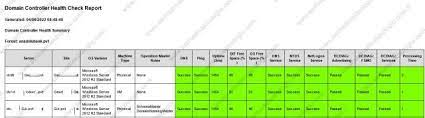
Active Directory health checks involve a comprehensive assessment of various components within the AD environment to evaluate its overall performance, security, and compliance with best practices. These checks typically involve examining elements such as domain controllers, group policies, replication status, DNS configuration, security settings, and more.

The Benefits of Regular Health Checks

By conducting regular AD health checks, organisations can reap numerous benefits:

  • Early Issue Detection: Health checks help in identifying potential problems before they escalate into major issues that could disrupt operations.
  • Improved Security: Assessing security settings and configurations can help in identifying vulnerabilities and ensuring that appropriate measures are in place to protect sensitive data.
  • Optimised Performance: By monitoring the performance of domain controllers and other AD components, organisations can identify bottlenecks and optimise their configuration for better efficiency.
  • Compliance Assurance: Regular health checks help in ensuring that Active Directory adheres to industry standards and regulatory requirements, reducing the risk of non-compliance.

Key Components of an Active Directory Health Check

An effective AD health check should encompass various key components:

  • Domain Controllers: Verify the status and performance of domain controllers to ensure they are functioning optimally.
  • Replication Status: Check the replication status between domain controllers to ensure data consistency across the network.
  • DNS Configuration: Validate DNS settings to prevent connectivity issues and name resolution problems.
  • GPO Assessment: Review Group Policy Objects (GPOs) for proper configuration and security settings.
  • User Account Management: Audit user accounts for inactive or outdated entries that could pose security risks.

In Conclusion

In today’s digital landscape, where cyber threats are on the rise, maintaining a healthy Active Directory environment is crucial for safeguarding your organisation’s data and operations. Regularly scheduled AD health checks play a vital role in ensuring the integrity, security, and efficiency of your network. By investing in proactive monitoring and maintenance, you can mitigate risks proactively and maintain a robust IT infrastructure that supports your business objectives.


Six Key Benefits of Conducting Regular Active Directory Health Checks

  1. Early detection of potential issues before they escalate
  2. Enhanced security by identifying and addressing vulnerabilities
  3. Improved performance through optimisation of AD components
  4. Assurance of compliance with industry standards and regulations
  5. Reduction of downtime by proactively resolving problems
  6. Enhanced reliability and stability of the network infrastructure


Seven Drawbacks of Active Directory Health Checks: Time Investment, Resource Demands, Disruption Potential, Intricacy, Expense, False Alarms, and Constrained Reach

  1. Time-Consuming
  2. Resource Intensive
  3. Disruption Risk
  4. Complexity
  5. Costly
  6. False Positives
  7. Limited Scope

Early detection of potential issues before they escalate

One significant advantage of conducting Active Directory health checks is the early detection of potential issues before they escalate into critical problems. By proactively monitoring the health and performance of Active Directory components, organisations can identify and address underlying issues swiftly, preventing them from causing major disruptions to network operations. Early detection not only minimises downtime but also helps in maintaining a secure and stable IT environment, ultimately saving time and resources that would have been spent on resolving more severe issues.

Enhanced security by identifying and addressing vulnerabilities

Active Directory health checks play a crucial role in enhancing security by identifying and addressing vulnerabilities within the system. By conducting thorough assessments of security settings, configurations, and user permissions, organisations can pinpoint potential weaknesses that could be exploited by malicious actors. Proactively addressing these vulnerabilities through regular health checks helps in fortifying the Active Directory environment against cyber threats, reducing the risk of data breaches and unauthorised access. This proactive approach to security not only safeguards sensitive information but also instils confidence in stakeholders that robust measures are in place to protect the integrity of the network.

Improved performance through optimisation of AD components

One significant advantage of conducting Active Directory health checks is the potential for improved performance through the optimisation of AD components. By regularly assessing and fine-tuning domain controllers, replication status, DNS configurations, and other key elements within the AD environment, organisations can identify bottlenecks and inefficiencies that may be hindering system performance. Through targeted optimisation efforts based on health check findings, businesses can enhance the efficiency of their Active Directory infrastructure, leading to smoother operations and a more responsive network that better meets the demands of modern IT environments.

Assurance of compliance with industry standards and regulations

One significant advantage of conducting Active Directory health checks is the assurance of compliance with industry standards and regulations. By regularly assessing the configuration and security settings of your Active Directory environment, organisations can ensure that their systems adhere to established industry standards and regulatory requirements. This proactive approach not only helps in mitigating potential risks but also demonstrates a commitment to maintaining a secure and compliant IT infrastructure, thereby avoiding costly penalties or legal implications associated with non-compliance.

Reduction of downtime by proactively resolving problems

One significant advantage of conducting Active Directory health checks is the reduction of downtime through proactive issue resolution. By regularly assessing the health and performance of Active Directory components, organisations can identify and address potential problems before they escalate into critical issues that could lead to system failures or disruptions. This proactive approach not only minimises the risk of unexpected downtime but also ensures a more stable and reliable IT environment, allowing businesses to operate smoothly without unnecessary interruptions.

Enhanced reliability and stability of the network infrastructure

Active Directory health checks contribute significantly to enhancing the reliability and stability of the network infrastructure. By conducting regular assessments of Active Directory components such as domain controllers, replication status, and security configurations, organisations can identify and address potential issues before they impact network performance. This proactive approach helps prevent system failures, downtime, and data loss, ultimately ensuring that the network operates smoothly and securely. With improved reliability and stability, businesses can minimise disruptions, boost productivity, and maintain a resilient IT environment that supports their operations effectively.

Time-Consuming

Active Directory health checks can present a significant challenge due to their time-consuming nature, particularly in the case of expansive and intricate environments. Conducting a thorough assessment of various components within Active Directory, such as domain controllers, group policies, replication status, and security settings, demands meticulous attention and resources. For organisations with extensive networks, the process of performing comprehensive health checks can be labour-intensive and may require dedicated personnel to ensure accuracy and effectiveness. Despite the time investment required, prioritising regular health checks remains essential for maintaining the stability and security of Active Directory environments.

Resource Intensive

One significant drawback of active directory health checks is their resource-intensive nature. Conducting thorough assessments often demands dedicated resources and specialised expertise, potentially placing a strain on IT teams. The need for allocating time, manpower, and technical know-how to perform comprehensive health checks can divert attention from other critical IT tasks and projects. This challenge highlights the importance of balancing the benefits of proactive monitoring with the operational demands placed on IT personnel, ensuring that the process remains efficient and sustainable in the long run.

Disruption Risk

One significant drawback of Active Directory health checks is the potential disruption risk they pose. Conducting these checks during business hours can result in interruptions to network services and user activities. The process of analysing and assessing various components of the Active Directory environment may require temporary changes or configurations that could impact system availability. Balancing the need for regular health checks with minimising disruptions is crucial to ensuring the smooth operation of IT systems and maintaining productivity within the organisation.

Complexity

One significant drawback of Active Directory health checks is the complexity involved in analysing the intricate technical details. The process often delves into complex configurations and system settings that may be challenging for individuals without specialised IT knowledge to grasp fully. Non-specialists may find it difficult to interpret the findings accurately, leading to potential misinterpretation of issues or overlooking critical aspects of the assessment. This complexity can create barriers for organisations seeking to conduct thorough AD health checks, highlighting the need for expert guidance and support in navigating the intricacies of Active Directory evaluations.

Costly

One significant drawback of implementing comprehensive Active Directory health checks is the associated costs involved. Conducting thorough assessments of AD environments often requires specialised tools, training for IT staff, and potentially external consultancy services. These expenses can add up quickly, especially for organisations with limited budgets or resources dedicated to IT infrastructure maintenance. The financial investment required for conducting regular AD health checks may pose a challenge for some businesses looking to prioritise cost-effectiveness in their operational strategies.

False Positives

False positives can be a significant drawback when conducting Active Directory health checks. Health check tools may occasionally trigger alerts for issues that are not actually present, resulting in unnecessary investigations and potentially causing confusion among IT teams. Dealing with false positives can consume valuable time and resources, diverting attention away from genuine issues that require immediate attention. It is essential for organisations to carefully evaluate the accuracy and reliability of their health check tools to minimise the occurrence of false positives and ensure that any alerts raised are genuinely indicative of underlying problems within the Active Directory environment.

Limited Scope

One significant drawback of Active Directory health checks is the limited scope they offer. Standard health checks may not comprehensively cover all aspects of an Active Directory environment, leading to potential blind spots in the assessment. Certain critical components or custom configurations within AD may not be adequately examined through standard health checks, leaving vulnerabilities undetected. This limitation highlights the importance of supplementing routine health checks with targeted assessments tailored to address specific areas of concern, ensuring a more thorough evaluation of the overall health and security of the Active Directory infrastructure.

Article: Active Directory Configuration Tracking

The Importance of Active Directory Configuration Tracking

Active Directory is a critical component of many organisations’ IT infrastructure, serving as a centralised database that stores information about network resources and enables users to access and manage these resources. Proper configuration of Active Directory is essential for ensuring security, compliance, and efficient operations.

One key aspect of maintaining a secure and well-functioning Active Directory environment is tracking configuration changes. Changes to the configuration settings can have a significant impact on the security posture of the network and may introduce vulnerabilities if not properly monitored.

Benefits of Configuration Tracking:

  • Security: By tracking configuration changes, administrators can quickly identify any unauthorised modifications that could compromise the security of the network.
  • Compliance: Many regulatory requirements mandate the tracking of configuration changes to ensure that systems are maintained in a secure and compliant state.
  • Troubleshooting: Having a record of configuration changes makes it easier to troubleshoot issues that may arise in the network and revert to previous settings if necessary.
  • Auditing: Detailed logs of configuration changes provide valuable information for auditing purposes, demonstrating accountability and transparency in IT operations.
  • Efficiency: Tracking configurations helps streamline administrative tasks by providing insights into system changes and reducing the time spent on diagnosing problems.

Best Practices for Configuration Tracking:

To effectively track Active Directory configuration changes, organisations should consider implementing the following best practices:

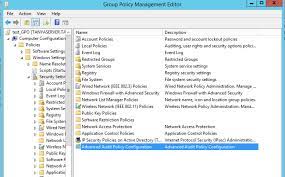
  1. Enable Auditing: Configure auditing policies within Active Directory to log changes to critical objects and attributes.
  2. Use Monitoring Tools: Implement monitoring tools that can track real-time changes and provide alerts for suspicious activities.
  3. Maintain Documentation: Keep detailed documentation of configurations, including change management processes and authorised personnel responsible for making modifications.
  4. Regular Reviews: Conduct regular reviews of configuration logs to identify trends, anomalies, or potential security risks.
  5. Educate Staff: Provide training to IT staff on the importance of configuration tracking and how to follow best practices for maintaining a secure Active Directory environment.

In conclusion, active directory configuration tracking is a fundamental aspect of maintaining a secure and efficient IT infrastructure. By implementing robust tracking mechanisms and following best practices, organisations can enhance their security posture, achieve compliance goals, and ensure smooth operations within their Active Directory environment.


Essential Insights into Active Directory Configuration Tracking: Understanding Its Importance, Security Enhancements, and Best Practices

  1. What is Active Directory configuration tracking?
  2. Why is Active Directory configuration tracking important?
  3. How does Active Directory configuration tracking enhance security?
  4. What are the benefits of tracking configuration changes in Active Directory?
  5. What are the common challenges associated with Active Directory configuration tracking?
  6. What tools or software can be used for Active Directory configuration tracking?
  7. How can organisations ensure compliance through active directory configuration tracking?
  8. What best practices should be followed for effective Active Directory configuration tracking?
  9. How often should organisations review and audit their Active Directory configurations?

What is Active Directory configuration tracking?

Active Directory configuration tracking refers to the process of monitoring and recording changes made to the settings and parameters within an Active Directory environment. It involves keeping a detailed log of modifications to user accounts, group policies, security settings, and other configurations that impact the functionality and security of the network. By actively tracking these changes, administrators can gain visibility into who made specific modifications, when they were made, and what the changes entailed. This proactive approach allows organisations to detect unauthorised alterations, troubleshoot issues efficiently, maintain compliance with regulations, and enhance overall security by ensuring that the Active Directory remains in a secure and stable state.

Why is Active Directory configuration tracking important?

Active Directory configuration tracking is crucial for maintaining the security and integrity of an organisation’s IT infrastructure. By monitoring and recording changes to the Active Directory settings, administrators can quickly identify any unauthorised modifications that may pose a security risk. This proactive approach helps in preventing potential breaches and ensuring compliance with regulatory requirements. Additionally, tracking configuration changes enables efficient troubleshooting of issues, facilitates auditing processes, and enhances overall operational efficiency. In essence, Active Directory configuration tracking plays a vital role in safeguarding sensitive data, maintaining system stability, and demonstrating accountability in IT operations.

How does Active Directory configuration tracking enhance security?

Active Directory configuration tracking plays a crucial role in enhancing security by providing organisations with a comprehensive view of changes made to their network infrastructure. By monitoring and recording modifications to Active Directory settings, administrators can quickly detect any unauthorised alterations that may indicate potential security breaches or insider threats. This proactive approach allows for timely response to suspicious activities, preventing malicious actors from exploiting vulnerabilities within the system. Furthermore, detailed configuration tracking enables organisations to maintain a secure and compliant environment by ensuring that all changes align with established security policies and regulatory requirements. Ultimately, Active Directory configuration tracking serves as a vital tool in safeguarding sensitive data, mitigating risks, and strengthening overall cybersecurity posture.

What are the benefits of tracking configuration changes in Active Directory?

Tracking configuration changes in Active Directory offers numerous benefits to organisations seeking to maintain a secure and efficient IT environment. By monitoring and recording modifications to configuration settings, administrators can swiftly identify unauthorised changes that may compromise network security. Additionally, tracking configuration changes aids in ensuring compliance with regulatory requirements, facilitating troubleshooting processes, providing valuable audit trails for accountability, and enhancing overall operational efficiency. By implementing robust configuration tracking practices, organisations can proactively safeguard their Active Directory infrastructure against potential vulnerabilities and streamline administrative tasks effectively.

What are the common challenges associated with Active Directory configuration tracking?

Managing Active Directory configuration tracking poses several common challenges for organisations. One key challenge is the complexity of tracking changes across a large and dynamic environment, making it difficult to pinpoint specific modifications that may impact security or compliance. Additionally, ensuring that configuration tracking is comprehensive and consistent can be a struggle, especially when dealing with multiple administrators or decentralised IT operations. Another challenge lies in interpreting and analysing the vast amount of data generated by configuration tracking tools, as identifying meaningful patterns and potential risks requires expertise and time. Overall, overcoming these challenges requires a proactive approach, robust tools, clear policies, and ongoing training to effectively track and manage Active Directory configurations.

What tools or software can be used for Active Directory configuration tracking?

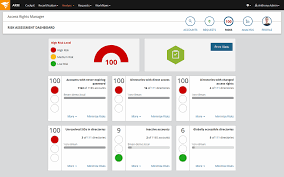
When it comes to Active Directory configuration tracking, there are several tools and software options available to help organisations effectively monitor and manage changes within their environment. Popular solutions include ManageEngine ADAudit Plus, Netwrix Auditor, SolarWinds Access Rights Manager, and Quest Change Auditor for Active Directory. These tools offer features such as real-time monitoring, detailed reporting, audit trails, and alerting capabilities to track configuration changes, detect anomalies, and ensure compliance with security policies. Organisations can choose the tool that best fits their specific needs and budget to enhance their Active Directory configuration tracking efforts.

How can organisations ensure compliance through active directory configuration tracking?

Organisations can ensure compliance through active directory configuration tracking by implementing robust monitoring and auditing mechanisms that capture and log all changes made to the Active Directory environment. By configuring auditing policies to track critical objects and attributes, organisations can maintain a detailed record of configuration modifications for accountability and transparency. Regularly reviewing audit logs, conducting internal audits, and using monitoring tools to detect unauthorised changes help organisations identify potential compliance issues proactively. By documenting change management processes, educating staff on compliance requirements, and following best practices for configuration tracking, organisations can demonstrate adherence to regulatory standards and ensure that their Active Directory environment remains secure and compliant.

What best practices should be followed for effective Active Directory configuration tracking?

When it comes to effective Active Directory configuration tracking, following best practices is crucial to maintaining a secure and well-functioning IT environment. Key practices include enabling auditing within Active Directory to log changes to critical objects, implementing monitoring tools for real-time tracking and alerts, maintaining comprehensive documentation of configurations and change management processes, conducting regular reviews of configuration logs to identify anomalies or security risks, and providing staff training on the importance of configuration tracking. By adhering to these best practices, organisations can enhance their security posture, ensure compliance with regulations, and streamline their IT operations within the Active Directory environment.

How often should organisations review and audit their Active Directory configurations?

Organisations should regularly review and audit their Active Directory configurations to maintain a secure and compliant IT environment. The frequency of these reviews depends on various factors, including the size of the organisation, the complexity of the Active Directory setup, and industry regulations. As a general guideline, it is recommended that organisations conduct comprehensive reviews and audits of their Active Directory configurations at least annually. However, in high-security environments or industries with strict compliance requirements, more frequent reviews, such as quarterly or semi-annually, may be necessary to promptly identify and address any potential security risks or compliance issues. Regular reviews help ensure that the Active Directory remains up-to-date, secure, and aligned with the organisation’s overall IT strategy.

The Importance of Active Directory Compliance

The Importance of Active Directory Compliance

Active Directory is a crucial component of many organisations’ IT infrastructure, serving as a centralised database for managing users, computers, and resources. Ensuring compliance within your Active Directory environment is essential for maintaining security, data integrity, and regulatory adherence.

Why Compliance Matters

Compliance with industry regulations such as GDPR, HIPAA, or PCI DSS is mandatory for many businesses. Failure to comply can result in severe penalties, financial losses, and damage to the organisation’s reputation. Active Directory compliance helps ensure that sensitive data is protected, access controls are properly configured, and audit trails are maintained.

Challenges in Achieving Compliance

Managing compliance in an Active Directory environment can be complex due to the dynamic nature of user accounts, group memberships, and permissions. Changes made by administrators or users can introduce vulnerabilities if not monitored closely. Additionally, ensuring that policies align with regulatory requirements requires continuous monitoring and auditing.

Benefits of Active Directory Compliance

By maintaining compliance within your Active Directory environment, you can reduce the risk of security breaches, data leaks, and non-compliance fines. Compliance also enhances trust with customers and partners who rely on your organisation to safeguard their information. Furthermore, a compliant Active Directory promotes operational efficiency by streamlining access management processes.

Best Practices for Achieving Compliance

To ensure compliance in your Active Directory environment, consider implementing the following best practices:

  • Regularly review user permissions and group memberships to prevent unauthorised access.
  • Implement strong password policies and multi-factor authentication to enhance security.
  • Monitor changes to Group Policy settings to maintain consistency and compliance.
  • Conduct regular audits and assessments to identify potential risks and non-compliance issues.
  • Stay informed about regulatory updates and adjust policies accordingly to remain compliant.

Conclusion

In conclusion, active directory compliance is a critical aspect of maintaining a secure and regulated IT environment. By prioritising compliance within your Active Directory infrastructure and implementing best practices for monitoring and auditing, you can mitigate risks, protect sensitive data, and demonstrate your commitment to upholding industry standards.


Six Essential Tips for Maintaining Active Directory Compliance and Security

  1. Regularly review and update access controls in Active Directory to ensure only authorised personnel have appropriate permissions.
  2. Implement strong password policies, including regular password changes and complexity requirements, to enhance security.
  3. Enable auditing and monitoring features in Active Directory to track user activities and detect any suspicious behaviour.
  4. Ensure proper documentation of Active Directory configurations, policies, and procedures for compliance audits.
  5. Train employees on best practices for using Active Directory securely and responsibly to prevent data breaches.
  6. Regularly conduct security assessments and penetration testing on Active Directory to identify vulnerabilities and strengthen defences.

Regularly review and update access controls in Active Directory to ensure only authorised personnel have appropriate permissions.

It is essential to regularly review and update access controls in Active Directory to guarantee that only authorised personnel possess the necessary permissions. By conducting routine assessments of user permissions and group memberships, organisations can prevent unauthorised access and minimise the risk of security breaches. Maintaining a strict control over access rights not only enhances data security but also aligns with regulatory compliance requirements, reinforcing the overall integrity of the Active Directory environment.

Implement strong password policies, including regular password changes and complexity requirements, to enhance security.

Implementing strong password policies, such as regular password changes and complexity requirements, is crucial for enhancing security within your Active Directory environment. By enforcing these measures, you can significantly reduce the risk of unauthorised access and strengthen the overall integrity of your IT infrastructure. Regularly updating passwords and ensuring they meet complexity standards are effective strategies to safeguard sensitive data and protect against potential security threats.

Enable auditing and monitoring features in Active Directory to track user activities and detect any suspicious behaviour.

Enabling auditing and monitoring features in Active Directory is a crucial tip for maintaining compliance and enhancing security. By tracking user activities and detecting any suspicious behaviour, organisations can proactively identify potential threats, unauthorised access attempts, or policy violations. This proactive approach not only helps in mitigating risks but also ensures that any deviations from established security protocols are promptly addressed, reinforcing the overall integrity of the Active Directory environment.

Ensure proper documentation of Active Directory configurations, policies, and procedures for compliance audits.

To ensure compliance with regulatory requirements and facilitate smooth audits, it is essential to maintain thorough documentation of Active Directory configurations, policies, and procedures. Documenting key aspects of your Active Directory environment not only helps in demonstrating adherence to compliance standards but also provides a reference point for auditors to assess the effectiveness of security measures and access controls. Proper documentation ensures transparency, accountability, and clarity in managing Active Directory compliance, ultimately contributing to a more secure and well-regulated IT infrastructure.

Train employees on best practices for using Active Directory securely and responsibly to prevent data breaches.

Training employees on best practices for using Active Directory securely and responsibly is a crucial step in maintaining active directory compliance. By educating staff on proper access management, password security, and data protection protocols, organisations can significantly reduce the risk of data breaches and unauthorised access. Empowering employees with the knowledge to navigate Active Directory safely not only enhances overall security posture but also fosters a culture of accountability and vigilance towards safeguarding sensitive information within the network.

Regularly conduct security assessments and penetration testing on Active Directory to identify vulnerabilities and strengthen defences.

Regularly conducting security assessments and penetration testing on your Active Directory is a proactive measure to identify vulnerabilities and enhance the overall security posture of your IT environment. By systematically testing for weaknesses and potential entry points, organisations can pinpoint areas of concern, address security gaps, and fortify their defences against cyber threats. This practice not only helps in safeguarding sensitive data but also demonstrates a commitment to maintaining a robust Active Directory infrastructure that is resilient to evolving security risks.

Article: Active Directory Vulnerability Assessment

The Importance of Active Directory Vulnerability Assessment

In today’s digital landscape, where cyber threats are constantly evolving, it is crucial for organisations to prioritise the security of their IT infrastructure. Active Directory, as a central component of many corporate networks, is a prime target for cyber attacks. Conducting regular vulnerability assessments on your Active Directory environment is essential to identify and mitigate potential security risks.

Understanding Active Directory Vulnerabilities

Active Directory vulnerabilities can arise from various sources, including misconfigurations, weak access controls, outdated software, and unpatched systems. These vulnerabilities can be exploited by malicious actors to gain unauthorised access to sensitive data, disrupt operations, or launch targeted attacks.

The Benefits of Vulnerability Assessment

By conducting regular vulnerability assessments on your Active Directory infrastructure, you can:

  • Identify security weaknesses before they are exploited by attackers;
  • Mitigate risks and strengthen your overall security posture;
  • Ensure compliance with industry regulations and standards;
  • Enhance incident response capabilities by proactively addressing vulnerabilities.

Best Practices for Active Directory Vulnerability Assessment

When performing a vulnerability assessment on your Active Directory environment, consider the following best practices:

  1. Schedule regular scans to detect new vulnerabilities;
  2. Implement secure configurations and access controls;
  3. Keep software and systems up-to-date with the latest patches;
  4. Evaluate user permissions and privilege levels regularly;
  5. Monitor and log activity within Active Directory for suspicious behaviour.

Conclusion

In conclusion, proactive vulnerability assessment is key to maintaining a secure and resilient Active Directory environment. By identifying and addressing vulnerabilities before they are exploited, organisations can safeguard their critical assets and minimise the impact of potential cyber threats. Remember that cybersecurity is an ongoing process, and staying vigilant against emerging risks is crucial in today’s threat landscape.


Tools for Risk Assessment in Active Directory: A Guide

Conducting a Security Assessment of Your Active Directory Environment

4. Self-Assessment for Active Directory: Best Practices and Procedures

  1. What is Active Directory vulnerability?
  2. What is the risk assessment tool in Active Directory?
  3. What is Active Directory Security Assessment?
  4. What is the self assessment of Active Directory?

What is Active Directory vulnerability?

An Active Directory vulnerability refers to a weakness or flaw within the Active Directory system that could be exploited by malicious actors to compromise the security of an organisation’s network. These vulnerabilities can stem from various sources such as misconfigurations, weak access controls, outdated software, or unpatched systems. Identifying and addressing Active Directory vulnerabilities through regular assessments is crucial in order to prevent potential cyber attacks, protect sensitive data, and maintain the integrity of the IT infrastructure.

What is the risk assessment tool in Active Directory?

The risk assessment tool in Active Directory is a crucial component used to evaluate and quantify potential security risks within the Active Directory environment. This tool helps organisations identify vulnerabilities, assess the likelihood of threats, and determine the potential impact of security incidents. By leveraging the risk assessment tool, administrators can prioritise remediation efforts, strengthen security controls, and enhance overall resilience against cyber threats. Conducting regular risk assessments using this tool is essential for maintaining a proactive approach to cybersecurity and ensuring the protection of critical IT assets within the Active Directory infrastructure.

What is Active Directory Security Assessment?

An Active Directory Security Assessment is a comprehensive evaluation process that aims to identify and address security vulnerabilities within an organisation’s Active Directory infrastructure. This assessment involves examining the configuration settings, access controls, user permissions, group policies, and overall security posture of the Active Directory environment. By conducting a thorough security assessment, organisations can proactively detect weaknesses, misconfigurations, or potential entry points that could be exploited by cyber attackers. The goal of an Active Directory Security Assessment is to enhance the overall security of the network, mitigate risks, and ensure compliance with industry regulations and best practices.

What is the self assessment of Active Directory?

The self-assessment of Active Directory refers to the process in which an organisation evaluates its own Active Directory environment for vulnerabilities and security risks. This involves conducting internal audits, reviewing configurations, and assessing access controls within the Active Directory infrastructure. By performing a self-assessment, organisations can proactively identify potential weaknesses, gaps in security protocols, or non-compliance with best practices. This self-evaluation empowers organisations to take corrective actions to enhance the overall security posture of their Active Directory environment and mitigate potential threats effectively.