Software Audit: Ensuring Compliance and Efficiency

Software Audit: Ensuring Compliance and Efficiency

In today’s digital landscape, software plays a crucial role in the operations of businesses across various industries. From productivity tools to specialised applications, organisations rely on software to streamline processes, enhance productivity, and deliver services efficiently. However, managing software assets effectively is not just about installation and updates; it also involves ensuring compliance with licensing agreements and optimising resource allocation.

The Importance of Software Audits

A software audit is a systematic review of an organisation’s software assets to assess compliance with licensing agreements, security protocols, and operational efficiency. By conducting regular audits, businesses can gain valuable insights into their software usage patterns, identify potential risks of non-compliance or unauthorised usage, and optimise their software investments.

Benefits of Software Audits

**Compliance:** Software audits help organisations ensure that they are using licensed software in accordance with vendor agreements and legal requirements. Non-compliance can lead to costly penalties and reputational damage.

**Cost Savings:** By identifying unused or underutilised software licenses, organisations can eliminate unnecessary expenses and reallocate resources more efficiently.

**Security:** Auditing software assets allows businesses to detect vulnerabilities, unauthorised installations, or outdated applications that may pose security risks.

**Optimisation:** Through data gathered from audits, organisations can make informed decisions about software procurement, upgrades, or consolidation to improve operational efficiency.

Best Practices for Software Audits

  • Establish clear policies and procedures for managing software assets.
  • Regularly update inventory records to reflect changes in software installations or licenses.
  • Utilise automated tools for tracking software usage and license compliance.
  • Conduct audits periodically to ensure ongoing compliance and efficiency.
  • Involve key stakeholders from IT, procurement, and legal departments in the audit process.


Essential Insights: Addressing Key Questions About Software Audits

  1. What is a software audit and why is it important?
  2. How often should a company conduct software audits?
  3. What are the key benefits of performing a software audit?
  4. What tools or methods can be used to conduct a software audit?
  5. How can a software audit help in ensuring compliance with licensing agreements?
  6. What are the common challenges faced during a software audit process?

What is a software audit and why is it important?

A software audit is a comprehensive review process that examines an organisation’s software assets to ensure compliance with licensing agreements, security protocols, and operational efficiency. It involves assessing the usage, installation, and management of software applications to identify any discrepancies or risks that may impact the organisation. Software audits are crucial as they help businesses maintain compliance with vendor agreements and legal requirements, thereby avoiding potential penalties and reputational damage. Additionally, these audits enable organisations to optimise their software investments by identifying unused licenses or inefficient resource allocation, leading to cost savings and improved operational effectiveness. By conducting regular software audits, businesses can enhance security measures, streamline software management processes, and make informed decisions regarding their software assets.

How often should a company conduct software audits?

When it comes to the frequency of conducting software audits, there is no one-size-fits-all answer as it largely depends on the size of the company, its industry regulations, and the complexity of its software environment. However, a common best practice is for companies to conduct software audits at least annually to ensure ongoing compliance with licensing agreements, security protocols, and operational efficiency. Regular audits help organisations stay proactive in managing their software assets, identifying potential risks early on, and optimising their software investments effectively. Additionally, conducting periodic audits enables companies to adapt to changes in their software usage patterns and address any discrepancies promptly.

What are the key benefits of performing a software audit?

Performing a software audit offers a multitude of key benefits for organisations. Firstly, it ensures compliance with licensing agreements, helping to avoid costly penalties and legal issues. Secondly, it enables businesses to identify and eliminate unused or underutilised software licenses, leading to significant cost savings. Additionally, software audits enhance security by detecting vulnerabilities and unauthorised installations that could pose risks to the organisation’s data and systems. Moreover, by optimising software usage based on audit findings, companies can improve operational efficiency and strategic decision-making regarding software procurement and upgrades. Overall, conducting regular software audits is essential for maintaining compliance, reducing costs, enhancing security, and maximising the value of software investments.

What tools or methods can be used to conduct a software audit?

When it comes to conducting a software audit, various tools and methods can be utilised to ensure a comprehensive review of an organisation’s software assets. Automated software audit tools, such as license management software and inventory tracking systems, offer efficient ways to collect data on installed applications, license agreements, and usage patterns. These tools provide insights into compliance status, identify redundant or unauthorised software installations, and help in optimising license usage. Additionally, manual methods like surveys, interviews with key stakeholders, and physical inspection of devices can complement automated tools by providing a more holistic view of software usage across the organisation. By combining both automated tools and manual methods, businesses can conduct thorough software audits that enhance compliance efforts and promote operational efficiency.

How can a software audit help in ensuring compliance with licensing agreements?

A software audit plays a crucial role in ensuring compliance with licensing agreements by providing a systematic review of an organisation’s software assets. By conducting a thorough assessment of software installations and usage, a software audit helps businesses identify any discrepancies between the number of software licenses purchased and the actual usage within the organisation. This process allows companies to pinpoint instances of over-licensing or under-licensing, ensuring that they are using software in accordance with vendor agreements and legal requirements. By proactively identifying and addressing compliance issues through software audits, organisations can mitigate the risk of costly penalties, maintain good vendor relationships, and uphold their reputation as responsible corporate citizens.

What are the common challenges faced during a software audit process?

During a software audit process, organisations often encounter several common challenges that can complicate the assessment of their software assets. One prevalent issue is incomplete or outdated software inventory records, leading to difficulties in accurately tracking licensed applications and usage. Additionally, the complexity of licensing agreements and varying interpretations of terms by software vendors can create confusion and uncertainty regarding compliance. Another challenge is the identification of unauthorised software installations or shadow IT, which may go unnoticed without comprehensive monitoring mechanisms in place. Moreover, ensuring data accuracy and consistency across different systems and departments poses a significant challenge during software audits, requiring meticulous attention to detail and coordination among stakeholders to address these obstacles effectively.

Azure Active Directory Privileged Identity Management: Enhancing Security in the Cloud

In today’s digital landscape, where data breaches and cyber threats are on the rise, securing privileged identities is crucial for maintaining a robust cybersecurity posture. Azure Active Directory Privileged Identity Management (PIM) is a powerful tool offered by Microsoft that helps organisations manage, control, and monitor access to their critical resources in the cloud.

What is Azure Active Directory Privileged Identity Management?

Azure Active Directory PIM is a comprehensive security solution that enables organisations to manage and monitor privileged roles and access within their Azure environment. By implementing PIM, businesses can reduce the risk of unauthorised access and potential security breaches by enforcing just-in-time access and multi-factor authentication for privileged accounts.

Key Features of Azure Active Directory PIM

One of the key features of Azure Active Directory PIM is its ability to provide granular control over who has access to privileged roles and resources. Organisations can assign time-bound access to specific roles, ensuring that users only have elevated privileges when necessary. This minimises the risk of misuse or abuse of privileged accounts.

Additionally, Azure Active Directory PIM offers detailed logging and reporting capabilities, allowing administrators to track all changes made by privileged users. This audit trail helps organisations maintain compliance with regulatory requirements and quickly identify any suspicious activities that may indicate a security threat.

Benefits of Implementing Azure Active Directory PIM

By deploying Azure Active Directory PIM, organisations can enjoy several benefits that enhance their overall security posture:

  • Reduced Risk: By enforcing just-in-time access and multi-factor authentication for privileged roles, organisations can minimise the risk of unauthorised access and potential security breaches.
  • Improved Compliance: Detailed logging and reporting capabilities help organisations maintain compliance with industry regulations and internal policies.
  • Enhanced Visibility: Administrators gain greater visibility into who has access to privileged roles and resources, enabling them to detect and respond to security incidents more effectively.

In Conclusion

Azure Active Directory Privileged Identity Management is a powerful tool that empowers organisations to secure their critical resources in the cloud effectively. By implementing just-in-time access controls, multi-factor authentication, and detailed logging capabilities, businesses can reduce the risk of security breaches and ensure compliance with regulatory requirements. With Azure Active Directory PIM, organisations can take proactive steps towards enhancing their cybersecurity posture in an increasingly digital world.


Top 5 Tips for Enhancing Security with Azure Active Directory Privileged Identity Management

  1. Enable Multi-Factor Authentication for added security
  2. Regularly review and audit privileged roles assignments
  3. Implement Just-In-Time access to limit exposure
  4. Utilise alerts and notifications for suspicious activities
  5. Train users on best practices for using privileged identities

Enable Multi-Factor Authentication for added security

Enabling Multi-Factor Authentication (MFA) for Azure Active Directory Privileged Identity Management is a crucial step in enhancing security measures. By requiring an additional verification method beyond just a password, such as a code sent to a mobile device or biometric authentication, MFA significantly reduces the risk of unauthorised access to privileged roles and resources. This added layer of security helps safeguard sensitive data and strengthens overall cybersecurity defences within the Azure environment.

Regularly review and audit privileged roles assignments

Regularly reviewing and auditing privileged role assignments in Azure Active Directory Privileged Identity Management is a fundamental practice to ensure the security and integrity of your cloud environment. By conducting routine reviews, organisations can identify any unnecessary or excessive privileges granted to users, reducing the risk of unauthorised access and potential security breaches. Auditing privileged role assignments also helps in maintaining compliance with industry regulations and internal security policies. This proactive approach enables businesses to mitigate risks effectively and maintain a robust cybersecurity posture in the cloud.

Implement Just-In-Time access to limit exposure

Implementing Just-In-Time (JIT) access in Azure Active Directory Privileged Identity Management is a proactive measure that organisations can take to limit exposure to potential security threats. By granting users temporary access to privileged roles only when needed, organisations can reduce the risk of unauthorised access and misuse of elevated privileges. JIT access ensures that users have the necessary permissions for a specific period, minimising the window of opportunity for attackers to exploit vulnerabilities. This approach enhances security by restricting access to critical resources, thereby strengthening the overall cybersecurity posture of the organisation.

Utilise alerts and notifications for suspicious activities

To enhance security measures when using Azure Active Directory Privileged Identity Management, it is advisable to make full use of alerts and notifications for detecting any suspicious activities promptly. By setting up alerts for unusual access patterns or unauthorized actions within the privileged roles, organisations can proactively identify potential security threats and take immediate action to mitigate risks. Leveraging alerts and notifications ensures that administrators stay informed in real-time, enabling them to respond swiftly to any anomalies and maintain a secure environment within the Azure ecosystem.

Train users on best practices for using privileged identities

Training users on best practices for using privileged identities is a crucial aspect of maintaining a secure Azure Active Directory environment. By educating users on the importance of safeguarding their privileged access and following security protocols, organisations can significantly reduce the risk of unauthorised access and potential security breaches. Emphasising the use of strong passwords, enabling multi-factor authentication, and adhering to just-in-time access policies can help users understand their role in maintaining a robust cybersecurity posture within the organisation. Ultimately, investing in user training ensures that employees are equipped with the knowledge and skills necessary to protect privileged identities effectively.

Enhancing Workplace Safety with Cutting-Edge Safety Compliance Software

The Importance of Safety Compliance Software in Ensuring Workplace Safety

The Importance of Safety Compliance Software in Ensuring Workplace Safety

Ensuring workplace safety is a top priority for organisations across industries. Compliance with safety regulations and standards is not only a legal requirement but also crucial for protecting employees and preventing accidents. In today’s digital age, the use of safety compliance software has become essential in maintaining a safe working environment.

Streamlining Compliance Processes

Safety compliance software automates and streamlines the management of safety regulations, making it easier for companies to stay compliant. With features such as real-time monitoring, automated reporting, and task assignment capabilities, organisations can efficiently track and address safety issues promptly.

Enhancing Communication and Training

Effective communication is key to ensuring that all employees are aware of safety protocols and procedures. Safety compliance software facilitates communication by providing a centralised platform for sharing important information, conducting training sessions, and updating policies in real-time. This helps in creating a culture of safety awareness among staff members.

Improving Incident Reporting and Investigation

In the event of an incident or near-miss, quick reporting and thorough investigation are essential to prevent future occurrences. Safety compliance software enables employees to report incidents promptly through digital forms or mobile apps. The software also aids in documenting investigation findings, implementing corrective actions, and tracking their progress to ensure resolution.

Ensuring Regulatory Compliance

Regulatory requirements regarding workplace safety are constantly evolving, making it challenging for organisations to keep up with changes. Safety compliance software helps companies stay up-to-date with regulations by providing alerts on regulatory updates and assisting in aligning internal processes with new requirements. This proactive approach minimises the risk of non-compliance penalties.

Driving Continuous Improvement

Safety compliance software provides valuable insights through data analytics and reporting tools that allow organisations to identify trends, areas for improvement, and potential risks. By analysing data collected through the software, companies can make informed decisions to enhance their safety programmes continuously.

Conclusion

In conclusion, safety compliance software plays a vital role in ensuring workplace safety by simplifying compliance processes, enhancing communication and training efforts, improving incident reporting and investigation procedures, ensuring regulatory compliance, and driving continuous improvement initiatives. Investing in robust safety compliance software is not just about meeting legal requirements but also about prioritising the well-being of employees and creating a safer work environment for all.


Enhancing Workplace Safety: Six Essential Tips for Effective Safety Compliance Software Implementation

  1. Ensure the software is user-friendly to encourage employee compliance.
  2. Regularly update the software to address any new safety regulations or requirements.
  3. Provide comprehensive training on how to use the software effectively.
  4. Customise the software to suit your specific industry and safety needs.
  5. Implement regular audits to ensure data accuracy and compliance with safety standards.
  6. Encourage feedback from employees on the usability and effectiveness of the software.

Ensure the software is user-friendly to encourage employee compliance.

To maximise the effectiveness of safety compliance software, it is crucial to ensure that the software is user-friendly. A user-friendly interface and intuitive design can significantly encourage employee compliance with safety protocols and procedures. When employees find the software easy to navigate and use, they are more likely to actively engage with it, report incidents promptly, and adhere to safety guidelines. By prioritising user-friendliness in safety compliance software, organisations can foster a culture of safety awareness and empower employees to play an active role in maintaining a safe working environment.

Regularly update the software to address any new safety regulations or requirements.

It is essential to regularly update safety compliance software to address any new safety regulations or requirements that may arise. By staying current with updates, organisations can ensure that their software remains aligned with the latest standards and regulations, helping them maintain compliance and mitigate risks effectively. Updating the software allows companies to adapt quickly to changes in the regulatory landscape, enhancing their ability to uphold workplace safety standards and protect employees from potential hazards.

Provide comprehensive training on how to use the software effectively.

To maximise the benefits of safety compliance software, it is crucial to provide comprehensive training on how to use the software effectively. By ensuring that all employees are proficient in utilising the software’s features and functionalities, organisations can enhance safety protocols, streamline compliance processes, and foster a culture of proactive risk management. Effective training empowers staff to leverage the full potential of the software, enabling them to report incidents accurately, track safety metrics efficiently, and contribute to a safer workplace environment overall.

Customise the software to suit your specific industry and safety needs.

Customising safety compliance software to align with the unique requirements of your industry and safety protocols is crucial for maximising its effectiveness. By tailoring the software to suit your specific needs, you can ensure that it addresses the particular risks and regulations relevant to your sector. This customisation allows for a more targeted approach to managing safety compliance, leading to enhanced accuracy, efficiency, and overall workplace safety.

Implement regular audits to ensure data accuracy and compliance with safety standards.

Implementing regular audits is a crucial tip when utilising safety compliance software. By conducting routine audits, organisations can verify the accuracy of data entered into the system and ensure that all safety practices align with established standards and regulations. These audits provide a systematic way to identify any discrepancies, gaps, or non-compliance issues, allowing prompt corrective actions to be taken to maintain a high level of safety within the workplace. Regular audits not only enhance data integrity but also demonstrate a commitment to upholding safety standards and prioritising the well-being of employees.

Encourage feedback from employees on the usability and effectiveness of the software.

Encouraging feedback from employees on the usability and effectiveness of safety compliance software is crucial for its successful implementation. By actively seeking input from staff members who interact with the software daily, organisations can gain valuable insights into any challenges or areas for improvement. Employee feedback not only helps in enhancing the user experience but also ensures that the software aligns with the specific needs and workflows of the workforce. This collaborative approach fosters a culture of continuous improvement and empowers employees to be actively engaged in maintaining a safe and compliant working environment.

One Identity Privileged Access Management

The Importance of One Identity Privileged Access Management

Privileged access management (PAM) is a critical component of any organisation’s cybersecurity strategy. It involves the monitoring, controlling, and securing of privileged accounts within an IT environment to prevent unauthorised access and potential security breaches. One Identity Privileged Access Management offers a comprehensive solution to address these concerns effectively.

Enhanced Security

One Identity PAM provides advanced security features that help safeguard sensitive data and critical systems from insider threats and external attacks. By implementing robust authentication mechanisms, session monitoring, and privilege elevation controls, organisations can significantly reduce the risk of unauthorised access to privileged accounts.

Compliance Adherence

Compliance with industry regulations and data protection laws is a top priority for organisations across various sectors. One Identity PAM assists in maintaining compliance by offering detailed audit trails, reporting capabilities, and policy enforcement mechanisms. This ensures that privileged access activities are monitored and documented in accordance with regulatory requirements.

Operational Efficiency

Streamlining access management processes is essential for enhancing operational efficiency within an organisation. One Identity PAM simplifies the management of privileged accounts through automation, role-based access controls, and password management functionalities. This not only improves productivity but also reduces the likelihood of human errors in access provisioning.

Risk Mitigation

Identifying and mitigating security risks associated with privileged accounts is crucial for preventing data breaches and system compromises. One Identity PAM offers risk assessment tools, anomaly detection capabilities, and threat intelligence integration to proactively identify potential security threats and take remedial actions before they escalate into major incidents.

Conclusion

In conclusion, One Identity Privileged Access Management plays a vital role in strengthening an organisation’s cybersecurity posture by securing privileged accounts, ensuring compliance with regulations, enhancing operational efficiency, and mitigating security risks. By investing in a robust PAM solution like One Identity, organisations can effectively protect their critical assets and maintain a secure IT environment.


Top 5 Tips for Enhancing Identity Privileged Access Management

  1. Implement multi-factor authentication for all privileged accounts.
  2. Regularly review and update access controls to ensure least privilege principle is followed.
  3. Monitor and log all privileged access activities for auditing purposes.
  4. Provide regular training on security best practices for employees with privileged access.
  5. Use strong encryption methods to protect sensitive data accessed by privileged accounts.

Implement multi-factor authentication for all privileged accounts.

Implementing multi-factor authentication for all privileged accounts is a crucial step in bolstering the security of an organisation’s IT infrastructure. By requiring multiple forms of verification before granting access to sensitive systems and data, such as a password combined with a unique code sent to a mobile device, the risk of unauthorised access is significantly reduced. This additional layer of security provided by multi-factor authentication enhances the overall protection of privileged accounts, making it more challenging for malicious actors to compromise critical assets.

Regularly review and update access controls to ensure least privilege principle is followed.

Regularly reviewing and updating access controls is crucial in maintaining a secure IT environment and adhering to the least privilege principle within One Identity Privileged Access Management. By regularly assessing and adjusting user permissions based on their roles and responsibilities, organisations can minimise the risk of unauthorised access to sensitive data and critical systems. This proactive approach not only enhances security posture but also ensures that users have the necessary access rights to perform their duties effectively, promoting operational efficiency while reducing the overall attack surface.

Monitor and log all privileged access activities for auditing purposes.

Monitoring and logging all privileged access activities is a crucial tip in One Identity Privileged Access Management to ensure comprehensive auditing capabilities. By tracking and recording every action taken by privileged users, organisations can maintain a detailed trail of events for compliance purposes, security investigations, and identifying potential threats. This practice not only enhances transparency and accountability but also provides valuable insights into the use of privileged accounts, helping to strengthen overall security measures and mitigate risks effectively.

Provide regular training on security best practices for employees with privileged access.

Regular training on security best practices for employees with privileged access is a crucial aspect of maintaining a secure IT environment using One Identity Privileged Access Management. By educating staff members on the importance of strong password management, secure authentication protocols, and data protection guidelines, organisations can empower their employees to make informed decisions and adhere to security policies effectively. Continuous training ensures that employees are aware of the latest cybersecurity threats and best practices, enabling them to proactively mitigate risks and contribute to the overall security posture of the organisation.

Use strong encryption methods to protect sensitive data accessed by privileged accounts.

Using strong encryption methods to safeguard sensitive data accessed by privileged accounts is a crucial aspect of effective One Identity Privileged Access Management. By encrypting data at rest and in transit, organisations can ensure that even if unauthorised access occurs, the information remains protected from prying eyes. Strong encryption adds an additional layer of security to prevent data breaches and maintain the confidentiality of critical assets. Implementing robust encryption measures not only aligns with best practices in cybersecurity but also demonstrates a commitment to upholding data privacy standards and mitigating risks associated with privileged access.

Enhancing Data Security: Salesforce Identity and Access Management Strategies

Salesforce Identity and Access Management

Salesforce Identity and Access Management

Identity and access management (IAM) are crucial components of any organisation’s cybersecurity strategy. When it comes to Salesforce, a leading customer relationship management platform, managing user identities and controlling access to resources is paramount for data security and compliance.

What is Salesforce Identity and Access Management?

Salesforce Identity and Access Management refers to the set of tools, policies, and technologies that govern how users are authenticated and authorised to access Salesforce applications and data. It involves managing user identities, defining roles and permissions, enforcing security policies, and monitoring user activities within the Salesforce environment.

The Importance of Salesforce IAM

Effective identity and access management in Salesforce helps organisations:

  • Protect sensitive data: By ensuring that only authorised users have access to specific information.
  • Prevent data breaches: By implementing strong authentication mechanisms and access controls.
  • Comply with regulations: Such as GDPR, HIPAA, or industry-specific mandates that require strict control over user access.
  • Improve user experience: By enabling seamless access to Salesforce applications while maintaining security standards.

Key Components of Salesforce IAM

The key components of Salesforce IAM include:

  • User Authentication: Verifying the identity of users accessing Salesforce through methods like passwords, multi-factor authentication, or single sign-on.
  • User Authorisation: Defining roles, profiles, and permissions to control what users can do within the Salesforce platform.
  • Password Policies: Enforcing password complexity rules, expiration periods, and lockout thresholds to enhance security.
  • Audit Trails: Logging user activities for compliance monitoring, troubleshooting, and forensic investigations.

Best Practices for Salesforce IAM

To ensure robust identity and access management in Salesforce, organisations should consider implementing the following best practices:

  1. Regularly review user permissions to align with job roles and responsibilities.
  2. Enable multi-factor authentication for enhanced security.
  3. Implement role-based access controls to limit privileges based on job functions.
  4. Educate users on strong password practices and potential security threats.

In Conclusion

Salesforce Identity and Access Management plays a critical role in safeguarding sensitive data, maintaining regulatory compliance, and enhancing overall cybersecurity posture. By implementing robust IAM practices within the Salesforce environment, organisations can mitigate risks associated with unauthorised access while empowering users with secure yet seamless access to CRM resources.


Understanding Salesforce Identity and Access Management: Key Concepts and FAQs

  1. What are the 4 pillars of IAM?
  2. What does an identity user have access to in Salesforce?
  3. What is Salesforce identity and access management?
  4. Is Salesforce an IDP?
  5. What are the 4 A’s of IAM?
  6. Is Salesforce a CIAM?
  7. What are the four types of security in Salesforce?

What are the 4 pillars of IAM?

In the realm of Salesforce identity and access management, understanding the four pillars of IAM is essential for establishing a secure and efficient system. The four pillars of IAM encompass user authentication, authorisation, accountability, and assurance. User authentication ensures that individuals are who they claim to be before granting access to Salesforce resources. Authorisation defines what actions users can perform within the platform based on their roles and permissions. Accountability involves tracking and logging user activities for auditing purposes. Lastly, assurance focuses on providing confidence in the security measures implemented within the IAM framework to protect sensitive data and uphold compliance standards. These four pillars form the foundation of a robust Salesforce IAM strategy that safeguards data integrity and enhances overall cybersecurity posture.

What does an identity user have access to in Salesforce?

In Salesforce, an identity user’s access is determined by the permissions and privileges assigned to their user profile. The scope of access granted to an identity user within the Salesforce platform is defined by the roles, permission sets, and sharing settings configured for their profile. This includes access to specific objects, fields, records, and functionalities based on the level of authorisation assigned to them. By carefully managing these settings, organisations can ensure that identity users have appropriate access to relevant data and features while maintaining data security and compliance with regulatory requirements.

What is Salesforce identity and access management?

Salesforce Identity and Access Management refers to the comprehensive set of protocols, tools, and strategies implemented within the Salesforce platform to govern how users are authenticated and authorised to access applications and data. It encompasses managing user identities, defining roles and permissions, enforcing security policies, and monitoring user activities to ensure data security, regulatory compliance, and streamlined access control. Salesforce Identity and Access Management is a fundamental aspect of cybersecurity within organisations using Salesforce, providing a secure framework for managing user access while protecting sensitive information from unauthorised access or breaches.

Is Salesforce an IDP?

In the realm of Salesforce Identity and Access Management, a common query revolves around whether Salesforce functions as an Identity Provider (IDP). While Salesforce is primarily known as a robust customer relationship management platform, it also has the capability to serve as an IDP through its built-in functionality and integration options. Organisations can leverage Salesforce as an IDP to centralise user authentication and authorisation processes, streamline access to various applications, and enhance security measures within their ecosystem. Understanding Salesforce’s role as an IDP can significantly impact how businesses manage user identities and access controls across their digital landscape.

What are the 4 A’s of IAM?

The “4 A’s of IAM” in Salesforce Identity and Access Management refer to Authentication, Authorisation, Accountability, and Assurance. These fundamental principles form the core pillars of a robust IAM framework within the Salesforce environment. Authentication involves verifying the identities of users accessing Salesforce applications. Authorisation determines what actions users are permitted to perform based on their roles and permissions. Accountability entails tracking and logging user activities for auditing and compliance purposes. Assurance focuses on ensuring the integrity and security of user identities and access controls within Salesforce to maintain a secure and compliant environment. Understanding and implementing these 4 A’s is essential for effective identity and access management in Salesforce.

Is Salesforce a CIAM?

In the realm of Salesforce Identity and Access Management, a common query that arises is whether Salesforce qualifies as a Customer Identity and Access Management (CIAM) solution. While Salesforce does offer robust identity management capabilities for user authentication, authorisation, and data security within its platform, it is important to note that Salesforce primarily focuses on employee and partner access rather than customer identity management. CIAM solutions typically cater to managing customer identities across various digital touchpoints, providing features like social login, self-service registration, and profile management. Therefore, while Salesforce excels in IAM for internal users, organisations seeking comprehensive CIAM functionalities may explore specialised CIAM platforms tailored for customer engagement and experience enhancement.

What are the four types of security in Salesforce?

In Salesforce, there are four main types of security that play crucial roles in maintaining data integrity and protecting sensitive information. These include object-level security, field-level security, record-level security, and user-level security. Object-level security determines which users can access specific types of data objects within the Salesforce platform. Field-level security controls access to individual fields within those objects, restricting visibility based on user profiles and permissions. Record-level security governs the visibility and editability of records based on criteria such as ownership or sharing settings. User-level security involves managing user authentication, permissions, and roles to ensure that only authorised individuals can interact with Salesforce data effectively. By understanding and implementing these types of security measures, organisations can establish a robust framework for safeguarding their Salesforce environment from potential threats and breaches.

Enhancing Security: The Importance of Monitoring Active Directory in Your Organisation

Monitoring Active Directory

The Importance of Monitoring Active Directory

Active Directory serves as the cornerstone of many organisations’ IT infrastructures, managing user accounts, permissions, and access to resources. As a critical component of network security, monitoring Active Directory is essential to ensure the integrity and security of your system.

Benefits of Monitoring Active Directory

Security: By monitoring Active Directory, you can detect and respond to suspicious activities such as unauthorised access attempts or changes to user permissions. This proactive approach helps in preventing security breaches and data leaks.

Compliance: Many industry regulations require organisations to maintain strict control over user access and permissions. Monitoring Active Directory helps in ensuring compliance with these regulations by providing detailed audit logs and reports.

Troubleshooting: Monitoring can also help in identifying issues within the Active Directory environment, such as replication errors or performance bottlenecks. Timely detection of these issues can prevent downtime and improve system reliability.

Best Practices for Monitoring Active Directory

Real-time Monitoring: Implement tools that offer real-time monitoring capabilities to promptly detect any suspicious activities or anomalies within your Active Directory.

Regular Auditing: Conduct regular audits of your Active Directory environment to ensure that user permissions are up-to-date, inactive accounts are disabled, and security policies are being followed.

Centralised Logging: Centralise log data from various sources within your network to have a unified view of all activities related to Active Directory. This simplifies analysis and correlation of events.

In Conclusion

Monitoring your Active Directory is not just a best practice but a necessity in today’s cybersecurity landscape. By staying vigilant and proactive in monitoring user activities, permissions changes, and system health, you can better protect your organisation from security threats and compliance risks.


Essential FAQs for Monitoring Active Directory Effectively

  1. How to check if Active Directory is working?
  2. How do I monitor Active Directory services?
  3. How do I see Active Directory activity?
  4. How do I display Active Directory?
  5. How to monitor Active Directory changes?
  6. What is Active Directory monitoring?
  7. How do I check my Active Directory?
  8. Why monitor Active Directory?

How to check if Active Directory is working?

To check if Active Directory is working, you can perform various checks to ensure its functionality. One common method is to verify that domain controllers are replicating correctly by using tools like “repadmin” or “Active Directory Sites and Services.” Additionally, you can check the event logs on domain controllers for any errors or warnings related to Active Directory services. Testing user authentication and access to resources can also help confirm that Active Directory is functioning as expected. Regular monitoring and proactive maintenance are essential to ensuring the smooth operation of Active Directory within your network environment.

How do I monitor Active Directory services?

Monitoring Active Directory services is crucial for maintaining the security and stability of your IT infrastructure. To effectively monitor Active Directory services, you can utilise specialised monitoring tools that provide real-time insights into the health and performance of your directory services. These tools can help you track critical metrics such as domain controller status, replication health, authentication requests, and overall system availability. By setting up alerts and notifications based on predefined thresholds, you can proactively identify issues, troubleshoot potential problems, and ensure the continuous operation of your Active Directory environment. Regularly monitoring Active Directory services not only enhances security but also helps in optimising system performance and ensuring compliance with industry standards.

How do I see Active Directory activity?

To view Active Directory activity, you can utilise monitoring tools specifically designed for tracking and logging user actions within the directory. These tools provide detailed insights into user logins, changes to group memberships, modifications to permissions, and other critical activities. By implementing such monitoring solutions, you can effectively monitor and audit Active Directory activity in real-time, ensuring security compliance and swift response to any suspicious behaviour.

How do I display Active Directory?

To display Active Directory information, you can use tools such as Active Directory Users and Computers (ADUC) or PowerShell commands. In ADUC, you can navigate through the different containers and objects within your Active Directory structure to view user accounts, groups, organizational units, and more. Alternatively, PowerShell commands like Get-ADUser, Get-ADGroup, or Get-ADComputer allow you to retrieve specific information about users, groups, or computers in your Active Directory environment. By utilising these tools effectively, you can easily display and access the necessary details stored in your Active Directory for management and monitoring purposes.

How to monitor Active Directory changes?

Monitoring changes in Active Directory is a crucial aspect of maintaining the security and integrity of your IT environment. To effectively monitor Active Directory changes, organisations can implement auditing solutions that track modifications to user accounts, group memberships, permissions, and other critical elements within the directory. By enabling auditing policies and reviewing audit logs regularly, administrators can stay informed about any alterations made to the Active Directory structure, allowing them to quickly detect unauthorised activities, ensure compliance with security policies, and respond proactively to potential security threats. Regular monitoring of Active Directory changes is essential for enhancing overall system security and maintaining a robust cybersecurity posture.

What is Active Directory monitoring?

Active Directory monitoring refers to the process of continuously observing and analysing activities within an Active Directory environment. It involves tracking user logins, changes to user permissions, group memberships, and other critical events to ensure the security and integrity of the network. By monitoring Active Directory, organisations can detect suspicious behaviours, prevent security breaches, maintain compliance with regulations, and troubleshoot issues promptly. This proactive approach allows administrators to have better visibility into their IT infrastructure and take necessary actions to safeguard their systems effectively.

How do I check my Active Directory?

Checking your Active Directory is a crucial task to ensure its security and integrity. To check your Active Directory, you can use various tools and methods to monitor user accounts, permissions, group memberships, and system configurations. One common approach is to utilise built-in tools such as Event Viewer and Active Directory Users and Computers to review logs, track changes, and verify settings. Additionally, third-party monitoring solutions can provide more advanced features for comprehensive auditing and real-time alerting. Regularly checking your Active Directory helps in identifying potential issues, ensuring compliance with security policies, and maintaining a robust IT infrastructure.

Why monitor Active Directory?

Monitoring Active Directory is crucial for maintaining the security and integrity of your organisation’s IT infrastructure. By monitoring Active Directory, you can proactively detect and respond to any suspicious activities, unauthorised access attempts, or changes to user permissions. This helps in preventing security breaches, data leaks, and compliance violations. Regular monitoring also aids in troubleshooting issues within the Active Directory environment, ensuring optimal performance and reliability. Ultimately, monitoring Active Directory is essential for safeguarding sensitive data, maintaining regulatory compliance, and upholding the overall security posture of your organisation.

Enhancing Security Through Privileged Access Management in Active Directory

Article: Privileged Access Management in Active Directory

The Importance of Privileged Access Management in Active Directory

Active Directory serves as the central hub for managing user identities and access permissions within an organisation’s IT infrastructure. It stores crucial information such as user accounts, passwords, and security groups. However, with great power comes great responsibility, especially when it comes to privileged accounts.

Privileged accounts have elevated access rights that enable users to perform critical tasks such as configuring systems, installing software, and accessing sensitive data. If these accounts fall into the wrong hands or are misused, they can pose a significant security risk to the entire network.

Challenges of Managing Privileged Access in Active Directory

One of the key challenges organisations face is ensuring that privileged access is properly managed and monitored within Active Directory. Without adequate controls in place, there is a higher risk of insider threats, external attacks, and compliance violations.

Organisations must implement robust privileged access management (PAM) solutions to secure their Active Directory environment effectively. PAM tools help enforce least privilege principles, monitor privileged account activities, and streamline access request workflows.

Benefits of Implementing PAM for Active Directory

By implementing PAM for Active Directory, organisations can enhance their overall security posture and reduce the likelihood of unauthorised access incidents. Some key benefits include:

  • Reduced Risk: PAM solutions help mitigate the risk of data breaches by limiting access to sensitive resources only to authorised personnel.
  • Auditing Capabilities: PAM tools provide detailed audit logs that track privileged account usage and changes made to configurations, aiding in forensic investigations and compliance reporting.
  • Improved Compliance: Organisations can demonstrate compliance with industry regulations such as GDPR, HIPAA, or PCI DSS by implementing PAM controls that ensure proper access management.
  • Elevated Security Posture: With granular control over privileged access rights, organisations can proactively prevent security incidents and strengthen their defences against cyber threats.

In Conclusion

Privileged Access Management is a critical component of securing Active Directory and safeguarding sensitive organisational data. By investing in robust PAM solutions tailored to Active Directory environments, organisations can fortify their defences against cyber threats and maintain compliance with industry regulations.


Essential Tips for Effective Privileged Access Management in Active Directory

  1. Implement least privilege access to restrict users’ access only to what is necessary for their roles
  2. Regularly review and update user permissions to ensure they are up-to-date and accurate
  3. Enable multi-factor authentication for added security when accessing privileged accounts
  4. Monitor and log all privileged access activities for auditing and detection of suspicious behaviour
  5. Implement strong password policies for privileged accounts, including regular password changes
  6. Provide training to users on best practices for handling sensitive information and maintaining security

Implement least privilege access to restrict users’ access only to what is necessary for their roles

Implementing the principle of least privilege access is a fundamental strategy in privileged access management for Active Directory. By restricting users’ access to only what is essential for their specific roles, organisations can minimise the risk of unauthorised activities and data breaches. This approach not only enhances security but also ensures that users operate within defined boundaries, reducing the potential impact of insider threats and external attacks. Embracing least privilege access empowers organisations to maintain a more secure and compliant Active Directory environment while promoting efficient and effective user access control.

Regularly review and update user permissions to ensure they are up-to-date and accurate

Regularly reviewing and updating user permissions in Active Directory is a fundamental practice in maintaining a secure IT environment. By ensuring that user permissions are up-to-date and accurate, organisations can minimise the risk of unauthorised access and potential security breaches. This proactive approach not only enhances data protection but also aligns with best practices for privileged access management, allowing businesses to maintain a robust security posture and adhere to compliance requirements effectively.

Enable multi-factor authentication for added security when accessing privileged accounts

Enabling multi-factor authentication for accessing privileged accounts in Active Directory is a crucial security measure that adds an extra layer of protection against unauthorised access. By requiring users to provide multiple forms of verification, such as a password and a unique code sent to their mobile device, organisations can significantly reduce the risk of account compromise. This additional step enhances the security posture of the Active Directory environment, making it more resilient to potential cyber threats and ensuring that only authorised personnel can access sensitive resources.

Monitor and log all privileged access activities for auditing and detection of suspicious behaviour

Monitoring and logging all privileged access activities within Active Directory is a crucial tip for effective Privileged Access Management. By maintaining detailed audit logs of privileged account usage, organisations can proactively detect and investigate any suspicious behaviour or unauthorised access attempts. This practice not only enhances visibility into user activities but also strengthens the overall security posture by enabling timely response to potential security threats. Regular monitoring and logging of privileged access activities are essential components in maintaining the integrity and security of an organisation’s IT infrastructure.

Implement strong password policies for privileged accounts, including regular password changes

Implementing strong password policies for privileged accounts, including regular password changes, is a fundamental aspect of effective Privileged Access Management in Active Directory. By enforcing complex password requirements and mandating periodic password updates, organisations can significantly enhance the security of their critical systems and data. Regularly changing passwords reduces the risk of unauthorised access by making it harder for malicious actors to compromise privileged accounts through brute force attacks or password guessing. This simple yet powerful measure adds an extra layer of protection to sensitive information and helps maintain the integrity of the Active Directory environment.

Provide training to users on best practices for handling sensitive information and maintaining security

To enhance the effectiveness of privileged access management in Active Directory, it is crucial to provide comprehensive training to users on best practices for handling sensitive information and maintaining security. By educating users on the importance of safeguarding privileged access and following security protocols, organisations can empower their employees to make informed decisions that contribute to a secure IT environment. Training sessions can cover topics such as password hygiene, data encryption, access control policies, and incident response procedures, equipping users with the knowledge and skills needed to protect sensitive data and mitigate security risks effectively.

Unlocking Efficiency: SCIM Identity Management Simplified

Article: SCIM Identity Management

The Power of SCIM Identity Management in Modern IT Environments

In today’s digital age, managing user identities across various systems and applications can be a complex and challenging task for IT professionals. This is where System for Cross-domain Identity Management (SCIM) comes into play as a powerful solution that streamlines the identity management process.

What is SCIM?

SCIM is an open standard protocol that enables the automation of user provisioning and deprovisioning processes in a secure and efficient manner. It allows organisations to define user identities, groups, and roles consistently across different platforms, making it easier to manage access control and permissions.

The Benefits of SCIM Identity Management

Implementing SCIM in your IT environment offers several key benefits:

  • Automation: SCIM automates the process of creating, updating, and deleting user accounts, reducing manual errors and saving time for IT administrators.
  • Standardisation: By adhering to a common set of standards, SCIM ensures consistency in how user identities are managed across various systems and applications.
  • Enhanced Security: With SCIM, organisations can enforce access control policies more effectively, reducing the risk of unauthorised access to sensitive data.
  • Improved Efficiency: The streamlined identity management process provided by SCIM enhances operational efficiency and allows IT teams to focus on more strategic tasks.

SCIM Implementation Best Practices

To make the most of SCIM identity management, consider the following best practices:

  • Define Clear Processes: Establish clear processes for user provisioning and deprovisioning workflows to ensure that all changes are handled consistently.
  • Regular Monitoring: Monitor user accounts regularly to detect any anomalies or unauthorised access attempts promptly.
  • Training and Awareness: Provide training to IT staff on how to effectively utilise SCIM capabilities and raise awareness about the importance of proper identity management practices.
  • Integration with Security Tools: Integrate SCIM with other security tools such as SIEM solutions to enhance threat detection capabilities.

In conclusion, SCIM identity management offers a robust solution for simplifying and securing user identity management in modern IT environments. By leveraging the power of automation and standardisation provided by SCIM, organisations can enhance their security posture, improve operational efficiency, and ensure compliance with regulatory requirements.


Understanding SCIM: Key Insights into Identity Management and Best Practices

  1. What is SCIM and how does it work?
  2. What are the benefits of implementing SCIM for identity management?
  3. How does SCIM help in automating user provisioning and deprovisioning processes?
  4. Is SCIM compatible with different systems and applications?
  5. What security features does SCIM offer for managing user identities?
  6. What are the best practices for integrating SCIM into existing IT environments?
  7. Can SCIM be used to manage group memberships and access control permissions?
  8. How can organisations ensure compliance with regulations when using SCIM for identity management?

What is SCIM and how does it work?

System for Cross-domain Identity Management (SCIM) is an open standard protocol designed to simplify the process of managing user identities across different systems and applications. SCIM works by providing a common framework for defining user identities, groups, and roles in a consistent manner, allowing organisations to automate the provisioning and deprovisioning of user accounts. Through SCIM, user data can be exchanged between identity providers and service providers securely and efficiently, streamlining identity management processes and ensuring that access control policies are enforced consistently.

What are the benefits of implementing SCIM for identity management?

Implementing SCIM for identity management brings a multitude of benefits to organisations seeking to streamline their user provisioning and access control processes. One key advantage is the automation that SCIM offers, enabling the efficient creation, updating, and deletion of user accounts across various systems. By standardising user identities and access control policies, SCIM ensures consistency and simplifies management tasks. Additionally, SCIM enhances security measures by enforcing access controls more effectively, reducing the risk of unauthorised access to sensitive data. Overall, organisations can experience improved operational efficiency, enhanced security posture, and regulatory compliance by leveraging the benefits of SCIM for identity management.

How does SCIM help in automating user provisioning and deprovisioning processes?

SCIM plays a crucial role in automating user provisioning and deprovisioning processes by providing a standardised protocol for managing user identities across different systems and applications. Through SCIM, organisations can define user attributes, such as usernames, roles, and access permissions, in a consistent format that can be easily understood by all involved systems. This standardisation streamlines the process of creating, updating, and deleting user accounts, reducing the need for manual intervention and minimising the risk of errors. By automating these processes with SCIM, IT administrators can ensure that user access is provisioned and deprovisioned efficiently and securely, ultimately enhancing operational efficiency and strengthening security measures within the organisation.

Is SCIM compatible with different systems and applications?

When it comes to SCIM identity management, a common question that arises is whether SCIM is compatible with different systems and applications. The answer is yes – SCIM is designed to be interoperable across various platforms, making it a versatile solution for organisations with diverse IT environments. By adhering to standard protocols and specifications, SCIM ensures seamless integration with a wide range of systems and applications, enabling consistent user provisioning and deprovisioning processes regardless of the underlying technology stack. This compatibility factor makes SCIM a flexible and scalable option for simplifying identity management across different IT infrastructure components.

What security features does SCIM offer for managing user identities?

When it comes to managing user identities, SCIM offers a range of robust security features to ensure the integrity and confidentiality of user data. SCIM provides secure authentication mechanisms, such as OAuth, to verify user identities and control access to resources. Additionally, SCIM supports encryption protocols to safeguard sensitive information during transmission and storage. Role-based access control (RBAC) capabilities in SCIM enable administrators to assign specific permissions based on user roles, enhancing security by limiting access to critical resources. With these security features in place, organisations can effectively manage user identities while maintaining a high level of data protection and compliance with security standards.

What are the best practices for integrating SCIM into existing IT environments?

When considering the integration of SCIM into existing IT environments, several best practices can ensure a smooth and effective implementation. Firstly, conducting a thorough assessment of the current identity management processes and systems is crucial to identify areas that can benefit from SCIM integration. It is essential to define clear integration goals and establish a well-defined roadmap for deployment. Additionally, ensuring that all stakeholders are involved in the planning and implementation phases can help address any potential challenges and ensure buy-in across the organisation. Regular testing, monitoring, and ongoing evaluation of the SCIM integration are also key practices to maintain optimal performance and security within the IT environment.

Can SCIM be used to manage group memberships and access control permissions?

Certainly! Here’s a paragraph addressing the frequently asked question about SCIM identity management:

“SCIM, as a versatile open standard protocol, can indeed be utilised to manage group memberships and access control permissions effectively. By leveraging SCIM’s capabilities, organisations can automate the process of defining and updating group memberships across various systems and applications in a consistent manner. This not only streamlines access control processes but also enhances security by ensuring that users have the appropriate permissions based on their roles within the organisation. SCIM’s ability to standardise identity management practices makes it a valuable tool for maintaining accurate and up-to-date access control permissions across the IT environment.”

How can organisations ensure compliance with regulations when using SCIM for identity management?

Organisations can ensure compliance with regulations when using SCIM for identity management by implementing robust policies and controls that align with regulatory requirements. It is essential for organisations to define clear access control policies, data encryption standards, and audit trails to track user activities and changes made through SCIM. Regular monitoring and auditing of user accounts and permissions are crucial to identify any non-compliance issues promptly. Additionally, conducting regular security assessments and ensuring that SCIM implementation follows industry best practices can help organisations demonstrate compliance with regulations such as GDPR, HIPAA, or PCI DSS. By integrating compliance considerations into their SCIM identity management processes, organisations can effectively mitigate risks and maintain a secure and compliant IT environment.

Unlocking SEO Success: Maximise Your Website’s Potential with a Powerful Backlink Tool

The Importance of Using a Backlink Tool for Your Website

Backlinks play a crucial role in the world of search engine optimisation (SEO). They are essentially links from one website to another, and search engines like Google use them as a key factor in determining the credibility and authority of a website. As a website owner or digital marketer, it is essential to monitor and manage your backlink profile effectively. This is where a backlink tool comes into play.

What is a Backlink Tool?

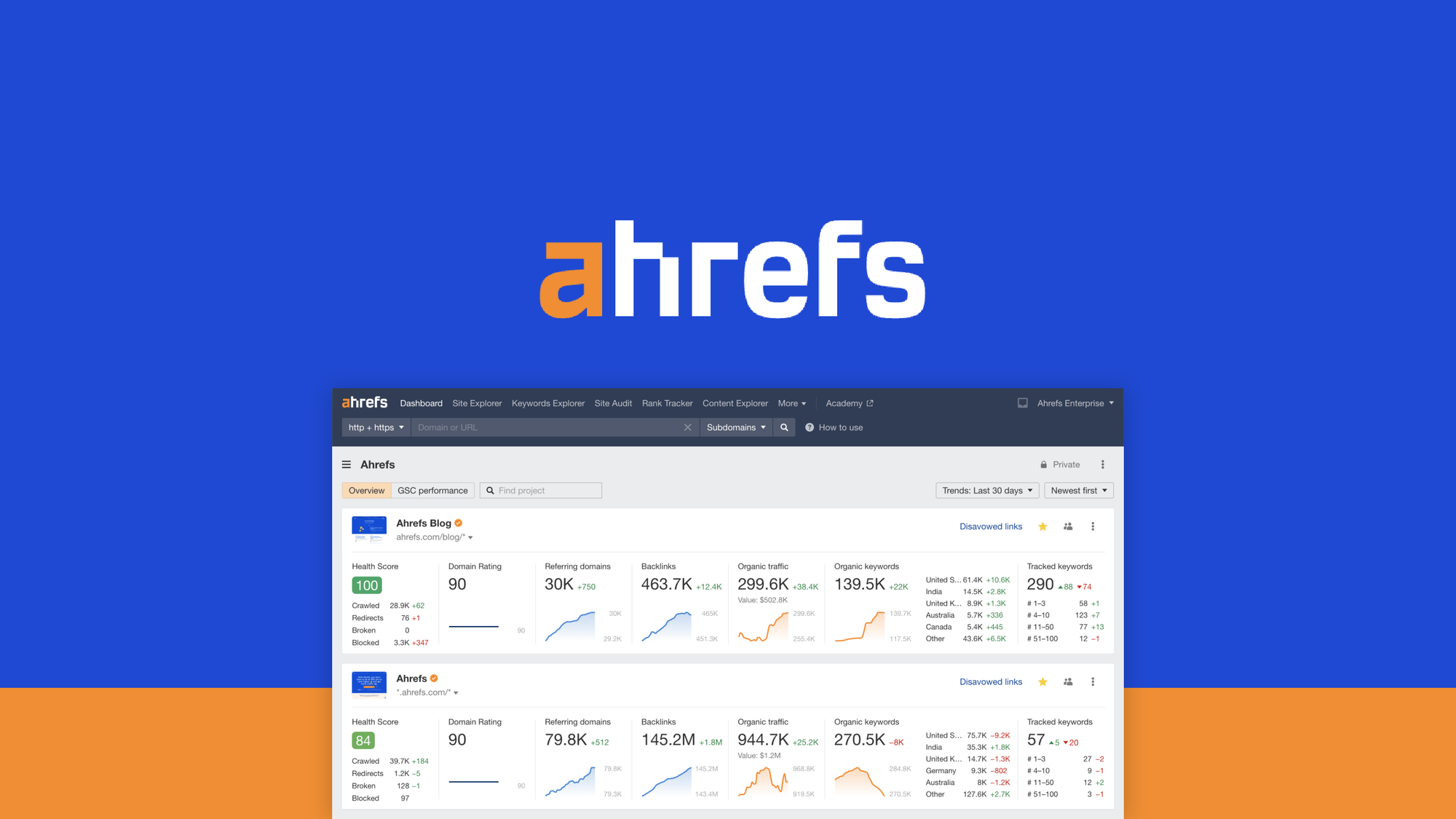
A backlink tool is a software or online service that helps you track, analyse, and manage the backlinks pointing to your website. It provides valuable insights into the quality and quantity of your backlinks, helping you make informed decisions to improve your SEO strategy.

Benefits of Using a Backlink Tool:

  • Monitor Backlink Quality: A backlink tool allows you to assess the quality of websites linking to yours. High-quality backlinks from reputable sites can positively impact your SEO rankings.
  • Identify Toxic Backlinks: Some backlinks can harm your website’s SEO performance. A backlink tool helps you identify and disavow toxic links that could potentially penalise your site.
  • Competitor Analysis: By analysing your competitors’ backlink profiles, you can discover new link-building opportunities and stay ahead in the competitive landscape.
  • Track Progress: Monitoring changes in your backlink profile over time allows you to track the effectiveness of your link-building efforts and adjust your strategy accordingly.

How to Choose the Right Backlink Tool?

When selecting a backlink tool for your website, consider factors such as accuracy of data, user-friendly interface, reporting capabilities, and pricing. Look for features like real-time monitoring, spam score analysis, link discovery, and integration with other SEO tools for comprehensive insights.

In Conclusion

A backlink tool is an indispensable asset for any website looking to improve its SEO performance. By leveraging the insights provided by such tools, you can enhance your link-building strategy, boost organic traffic, and climb higher in search engine results pages. Invest in a reliable backlink tool today to take control of your website’s online presence.


Understanding Backlink Tools: Key FAQs and Their Importance for SEO

  1. What is a backlink tool?
  2. Why are backlinks important for SEO?
  3. How does a backlink tool help improve SEO?
  4. What features should I look for in a backlink tool?
  5. Can a backlink tool help identify harmful links?
  6. How can I benefit from competitor analysis using a backlink tool?
  7. What are some common metrics provided by Backlinl Tools?

A backlink tool is a valuable resource used in the realm of search engine optimisation (SEO) to monitor, analyse, and manage the links pointing to a website. Essentially, a backlink tool provides insights into the quality and quantity of backlinks that a website has, helping website owners and digital marketers make informed decisions to enhance their SEO strategy. By understanding what websites are linking to yours and assessing their credibility, a backlink tool plays a crucial role in improving a website’s authority and search engine rankings.

Backlinks are crucial for SEO due to their role in establishing credibility and authority for a website. Search engines like Google consider backlinks as a vote of confidence from one site to another. When reputable websites link to your site, it signals to search engines that your content is valuable and trustworthy, leading to higher rankings in search results. Backlinks not only drive referral traffic but also help search engines discover new pages on your site. By building a strong backlink profile with high-quality links, websites can improve their visibility, organic traffic, and overall SEO performance.

A backlink tool plays a crucial role in enhancing SEO by providing valuable insights into a website’s backlink profile. By analysing the quality and quantity of backlinks pointing to a site, the tool helps identify high-authority links that can boost search engine rankings. Additionally, it allows users to detect and disavow toxic or spammy backlinks that could negatively impact SEO performance. By monitoring changes in the backlink profile over time and conducting competitor analysis, a backlink tool enables website owners to refine their link-building strategies, increase organic traffic, and ultimately improve their visibility in search engine results pages.

When considering a backlink tool for your website, it is essential to look for specific features that can enhance your SEO strategy. Firstly, the tool should provide accurate and up-to-date data on your backlink profile, including information on the quality and quantity of backlinks. It should offer insights into competitor backlink profiles to identify link-building opportunities. Additionally, features such as toxic link detection, real-time monitoring, customisable reporting, and integration with other SEO tools are beneficial for a comprehensive analysis of your backlink landscape. A user-friendly interface and cost-effective pricing are also important factors to consider when selecting the right backlink tool for your website.

Yes, a backlink tool can indeed help identify harmful links pointing to your website. By utilising a backlink tool, website owners and digital marketers can analyse their backlink profile to pinpoint any toxic or low-quality links that may be detrimental to their SEO efforts. These harmful links can come from spammy websites, link farms, or other sources that violate search engine guidelines. With the ability to identify and disavow such links, a backlink tool empowers users to maintain a clean and authoritative backlink profile, ultimately safeguarding their website’s SEO performance and online reputation.

Conducting competitor analysis using a backlink tool can offer numerous benefits to enhance your website’s SEO strategy. By analysing your competitors’ backlink profiles, you can gain valuable insights into their link-building strategies and identify potential opportunities for your own site. Understanding which websites are linking to your competitors can help you discover new sources for high-quality backlinks, improve your site’s authority, and boost organic traffic. Additionally, by monitoring changes in your competitors’ backlink profiles over time, you can stay informed about industry trends, adapt your own link-building tactics, and maintain a competitive edge in the online landscape.

What are some common metrics provided by Backlinl Tools?

Backlink tools offer a range of essential metrics to help website owners and digital marketers evaluate the quality and impact of their backlink profiles. Some common metrics provided by these tools include Domain Authority (DA) and Page Authority (PA), which indicate the credibility of linking domains and specific pages. Backlink quantity, referring domains, and anchor text analysis are also key metrics that give insights into the volume and diversity of backlinks pointing to a website. Additionally, tools often provide spam score ratings to identify potentially harmful links, along with historical data on link growth and lost backlinks for tracking progress over time. These metrics play a vital role in shaping effective SEO strategies and improving website visibility in search engine results.